Laravel PHP Licenser & Updates Manager - REST API, webhooks, customer portal
FOB Ticksify
PluginFOB Ticksify - Easily to manage and organize your customer support tickets
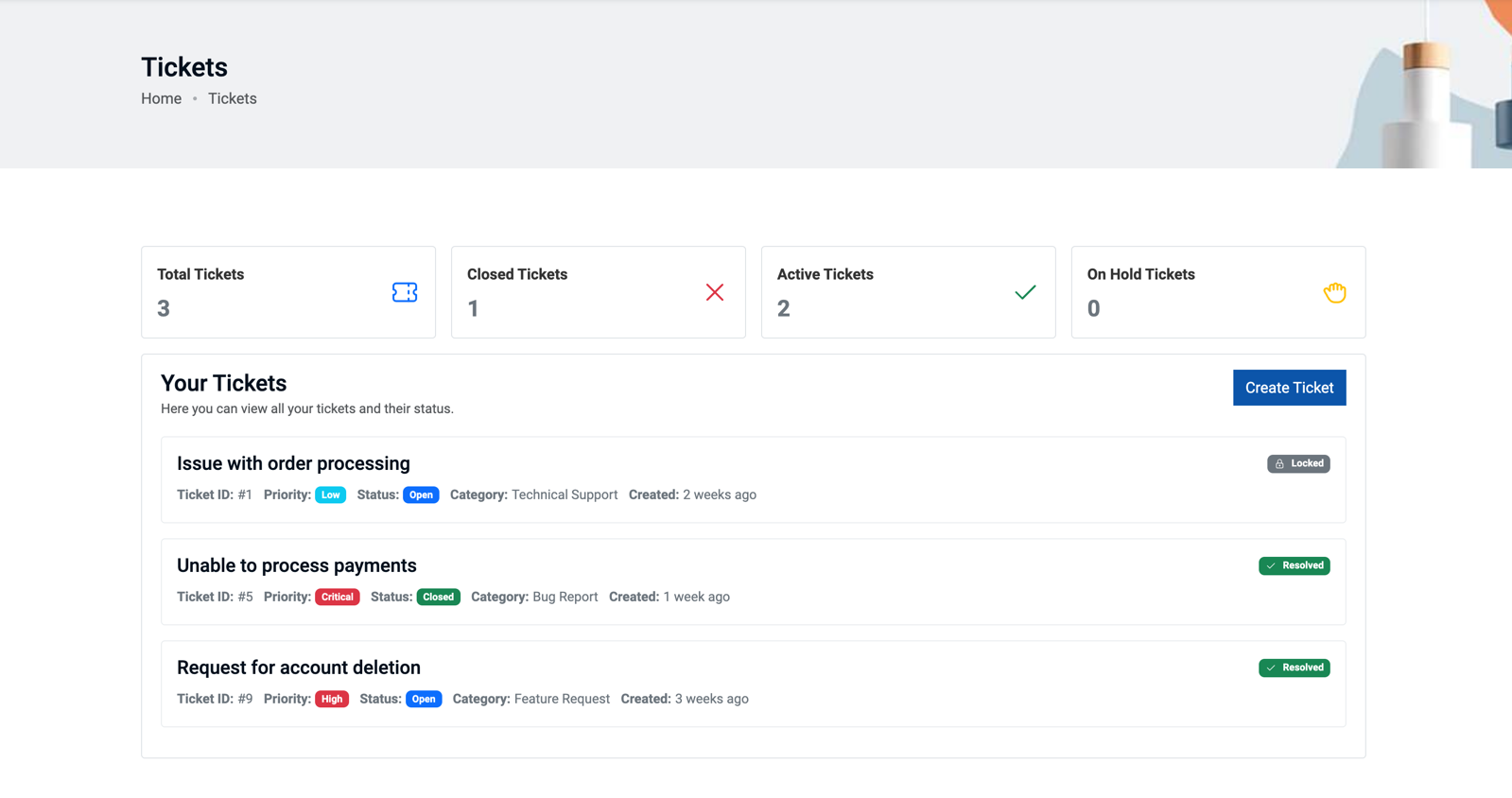
View and manage all your customer support tickets in a clean and organized list.
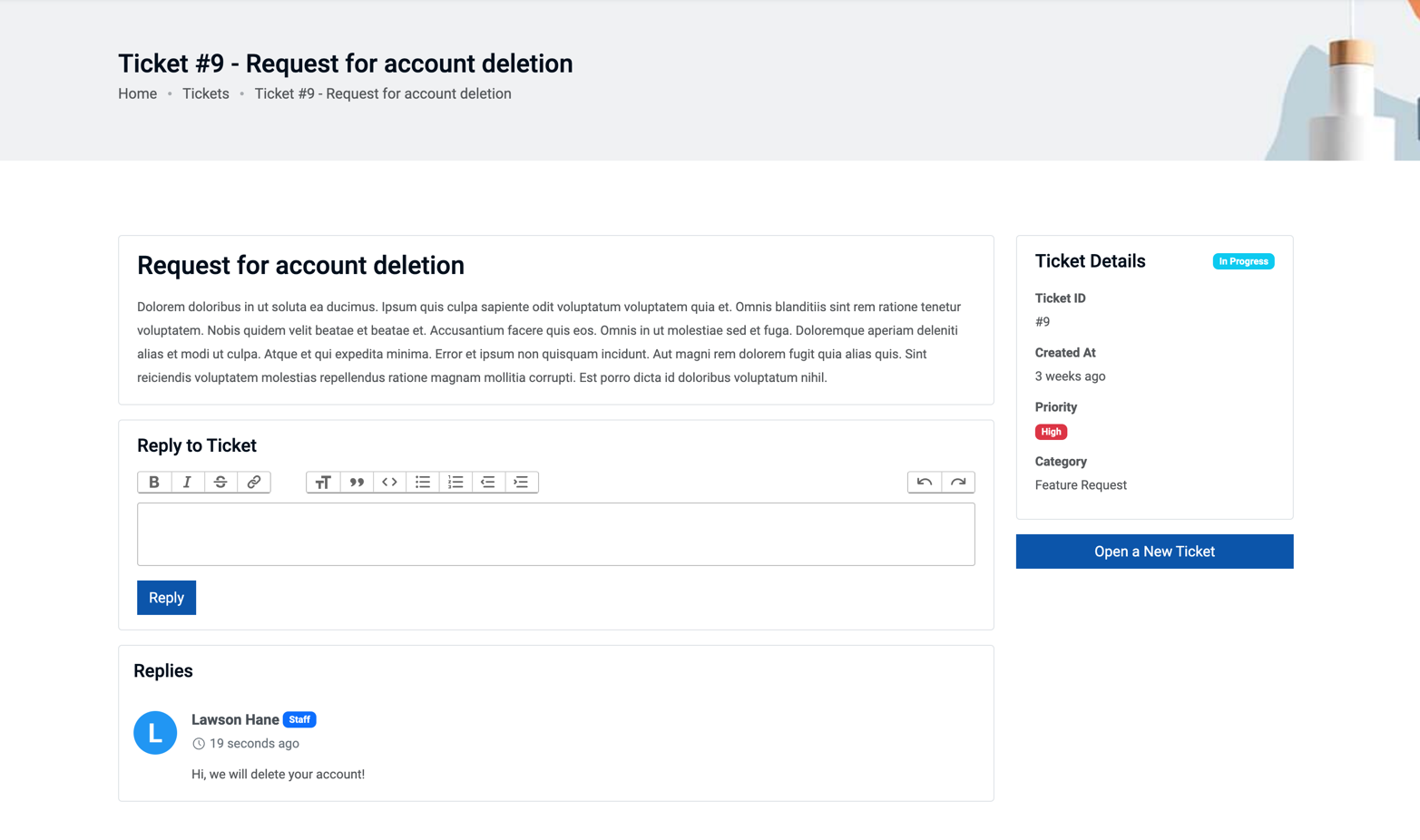
Dive into the details of each support ticket
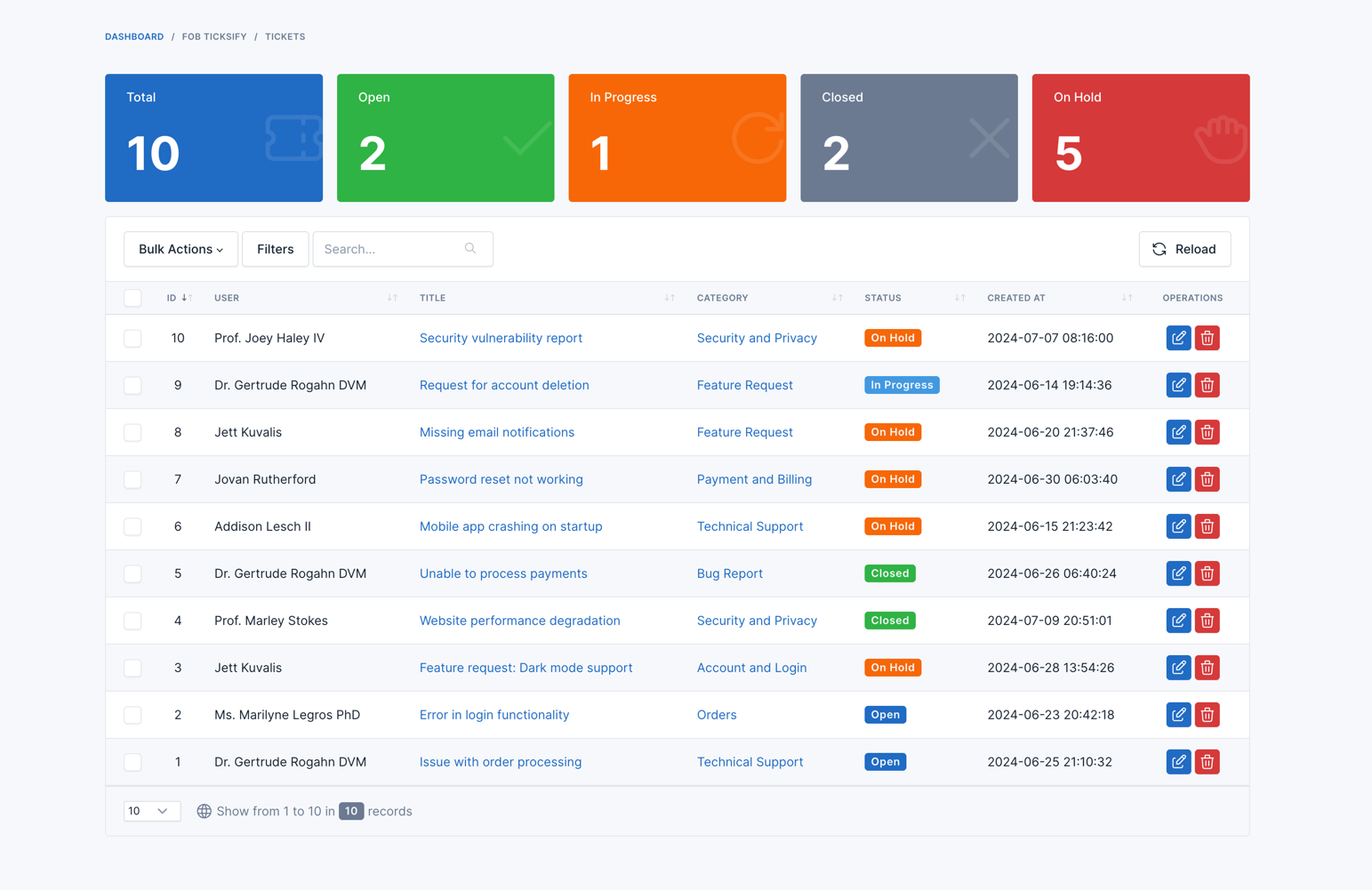
The admin panel provides a comprehensive view of all ticket activities.
Requirements
- Botble core 7.3.0 or higher.
Installation
Install via Admin Panel
Go to the Admin Panel -> Plugins -> Add New Plugin and type FOB Ticksify in the search box then click to install.
Install Manually
- Download the plugin from the Botble Marketplace.
- Extract the downloaded file and upload the extracted folder to the
platform/pluginsdirectory. - Go to Admin > Plugins and click on the Activate button.
Contributing
Please see CONTRIBUTING for details
Security
If you discover any security related issues, please email [email protected] instead of using the issue tracker.
Credits
License
The MIT License (MIT). Please see License File for more information.
Support the Author
If you find this product helpful, consider supporting the developer.
Leave a comment
Your email address will not be published. Required fields are marked *

How can we utilise this feature with the Zelio platform provided by Botble? I can't see the page where users will create tickets!

This plugin won't work for Zelio, it's just can be used for ecommerce, real estate or job board scripts by Botble.

very good

Super please new function create custom api intgeration

pls create cjdropshipping.com api integration