Laravel PHP Licenser & Updates Manager - REST API, webhooks, customer portal
SH SMS Notifier
PluginSmart SMS Notifier Plugin for Botble CMS
🎯 Overview
The Smart SMS Notifier plugin automatically sends SMS notifications for all email-triggered events in Botble CMS. It provides a robust gateway system, country-based routing, and a dynamic template engine.
🔧 Features
- Automatic Email-to-SMS: Automatically detect when an email is sent using Botble's
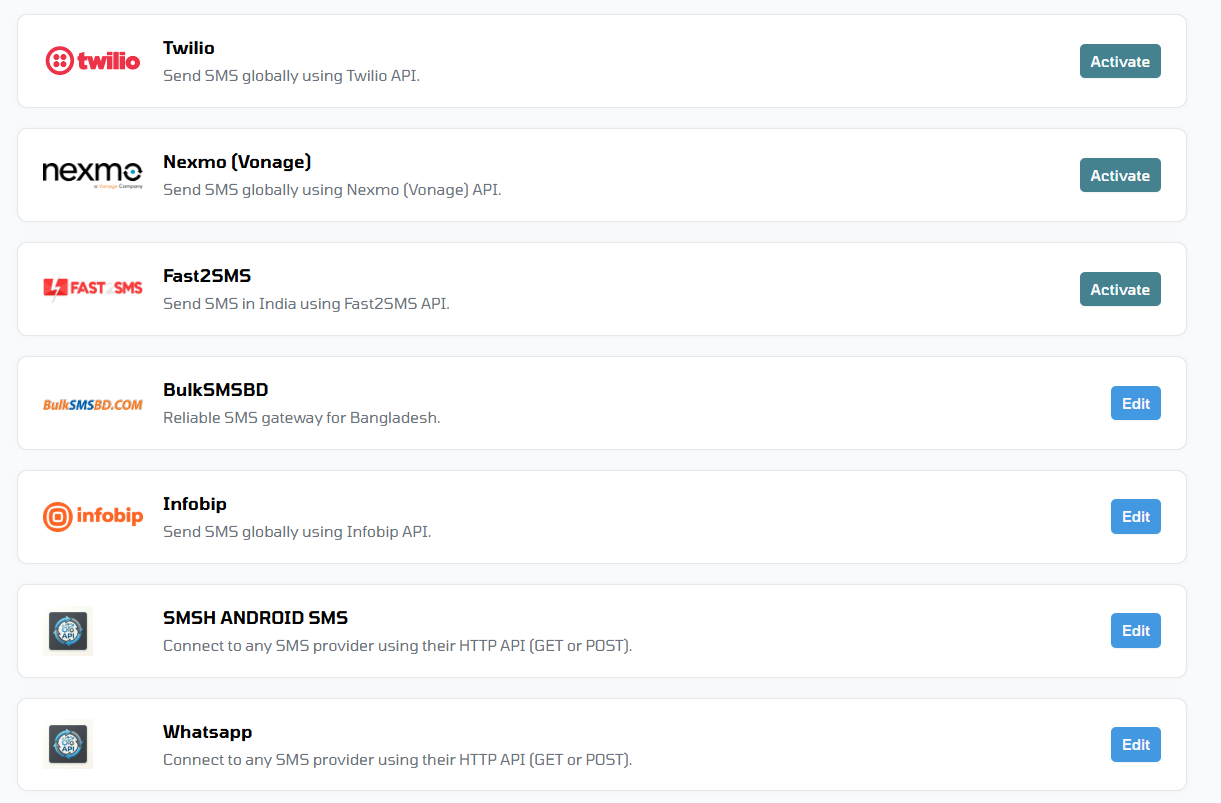
EmailHandlerand send a corresponding SMS. - Multi-Gateway Support: Built-in support for Twilio, Nexmo (Vonage), Fast2SMS, and a flexible Custom API gateway.
- Country-based Routing: Route SMS through different gateways based on the recipient's phone number prefix (e.g., +880, +91).
- Dynamic Templates: Edit SMS templates directly from the admin panel with support for variables like
{{customer_name}},{{order_id}}, etc. - SMS Logs: Track every SMS sent, including status and gateway responses.
- Queue Support: Offload SMS sending to Laravel queues for better performance.
📖 How to Use
1. Initial Setup
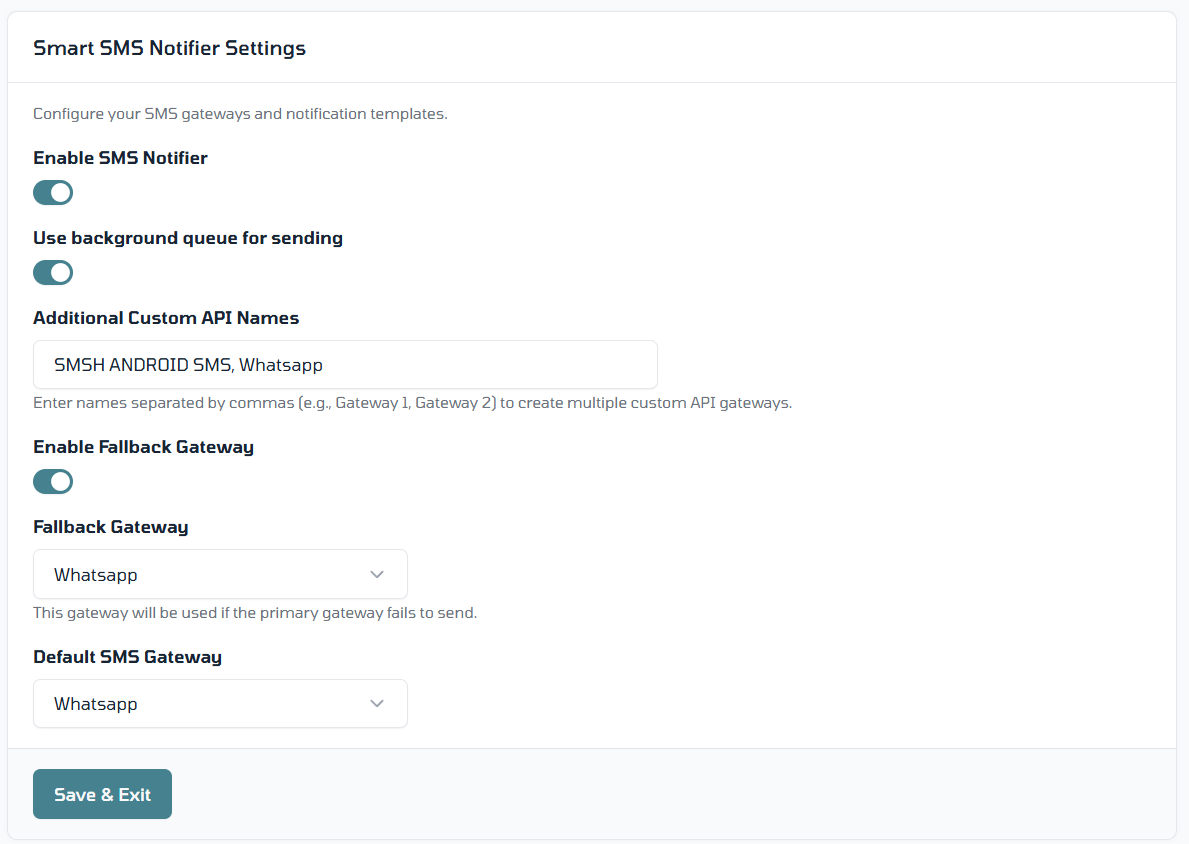
- Navigate to Smart SMS Notifier > Settings.
- Enable the plugin using the Enable Smart SMS Notifier toggle.
- (Optional) Enable Use Queue to offload SMS sending to background jobs for better performance.
- Set your Default Gateway from the dropdown menu.
2. Configuring Gateways
- From the Settings page, click the Edit button next to your preferred gateway (e.g., Twilio, Nexmo).
- Enter your API credentials (API Key, Secret, etc.) as provided by your SMS service.
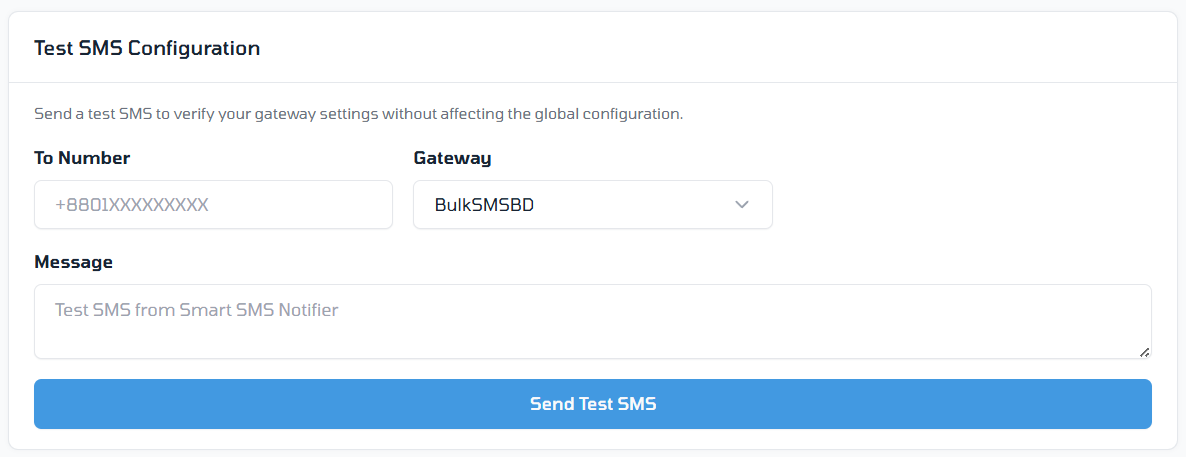
- Use the Test SMS card at the bottom of the page to verify your credentials by sending a message to your own number.
3. Custom Gateway Integration
If your provider is not built-in, you can add it dynamically:
- In Settings, locate the Custom Gateways List field.
- Enter the name(s) of your custom gateways, separated by commas (e.g.,
MyLocalProvider, SecondProvider). - After saving, these will appear in the gateway list where you can configure their endpoints, HTTP methods, and payload mapping using
{phone}and{message}placeholders.
4. SMS Templates
- Go to Smart SMS Notifier > SMS Templates.
- Here you can customize the content for various events (e.g., Order Placed, Customer Welcome).
- Use variables like
{{customer_name}},{{order_id}}, and{{site_title}}to personalize messages. - You can enable or disable specific templates as needed.
5. Country-based Routing
- Navigate to Smart SMS Notifier > Country Routing.
- Add rules to route SMS through specific gateways based on the recipient's phone prefix.
- For example, route all
+880numbers through a local gateway while using Twilio for the rest of the world.
6. Monitoring Logs
- Visit Smart SMS Notifier > SMS Logs to see a history of all sent messages.
- Click the Eye Icon on any log entry to view full delivery details, including the raw response from the SMS gateway for advanced debugging.
🔌 Developer Integration (v3.0.x)
Smart SMS Notifier is designed for easy integration with other Botble plugins.
1. Create a Template
Add a .stpl (SMS Template) file in your plugin's resources:
platform/plugins/your-plugin/resources/sms-templates/ticket_created.stpl
Example Content:
Hi {{customer_name}}, your ticket #{{ticket_id}} has been created.
2. Dispatch SMS from Code
Inject or use the SmsHandler facade in your support helpers or controllers:
use Platform\Plugins\SmartSmsNotifier\Facades\SmsHandler;

SmsHandler::setModule('your-plugin')
    ->setVariableValues([
        'customer_name' => $user->name,
        'ticket_id' => $ticket->id,
    ])
    ->sendUsingTemplate('ticket_created', $phone);
The system will automatically log the attempt as "Pending", then update with the gateway response.
[!TIP] Want to add a new SMS provider via code? Check out our Gateway Development Guide.
⚙️ Gateway Setup
Built-in Gateways
- Twilio: Requires Account SID, Auth Token, and a verified From Number.
- BulkSMSBD: Requires Member ID, Username, Password, and Sender ID.
- Nexmo/Vonage: Requires API Key, Secret, and From Number.
Custom API Gateway
If your provider is not listed, use the Custom API gateway:
- Endpoint: Your provider's API URL.
- Method:
GETorPOST. - Payload: Define the JSON payload or query parameters.
- Keyword Mapping: Use
{phone}and{message}as placeholders in your request.
📊 SMS Logs & Details
- Every SMS is logged in Smart SMS Notifier > SMS Logs.
- Click the Eye Icon (View Details) in the table to see the full JSON response from the gateway for debugging.
Built with ❤️ for Botble CMS.
Leave a comment
Your email address will not be published. Required fields are marked *