New
License Manager
|
Laravel PHP Licenser & Updates Manager - REST API, webhooks, customer portal
Admin Page Lock
Plugin
Protect selected admin panel pages with a 6-digit numeric password popup.
$3.00
$5.00
🛡️ Admin Page Lock - Premium Security Layer for Botble CMS



Admin Page Lock is an essential security extension for Botble CMS, designed to add an extra layer of protection to your most sensitive admin panel areas. Whether you're managing financial records, system settings, or user data, this plugin ensures that only authorized personnel can access critical pages through a sleek, 6-digit numeric PIN challenge.
💎 Premium Features
- 🎯 Granular Page Control: Select specific routes or individual URIs to lock. You choose exactly what needs protection.
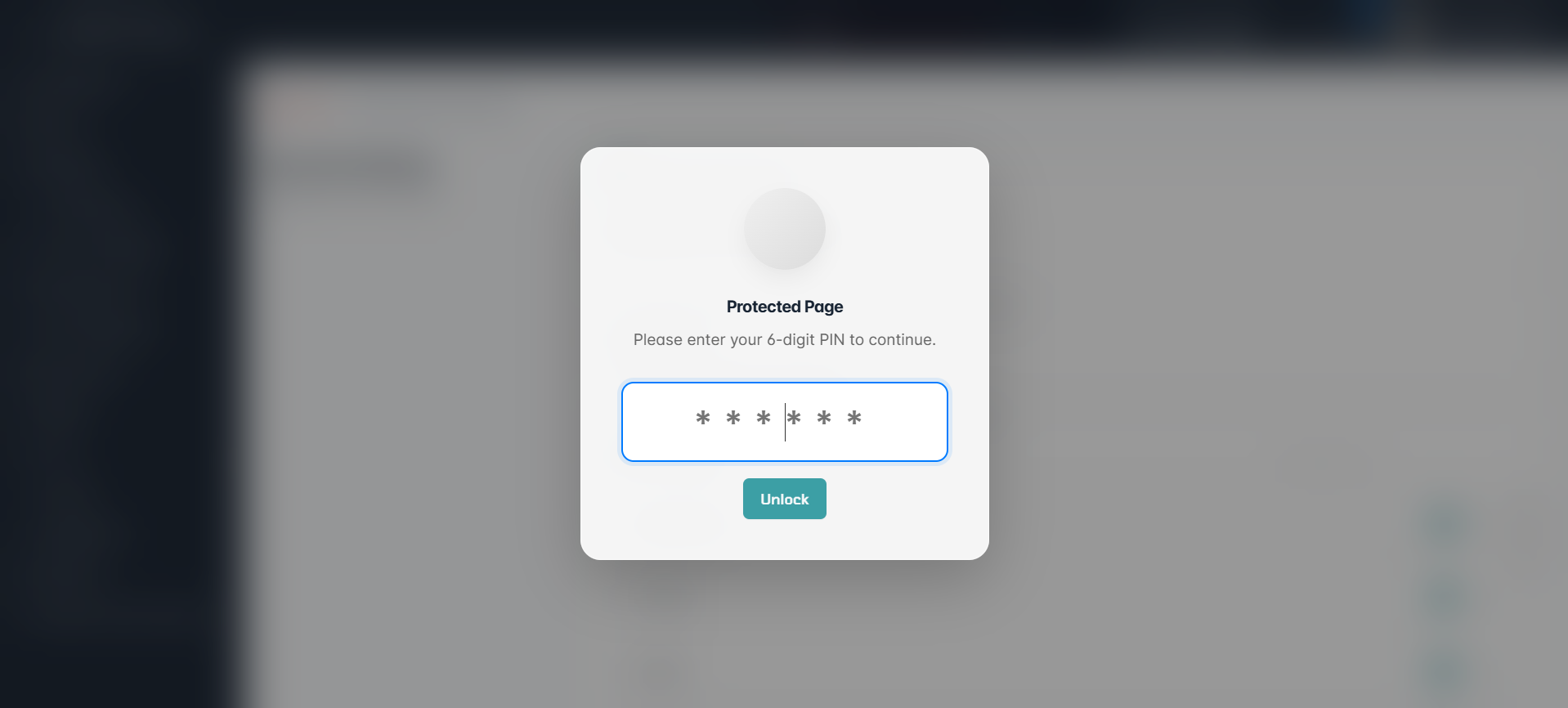
- 🔢 6-Digit PIN Security: A minimalist yet highly secure numeric keypad interface for quick and safe verification.
- ⏳ Flexible Timeout Options:
- Session-Based: Enter once per session.
- Frequency-Based: Require PIN entry on every page load for maximum security.
- Timed-Based: Set a custom timeout in minutes (e.g., re-lock after 15 minutes of inactivity).
- ✨ Seamless UX: Modern, centered popup with a blurred background that complements the native Botble aesthetic.
- 🚀 Performance Optimized: Zero impact on site speed. Built with lightweight logic and native Botble components.
- 🛡️ Native Integration: Fully supports Botble's permission system and integrates directly into the core settings.
⚙️ Requirements
- Botble Core: Version
7.0.0or higher. - PHP:
8.1or higher. - Extensions: Standard PHP extensions required by Botble.
🛠 Installation
1. Automatic Installation
- Navigate to your Admin Panel -> Plugins -> Add New Plugin.
- Search for Admin Page Lock.
- Click Install Now, then Activate.
2. Manual Installation
- Download the plugin from the marketplace.
- Extract the
admin-page-lockfolder toplatform/plugins/. - Run
php artisan cms:plugin:activate admin-page-lock. - (Optional) Run
php artisan migrateif applicable.
📖 How to Use
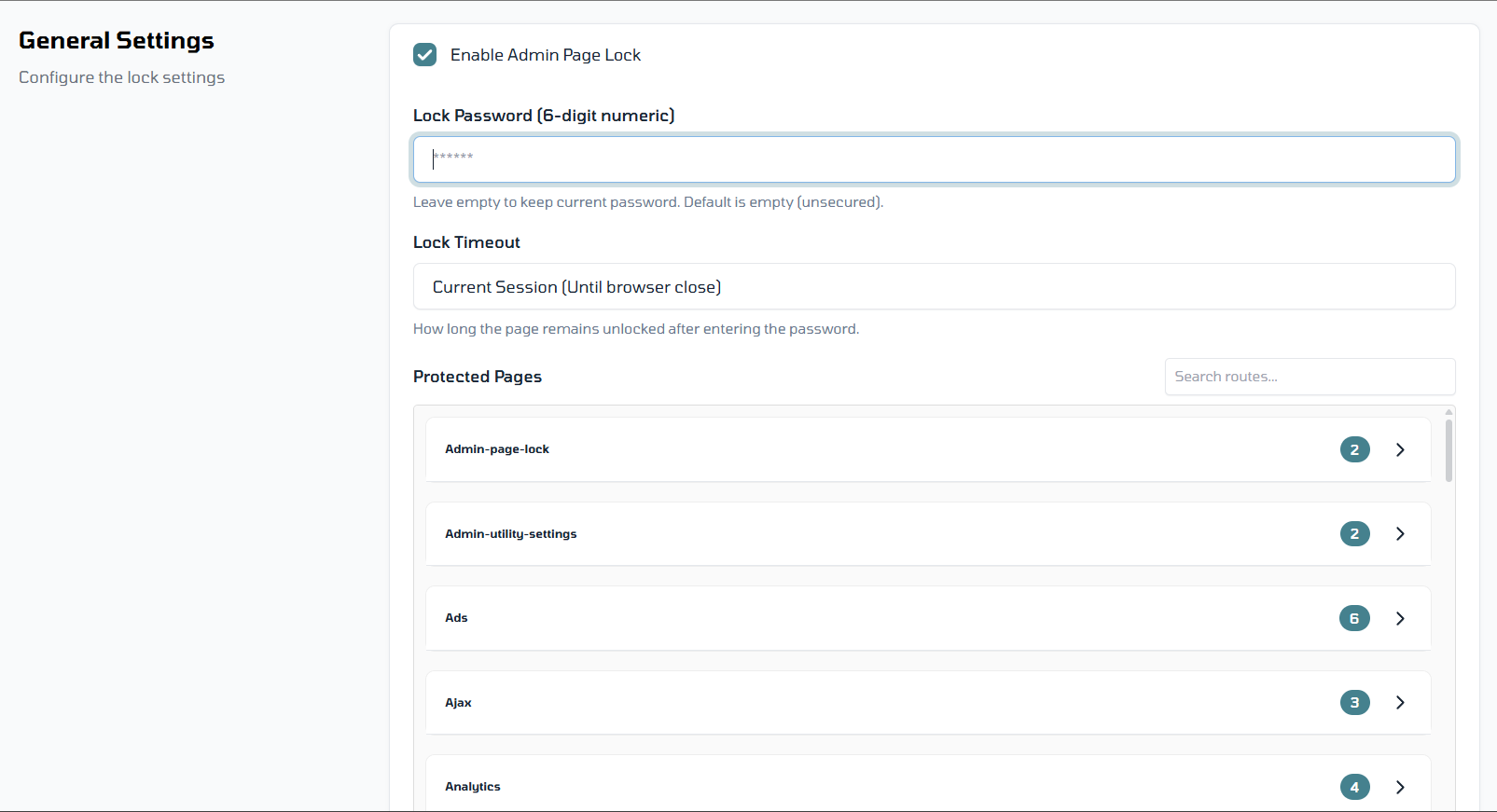
- Access Settings: Navigate to Admin Panel -> Settings -> Admin Page Lock.
- Enable Toggle: Turn on the plugin using the global enable/disable switch.
- Set Your PIN: Create a secure 6-digit numeric passcode.
- Select Pages:
- Use the multi-select dropdown to pick specific Admin Routes.
- Add custom URIs for more granular control.
- Choose Timeout: Select your preferred security level (Session, Every Time, or Custom Minutes).
- Save & Secure: Click Save Settings. Your selected pages are now protected!
🤝 Support & Roadmap
We are committed to making Admin Page Lock the best security tool for Botble.
- 📧 Technical Support: Reach out to [email protected] for any issues.
- 🌐 Website: Visit shakib.me for documentation and updates.
- 🏗 Coming Soon: Brute-force protection, Email notifications for failed attempts, and more!
Developed with ❤️ by Shakib Hossain
Leave a comment
Your email address will not be published. Required fields are marked *
Kindly log in to share your feedback on this plugin.