Laravel PHP Licenser & Updates Manager - REST API, webhooks, customer portal
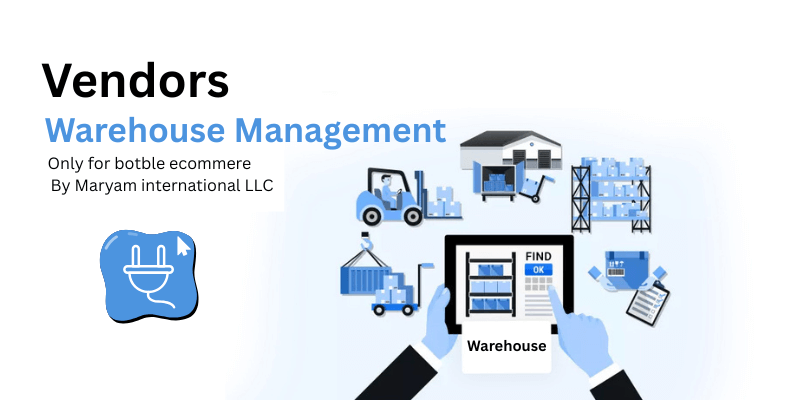
Advanced Seller Warehouse Management Plugin like Amazon FBA
Plugin🏭 Advanced Seller Warehouse Management Plugin
Seller Warehouse Alert


Shipping label

Admin Menu

Enterprise-Grade Multi-Warehouse Solution for Botble Marketplace
Transform your marketplace into an Amazon-style fulfillment powerhouse! This advanced warehouse management plugin brings enterprise-level logistics capabilities to your Botble ecommerce marketplace, enabling sellers to manage multiple warehouse locations with professional-grade tools.
🚀 Why Choose This Plugin?
- Amazon-Style Multi-Warehouse Model - Let sellers operate like major retailers with multiple fulfillment centers
- Smart Shipping Integration - Automatically uses the active warehouse address on shipping labels
- Admin Approval Workflow - Full control over warehouse creation and modifications
- Real-Time Notifications - Critical alerts ensure sellers maintain active warehouses
- Organized Admin Dashboard - View warehouses grouped by seller with popup details
✨ Key Features
For Sellers/Vendors:
- 🏢 Unlimited Warehouses - Create and manage multiple warehouse locations like Amazon FBA
- ⚡ One-Click Activation - Instantly switch between warehouses for different regions
- 📝 Detailed Address Management - Complete address fields including building, area, landmark
- 🔔 Smart Notifications - Popup alerts on login and every 30 minutes if no active warehouse
- 📦 Shipping Label Integration - Active warehouse address automatically used for shipping
- 🛡️ Product Protection - Must have at least one approved warehouse before creating products
For Admin:
- 👥 Seller-Grouped View - See all sellers with their warehouse counts at a glance
- 🔍 Popup Warehouse Details - Click to view all warehouses for any seller in a modal
- ✅ Approval Workflow - Approve, reject, or auto-approve warehouse submissions
- 🚫 Block/Unblock Control - Block problematic warehouses with reason tracking
- ⚙️ Flexible Settings - Configure auto-approval for new warehouses and edits
- 📊 Statistics Dashboard - Track total sellers, warehouses, active, and blocked counts
- 🏠 Admin Warehouse - Create your own warehouse for in-house products
📋 Warehouse Fields
Each warehouse includes comprehensive address information:
| Field | Description |
|---|---|
| 🏷️ Warehouse Name | Unique identifier for the warehouse |
| 🌍 Country | Country location |
| 🗺️ State/Province | State or province |
| 🏙️ City | City name |
| 📮 Pin/Zip Code | Postal code |
| 📍 Area/Locality | Neighborhood or area |
| 🏢 Building Name | Building or complex name |
| 🔢 Building/Flat No | Unit or flat number |
| 📱 Mobile Number | Contact phone |
| 📧 Email Address | Contact email |
| 🎯 Landmark | Nearby landmark (optional) |
| 📝 Notes | Additional notes (optional) |
🛠️ Installation
# 1. Copy plugin to platform
cp -r sellerwarehouse platform/plugins/

# 2. Activate via Admin Panel
# Go to Admin → Plugins → Find "Seller Warehouse" → Activate

# 3. Run migrations
php artisan migrate

# 4. Clear cache
php artisan cache:clear
php artisan view:clear
📖 Usage Guide
For Sellers:
- 🏠 Go to Vendor Dashboard → Warehouses
- ➕ Click "Add Warehouse" to create your first warehouse
- 📝 Fill in all required fields with accurate address
- ✅ First warehouse is automatically set as active
- 🔄 To change active warehouse, click "Set as Active" on another warehouse
- ⚠️ Important: You must have an active warehouse to create products!
For Admin:
- 📊 Go to Admin → Warehouses → Seller Warehouses
- 👥 View all sellers grouped with warehouse counts
- 🔍 Click "Show All Warehouses" to see popup with all warehouses for a seller
- ⚡ Use action buttons to activate/deactivate/block/delete
- ⚙️ Configure settings in Warehouse Settings
🚚 Shipping Label Integration
When a shipping label is generated:
- ✅ Active warehouse address is used as sender address
- 🔄 Falls back to store address if no warehouse
- 📋 Displays: warehouse name, full address, phone, email
🗄️ Database Schema
Creates table: seller_warehouses
| Column | Type | Description |
|---|---|---|
| id | bigint | Primary key |
| store_id | bigint | NULL for admin, FK to mp_stores for sellers |
| name | string | Warehouse name |
| status | enum | pending, approved, rejected |
| is_active | boolean | Currently active warehouse |
| is_blocked | boolean | Blocked by admin |
| blocked_reason | string | Reason for blocking |
| approved_at | timestamp | Approval timestamp |
| approved_by | bigint | Admin who approved |
🔗 API Routes
Vendor Routes:
| Method | Route | Description |
|---|---|---|
| GET | /vendor/warehouses |
List warehouses |
| GET | /vendor/warehouses/create |
Create form |
| POST | /vendor/warehouses |
Store warehouse |
| GET | /vendor/warehouses/{id}/edit |
Edit form |
| PUT | /vendor/warehouses/{id} |
Update warehouse |
| POST | /vendor/warehouses/{id}/activate |
Set as active |
Admin Routes:
| Method | Route | Description |
|---|---|---|
| GET | /admin/seller-warehouses |
List sellers with warehouses |
| GET | /admin/seller-warehouses/store/{id} |
Get warehouses for seller (popup) |
| GET | /admin/pending-warehouses |
Pending approval list |
| POST | /admin/pending-warehouses/{id}/approve |
Approve warehouse |
| POST | /admin/pending-warehouses/{id}/reject |
Reject warehouse |
| GET | /admin/my-warehouse |
Admin's own warehouse |
| GET | /admin/warehouse-settings |
Plugin settings |
⚙️ Requirements
- ✅ Botble CMS 7.0+
- ✅ Marketplace plugin (active)
- ✅ Ecommerce plugin (active)
🆘 Support
Email - [email protected] Whatsapp- +971553682656
Made with ❤️ for Botble Marketplace
Support the Author
If you find this product helpful, consider supporting the developer.
Bank Information
Bank Name- Wio Bank IBAN: AE040860000009582249758 ACCOUNT NUMBER: 9582249758 ACCOUNT NAME: MARYAM INTERNATIONAL LLC, Country United Arab Emirates
PayPal
@MohammadAqib951Scan QR Code
Leave a comment
Your email address will not be published. Required fields are marked *