Laravel PHP Licenser & Updates Manager - REST API, webhooks, customer portal
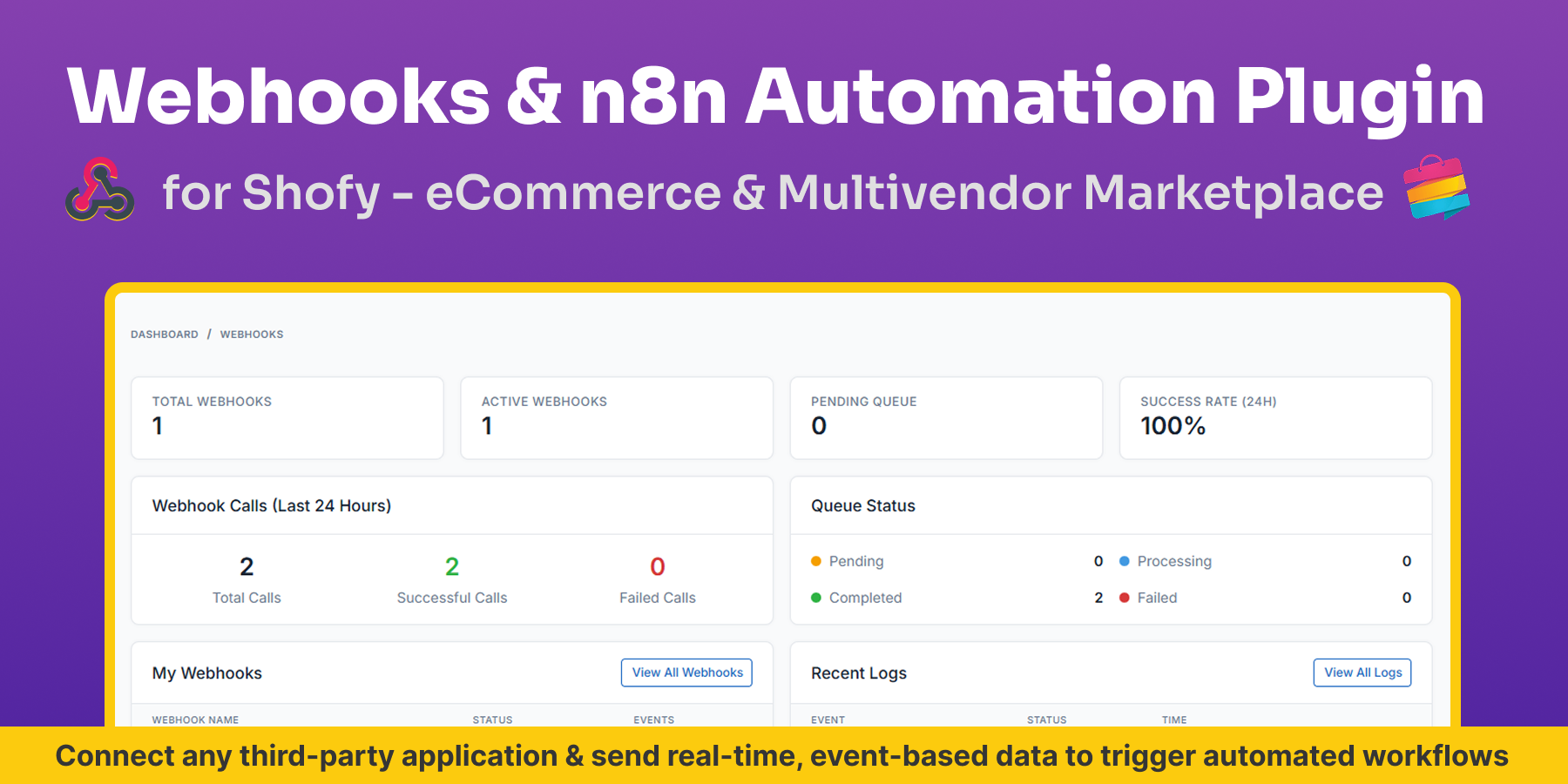
Webhooks Automation Plugin
PluginThis is a paid plugin available on Envato Market. You need to purchase and download it from Envato to use it.
Webhooks & n8n Automation Plugin for Shofy – eCommerce & Multivendor Marketplace
Note: This plugin requires a working Shofy – Laravel eCommerce & Multivendor Marketplace installation (1.4.0 or later) and an existing n8n instance (self-hosted or cloud-based). n8n installation and server setup are not included.
Brief Description
Webhooks & n8n Automation Plugin for Shofy – eCommerce & Multivendor Marketplace enables real-time, event-driven automation by instantly sending webhook events from your Shofy marketplace to n8n workflows or any custom endpoint.
This plugin transforms Shofy into an automation-ready platform — allowing you to build unlimited workflows, integrate with hundreds of services, and automate marketplace operations without recurring subscription fees.
No polling. No delays. Full data ownership.
Key Features
- Real-Time Webhook Triggers: Instantly send events from Shofy to n8n or custom endpoints the moment an action occurs — true real-time automation without polling.
- Comprehensive Event Coverage: Orders, Products, Customers, Vendors, Categories, Reviews, Invoices, Shipping, Cart Abandonment, and more — covering all essential marketplace workflows.
- Queued & Non-Blocking Processing: All webhook events are processed asynchronously using Laravel Queues to ensure Shofy remains fast and responsive even during high activity.
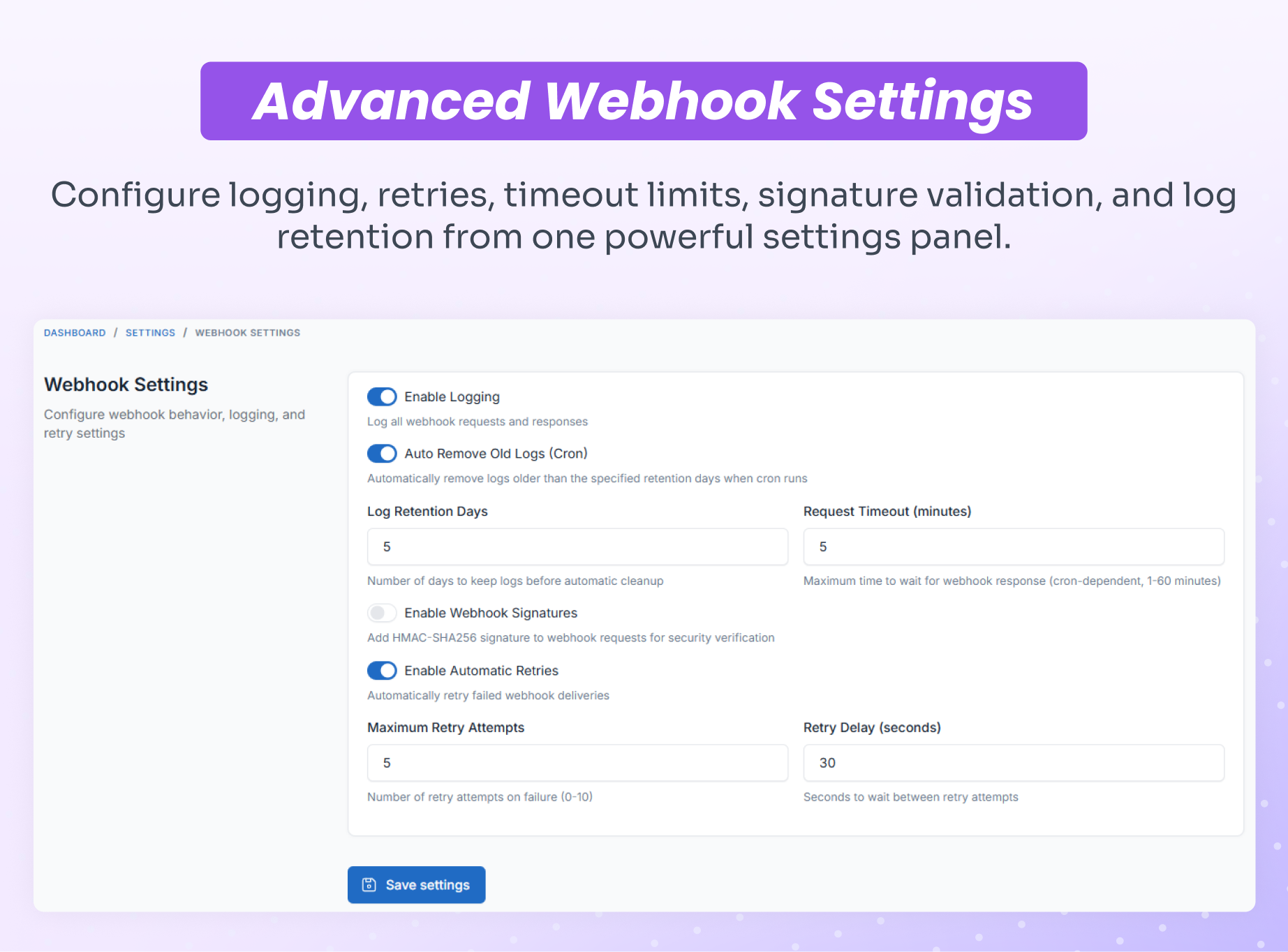
- Secure Webhook Authentication: Webhook payloads are protected using HMAC-SHA256 signature verification to ensure trusted delivery.
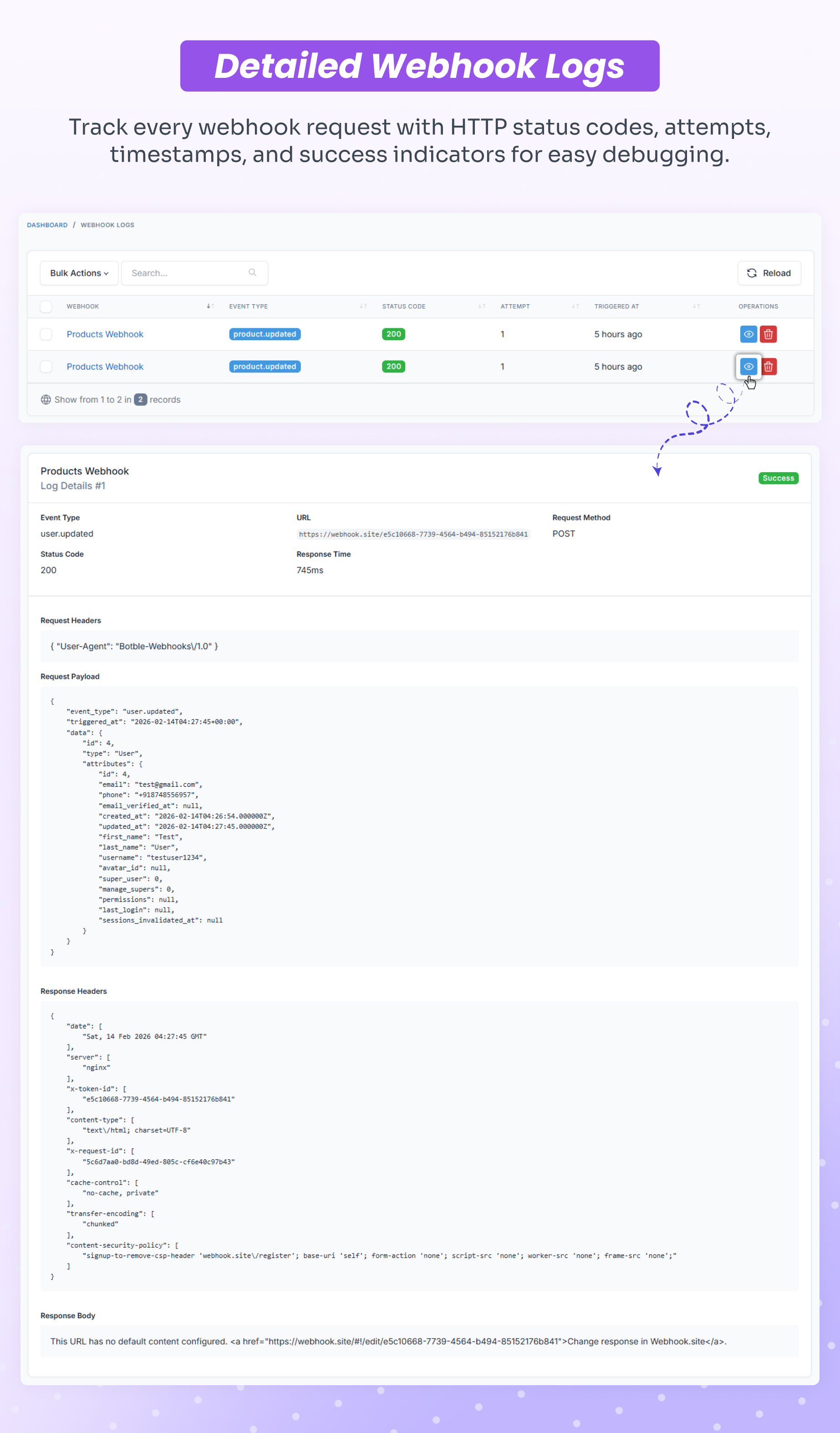
- Event Delivery Logs: Monitor every webhook attempt with detailed logs for debugging, auditing, and reliability tracking.
- Automatic Retry for Failed Webhooks: Intelligent retry handling with exponential backoff ensures events are not lost due to temporary failures.
- Admin Management Dashboard: Beautiful interface to create, configure, enable/disable webhooks, test endpoints, and view delivery logs — all from Shofy admin panel.
- Optimized for Self-Hosted n8n: Unlimited workflows, full data ownership, and zero monthly automation fees.
Who Can Use This Module?
- Marketplace Owners & Operators Automate vendor management, order fulfillment, and customer communication while reducing manual work and operational errors.
- eCommerce Businesses Connect your store with ERP, inventory systems, accounting software, CRM, and marketing platforms for seamless data synchronization.
- Digital Agencies Build custom integrations for clients and automate marketplace workflows without paying per-client automation fees.
- Dropshipping & Fulfillment Operations Automatically route orders to suppliers and fulfillment partners instantly when orders are placed.
- Developers & System Integrators Build advanced integrations and custom workflows using Shofy webhook events with clean, documented JSON payloads.
Supported Events – Complete Reference
Resource Events Orders Created, Updated, Status Changed Products Created, Updated, Deleted Categories Created, Updated, Deleted Customers Created, Updated, Deleted, Verified, Suspended, Email Verified Users Created, Updated, Deleted Vendors Registered, Withdrawal Request Reviews Created, Updated, Deleted Invoices Created, Deleted Shipping Status Changed Cart Cart Abandoned *Additional events will be added based on platform updates.
Webhook Payload Structure
Each webhook includes a standardized JSON payload containing full event metadata and resource data, making it easy to consume in n8n workflows or custom applications.
{
 "event": "order.completed",
 "triggered_at": "2026-02-12T04:57:53+00:00",
 "resource": "order",
 "data": {
   "id": 28,
   "code": "#SF-10000028",
   "user_id": 2,
   "amount": "561.63",
   "tax_amount": "73.26",
   "shipping_amount": "0.00",
   "discount_amount": "0.00",
   "sub_total": "488.37",
   "status": "completed",
   "currency": null,
   "shipping_method": "default",
   "shipping_option": null,
   "created_at": "2026-02-12T04:50:25+00:00",
   "updated_at": "2026-02-12T04:57:51+00:00"
 },
 "relationships": {
   "payment": {
     "id": 25,
     "method": "cod",
     "status": "completed"
   },
   "customer": {
     "id": 2,
     "name": "Emma Wilson",
     "email": "[email protected]",
     "phone": "+1-555-0102"
   },
   "shipping_address": {
     "name": "Emma Wilson",
     "phone": "+1-555-0109",
     "email": "[email protected]",
     "country": "GB",
     "state": "Michigan",
     "city": "Miami",
     "address": "321 Maple Drive",
     "zip_code": "85001"
   },
   "items": [
     {
       "product_id": 4,
       "product_name": "Knit Turtleneck Sweater (Digital)",
       "quantity": 1,
       "price": 488.37,
       "tax_amount": 73.26,
       "total": 488.37,
       "product_type": "digital",
       "product": {
         "id": 4,
         "slug": "knit-turtleneck-sweater-digital",
         "sku": "PP-106"
       }
     }
   ],
   "store": {
     "id": 8,
     "name": "Old El Paso",
     "email": "[email protected]",
     "status": "published"
   },
   "shipment": {
     "id": null,
     "status": null,
     "tracking_id": null,
     "tracking_link": null
   }
 }
}
- Event Metadata: Event type, timestamp, resource identifier
- Resource Data: Complete order details including amounts, status, and timestamps
- Relationships: Nested objects for payment, customer, shipping address, items, store, and shipment data
- Product Details: Full item information including product type, SKU, and pricing breakdown
- Store Information: Vendor/marketplace store details for multivendor workflows
Real-World Automation Examples
Instant Order Fulfillment
Order Created → n8n → Send to Warehouse API → Update Inventory → Notify Shipping Partner → Create Tracking Number
Automated Customer Onboarding
Customer Registered → n8n → Add to Mailchimp → Send Welcome Email → Create CRM Contact → Notify Sales Team
Vendor Management Workflow
Vendor Registered → n8n → Slack Notification → Create Approval Task → Send Onboarding Guide → Update Dashboard
Multi-System Order Sync
Order Status Changed → n8n → Update ERP → Sync QuickBooks → Email Customer → Trigger SMS → Log Analytics
Abandoned Cart Recovery
Cart Abandoned → n8n → Wait 1 Hour → Send Recovery Email → Wait 24 Hours → Send Discount Code → Track Conversion
Review & Reputation Management
Review Created → n8n → Sentiment Analysis → Positive: Post to Social → Negative: Alert Support → Sync to Trustpilot
Inventory & Stock Alerts
Product Updated (Low Stock) → n8n → Email Procurement → Create Purchase Order → Notify Supplier → Update Forecast
This plugin replaces Zapier, Make (Integromat), Pabbly, and similar paid automation tools with self-hosted n8n.
Why Choose n8n for Shofy Automation?
- Unlimited Executions – No caps, no overage fees
- 400+ Integrations – Connect virtually any service (CRMs, email, SMS, databases, APIs, cloud storage, and more)
- Complete Data Privacy – Self-hosted & secure, your data never leaves your server
- Open-Source Freedom – No vendor lock-in, full control over your automation infrastructure
- Advanced Workflow Logic – IF/ELSE conditionals, loops, error handling, retries, scheduling
- Visual Workflow Builder – Build complex automations without coding using drag-and-drop interface
- One-Time Cost – Pay once for this plugin, no monthly fees for unlimited automation
Screenshots
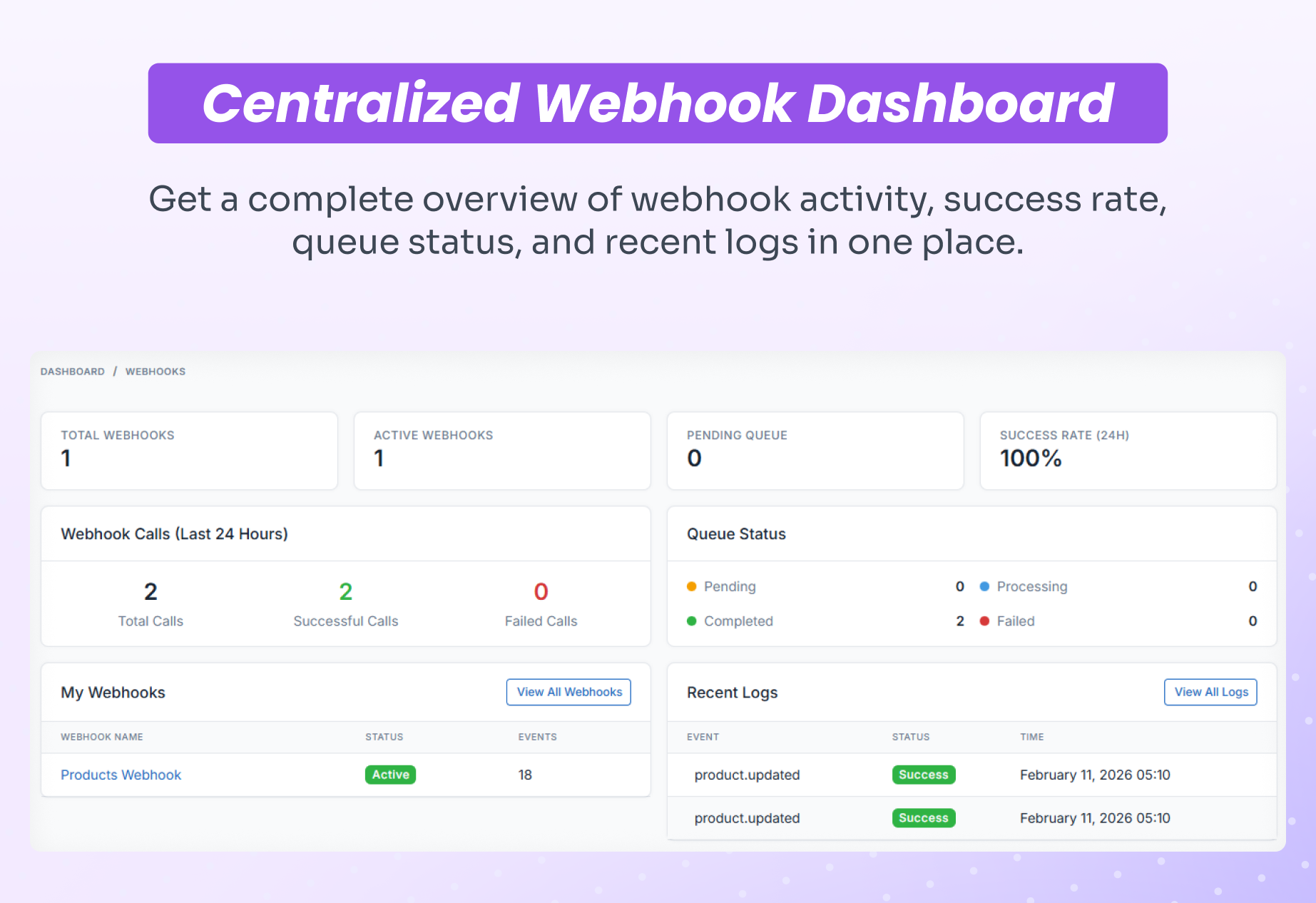
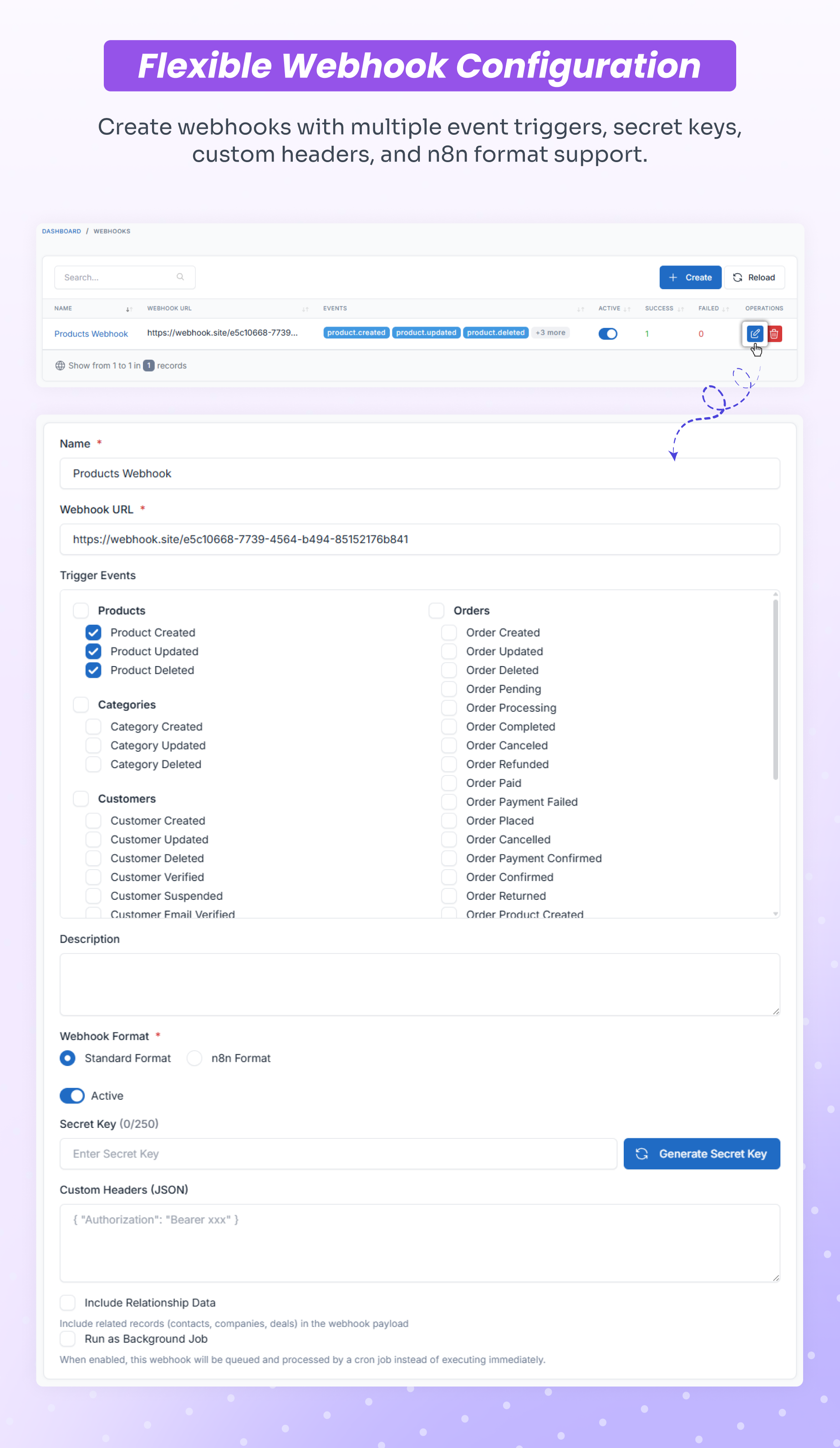
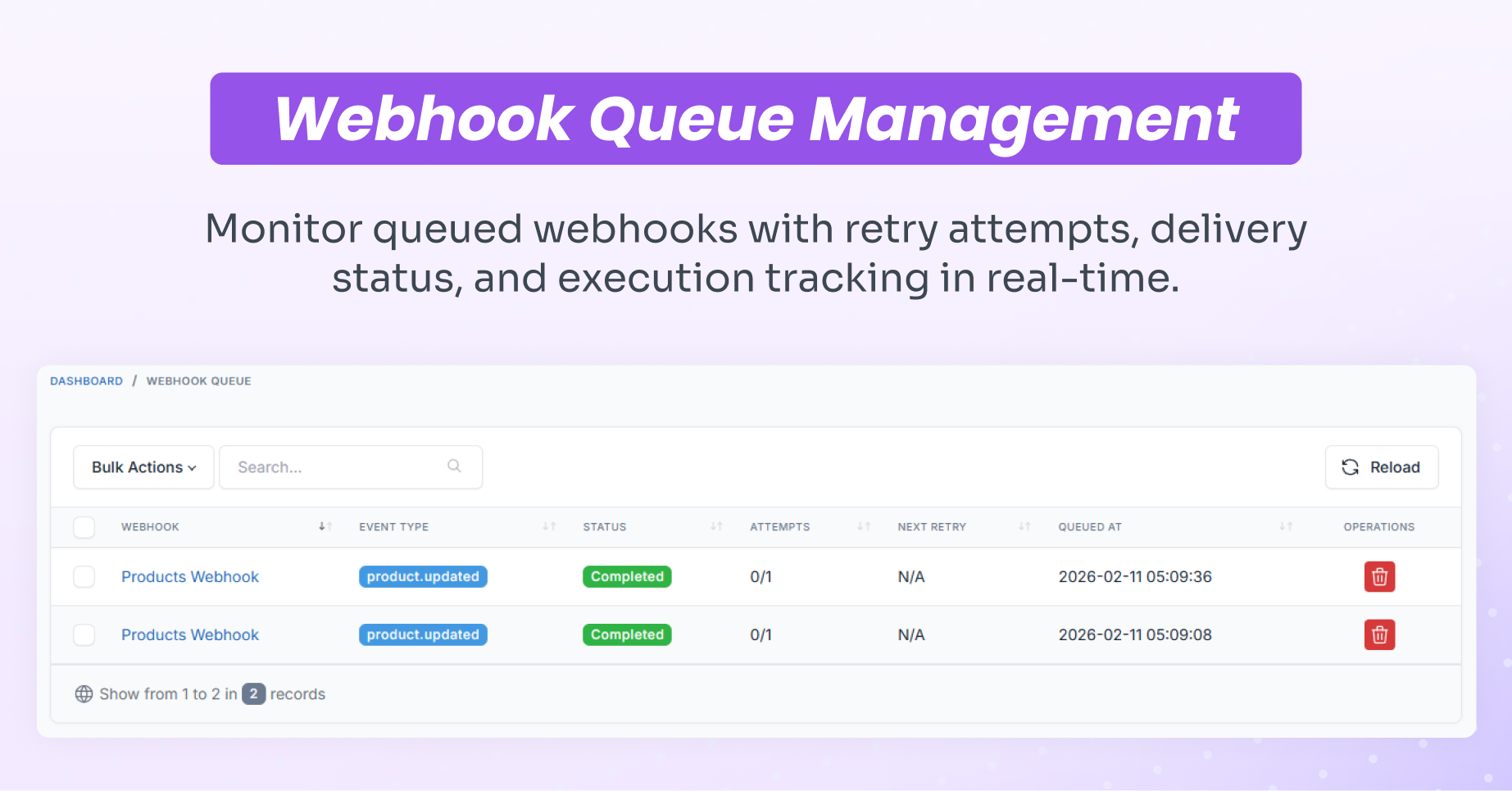
 Video Demonstration
Watch this video to see how to install the plugin, send data in real-time from Shofy to n8n using webhooks, and send a WhatsApp message as an example: ▶️ https://youtu.be/wTBrbAwfnZE
Online Documentation
Support / Queries
Support is provided through direct support channel as per Envato policy. Please include your purchase code when requesting support. We aim to respond to all support requests promptly. https://support.corbitaltech.dev/login
Changelog
Version 1.0.0 – February 2026
- Initial release
Leave a comment
Your email address will not be published. Required fields are marked *
Comments from Envato Marketplace
View all on CodeCanyon