Laravel PHP Licenser & Updates Manager - REST API, webhooks, customer portal
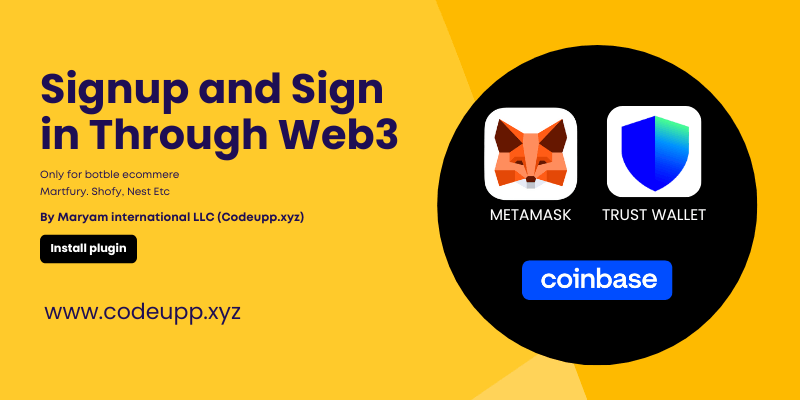
Web3 Signup or Sign in using Metamask, Trust wallet or over 300 Wallets supported
PluginWeb3 Signup — Botble CMS Plugin
100% Free, gasless Web3 wallet authentication for Botble ecommerce.
Allow your customers to sign up and sign in using their crypto wallet — completely free for both the store admin and the customer. There are zero blockchain transactions, zero gas fees, and zero costs. Authentication is based on cryptographic signature verification only.
Developed by Maryam International LLC — www.codeupp.xyz
Admin Panel

User Login & Sign Up Using PC

Login Signup Using Mobile

Login Signup Using Mobile

Why Is This Free / Zero Cost?
This plugin does not interact with any blockchain or smart contract. It uses a standard called Sign-In with Ethereum (SIWE) where the user simply signs a message with their wallet to prove they own it. Signing a message is a local cryptographic operation — it never touches the blockchain, so:
- No gas fees for the user
- No transaction fees for the admin
- No smart contract deployment needed
- No crypto balance required — even an empty wallet works
- WalletConnect Project ID is free to create (see setup below)
The only thing that happens is: the user proves they own a wallet address by signing a random message, and the server verifies that signature using math (elliptic curve cryptography). That's it.
How It Works (Technical Overview)
The Sign-In Flow
- Customer clicks "Connect Wallet" on the login or register page
- Their wallet extension opens (desktop) or a QR code modal appears (mobile)
- Customer connects their wallet — the server receives their public wallet address
- Server generates a unique nonce (one-time random string) and builds a human-readable message
- Customer signs the message in their wallet (this is free — no gas, no transaction, no cost)
- Server verifies the cryptographic signature using secp256k1 elliptic curve recovery
- If the signature is valid and the recovered address matches → customer is logged in or registered
No blockchain transaction is ever created. The signature is purely a mathematical proof of wallet ownership.
Standards Used
| Standard | What It Does |
|---|---|
| EIP-6963 | Multi-wallet auto-detection. If a customer has multiple wallet extensions installed (MetaMask, Rainbow, Coinbase, Rabby, etc.), the plugin automatically detects and lists all of them. The customer can pick which wallet to use. This replaces the old window.ethereum injection method which only worked with one wallet at a time. |
EIP-191 / personal_sign |
The message signing standard. The wallet prefixes the message with "\x19Ethereum Signed Message:\n" before signing, which prevents the signature from being used as a real blockchain transaction. This is a security feature built into all Ethereum wallets. |
| WalletConnect v2 | An open protocol that connects mobile wallets to websites via QR code scanning or deep links. Supports 300+ wallets including Trust Wallet, Rainbow, MetaMask Mobile, Coinbase Wallet, imToken, Zerion, Argent, and more. Uses a relay server to bridge the connection — no blockchain involved. |
| secp256k1 | The elliptic curve used by Ethereum for public/private key cryptography. The server uses this to mathematically recover the signer's address from the signature, without ever needing the private key. |
Supported Wallets
Desktop (auto-detected via EIP-6963)
- MetaMask
- Rainbow
- Coinbase Wallet
- Brave Wallet
- Rabby
- Trust Wallet (browser extension)
- Any wallet extension that supports the EIP-6963 standard
Mobile (via WalletConnect QR code)
- Trust Wallet
- Rainbow
- MetaMask Mobile
- Coinbase Wallet
- imToken
- Zerion
- Argent
- 300+ wallets via the WalletConnect protocol
Installation
- Copy the
Web3Signupfolder toplatform/plugins/web3-signup/ - Activate the plugin in Admin > Plugins
- Run migrations:
php artisan migrate - Go to Admin > Settings > Others > Web3 Wallet Login
- Enable the plugin and enter your WalletConnect Project ID
Get a WalletConnect Project ID (Free — No Cost)
A WalletConnect Project ID is required for mobile wallet support (QR code scanning). It is completely free to create:
- Go to cloud.walletconnect.com
- Sign up for a free account (no credit card required)
- Click "Create a New Project"
- Enter your website name and URL
- Copy the Project ID from the project dashboard
- Paste it into the plugin settings in your Botble admin panel
WalletConnect's free tier is generous and more than sufficient for any ecommerce store. There is no usage limit for standard sign-in operations.
Admin Dashboard
The plugin adds a dedicated Web3 Signup section in the admin sidebar with:
Signups & Sign-ins Dashboard
- Total Signups — number of customers who registered via wallet
- Total Sign-ins — total wallet login events
- Unique Wallets — number of distinct wallet addresses
- Avg Sign-ins / User — average logins per wallet user
Signups Tab
| Column | Description |
|---|---|
| Wallet Address | Full Ethereum address |
| Name | Customer display name |
| Real email if updated, or "wallet-only" if still using placeholder | |
| Signup Date | When the customer first registered |
| Status | Account status (Activated / Deactivated) |
Sign-ins Tab
| Column | Description |
|---|---|
| Wallet Address | Ethereum address used to sign in |
| Name | Customer name |
| Real email or "wallet-only" | |
| Wallet Used | Which wallet app was used (MetaMask, Trust Wallet, etc.) |
| IP Address | Login IP |
| Login Date | When the sign-in occurred |
Settings
| Setting | Description |
|---|---|
| Enable Web3 Wallet Login | Show/hide the wallet login buttons on login & register pages |
| WalletConnect Project ID | Your free WalletConnect Cloud project ID for mobile wallet support |
Customer Dashboard Features
When a customer signs up via wallet:
- Sidebar shows their truncated wallet address (e.g.,
0xf590...3a20) — not the full address - Account Settings shows:
- Full Name — editable (changing the name does not affect wallet sign-in)
- Email — editable, initially empty with placeholder "Enter your email address". Customer can add a real email at any time
- Wallet Address — read-only field showing the full wallet address
- Phone — editable
- Become Vendor — wallet users can become vendors from the dashboard by providing their details and adding a real email address
Email Behavior
- On signup, a placeholder email (
[email protected]) is stored internally - The Email field in Account Settings appears empty and editable so the customer can add their real email
- Once a real email is added, it replaces the placeholder and is shown in the admin panel
- The Wallet Address field always shows the full wallet address separately (read-only)
Vendor Compatibility
- Wallet signup/signin is for customers only — if the "I am a vendor" checkbox is selected on the register page, the wallet buttons are blocked with a message: "Vendors cannot use wallet login. Please register or sign in using your email address."
- Becoming a vendor after wallet signup is supported — a customer who signed up via wallet can later click "Become Vendor" in their dashboard, add their real email, and complete the vendor registration normally
- Works with the Botble Marketplace plugin
Database Changes
The plugin adds columns to the ec_customers table:
| Column | Type | Description |
|---|---|---|
eth_address |
VARCHAR(42) |
Ethereum wallet address (unique, indexed) |
web3_nonce |
VARCHAR(64) |
One-time nonce for signature verification (cleared after use) |
web3_signed_up_at |
TIMESTAMP |
When the customer first signed up via wallet |
The plugin also creates a web3_login_logs table to track every sign-in event (wallet address, wallet name, IP, timestamp).
All database changes are automatically removed if the plugin is uninstalled.
Theme Compatibility
The plugin automatically injects the wallet login buttons on all login and register pages via the BASE_FILTER_AFTER_LOGIN_OR_REGISTER_FORM hook. Works with:
- Shofy theme
- Martfury theme
- Any Botble theme that uses the standard ecommerce login/register forms
No theme file modifications are needed.
Security
- Gasless — no blockchain transactions, no smart contracts, no gas fees
- Nonce rotation — each nonce is single-use and cleared immediately after verification
- Dual nonce storage — nonces stored in both server session (primary) and database (fallback) for reliability
- Replay protection — used nonces cannot be reused; nonce is nullified after successful sign-in
- No private keys — the server never sees, stores, or handles any private keys
- Vendor protection — vendors are blocked from using wallet login (both frontend and backend checks)
- Pure PHP verification — signature verification uses native PHP GMP extension for secp256k1 elliptic curve math (no external packages or API calls)
- EIP-191 prefix — wallet signatures include the Ethereum signed message prefix, preventing any possibility of the signature being used as a real transaction
Requirements
- PHP 8.1+ with GMP extension enabled
- Botble CMS 7.3+
- Botble Ecommerce plugin
- (Optional) Botble Marketplace plugin — for vendor compatibility features
Contact
Maryam International LLC
- Website: www.codeupp.xyz
- Email: [email protected]
- WhatsApp: +971553682656
Support the Author
If you find this product helpful, consider supporting the developer.
Bank Information
Bank Name- Wio Bank IBAN: AE040860000009582249758 ACCOUNT NUMBER: 9582249758 ACCOUNT NAME: MARYAM INTERNATIONAL LLC, Country United Arab Emirates
PayPal
@MohammadAqib951Scan QR Code
Leave a comment
Your email address will not be published. Required fields are marked *