Laravel PHP Licenser & Updates Manager - REST API, webhooks, customer portal

Loyalty Points
PluginThis is a paid plugin available on Envato Market. You need to purchase and download it from Envato to use it.
Loyalty Points – Advanced Loyalty Program for Botble E-commerce
Loyalty Points is a comprehensive loyalty program and rewards system designed for e-commerce websites built with Botble CMS. It provides a complete solution for rewarding customers, increasing retention, and boosting repeat purchases through a flexible points-based system.
Loyalty Points integrates seamlessly with Botble E-commerce. It allows you to create a fully customizable loyalty program where customers earn points from purchases and various activities, then redeem them for discounts at checkout.
Loyalty Points is a perfect solution for e-commerce businesses looking to increase customer loyalty and lifetime value. Features include tiered membership levels, bonus points for activities, points expiry, and detailed analytics – everything you need to run a successful loyalty program.
⚠ Important Requirement
This plugin requires the Ecommerce plugin to be installed and activated. Loyalty Points is specifically designed to work only with Botble ecommerce scripts and may not function properly with other ecommerce solutions.
The plugin integrates seamlessly with your existing Botble E-commerce store, automatically awarding points for orders, displaying points on product pages, and providing a dedicated customer dashboard for tracking rewards.
We have a dedicated support center for all of your support needs. It includes our Documentation and Ticket system for any questions you have. We usually get back to you within 12-24 hours.
 > ## Highlighted Features (Last Updated: December 2025):
- Buy One Time & Get Free Updates Forever
- Free Installation – If you will face any problem during installation – we will help you and It’s FREE
- Easy Installation – Install Loyalty Points easily with no coding or server knowledge in a few minutes with our easy-to-use installer and documentation.
- High Performance – Loyalty Points is lightweight and has lighting fast performance and page load time out of the box.
- Points Earning System – Customers earn points from purchases. You control how many points they earn per amount spent.
- Points Redemption – Customers can use their points for discounts at checkout. Set minimum/maximum limits as you like.
- Member Levels/Tiers – Create Bronze, Silver, Gold, Platinum or custom tiers. Higher tiers earn more points and get exclusive benefits.
- Bonus Points for Registration – Award welcome bonus points when customers create a new account.
- Bonus Points for Reviews – Encourage product reviews by awarding points for text reviews and extra points for photo reviews.
- Referral Points – Reward customers when they refer friends who make their first purchase.
- Birthday Points – Automatically award birthday bonus points to customers on their special day.
- Points Expiry – Configure expiration periods to encourage engagement and create urgency.
- Checkout Integration – Seamless points redemption at checkout with real-time calculation and validation.
- Customer Dashboard – Dedicated page for customers to view points balance, transaction history, and tier progress.
- Product Page Integration – Display potential points earnings and maximum discount on product pages.
- Admin Point Adjustments – Manually add or deduct points for any customer with notes for tracking.
- Automatic Points Reversal – Points are automatically reversed when orders are cancelled.
- Transaction History – Track all point activities: earned, redeemed, adjusted, reversed, and expired.
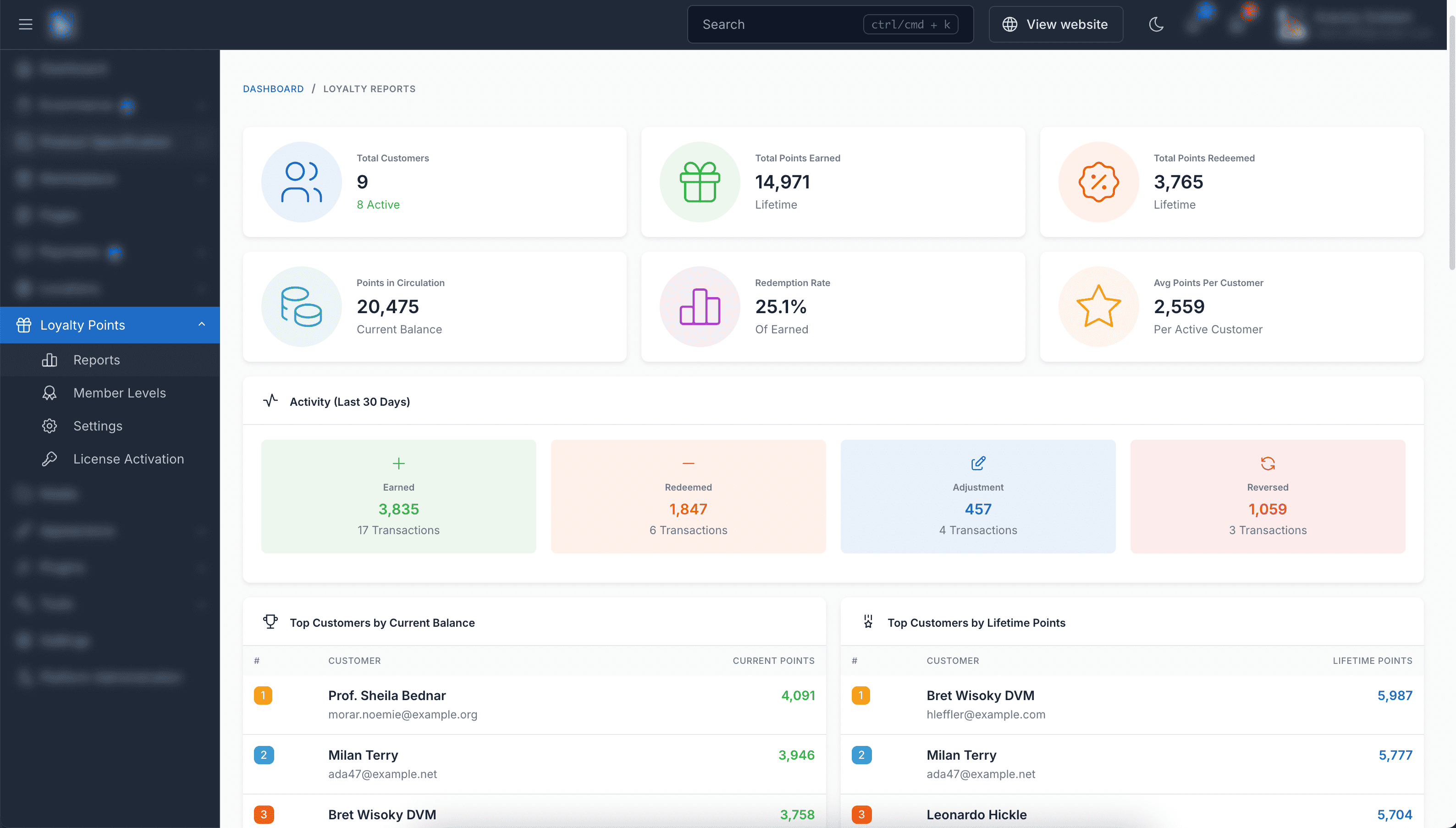
- Reports & Analytics – Comprehensive dashboard with total points, redemption rates, top customers, and activity charts.
- Flexible Order Rules – Choose when to award points (e.g., only after orders are completed or delivered).
- Multi-language Support – Available in 30+ languages including English, French, German, Spanish, Vietnamese, Japanese, Korean, Chinese, Arabic, and more.
- Translations – Loyalty Points is fully translation ready and can be easily translated to any language from admin area.
- Ongoing Support: Benefit from our dedicated support team, ready to help you with any questions or challenges you may encounter during integration and beyond. We always reply your ticket within 1 business day.


Screenshots
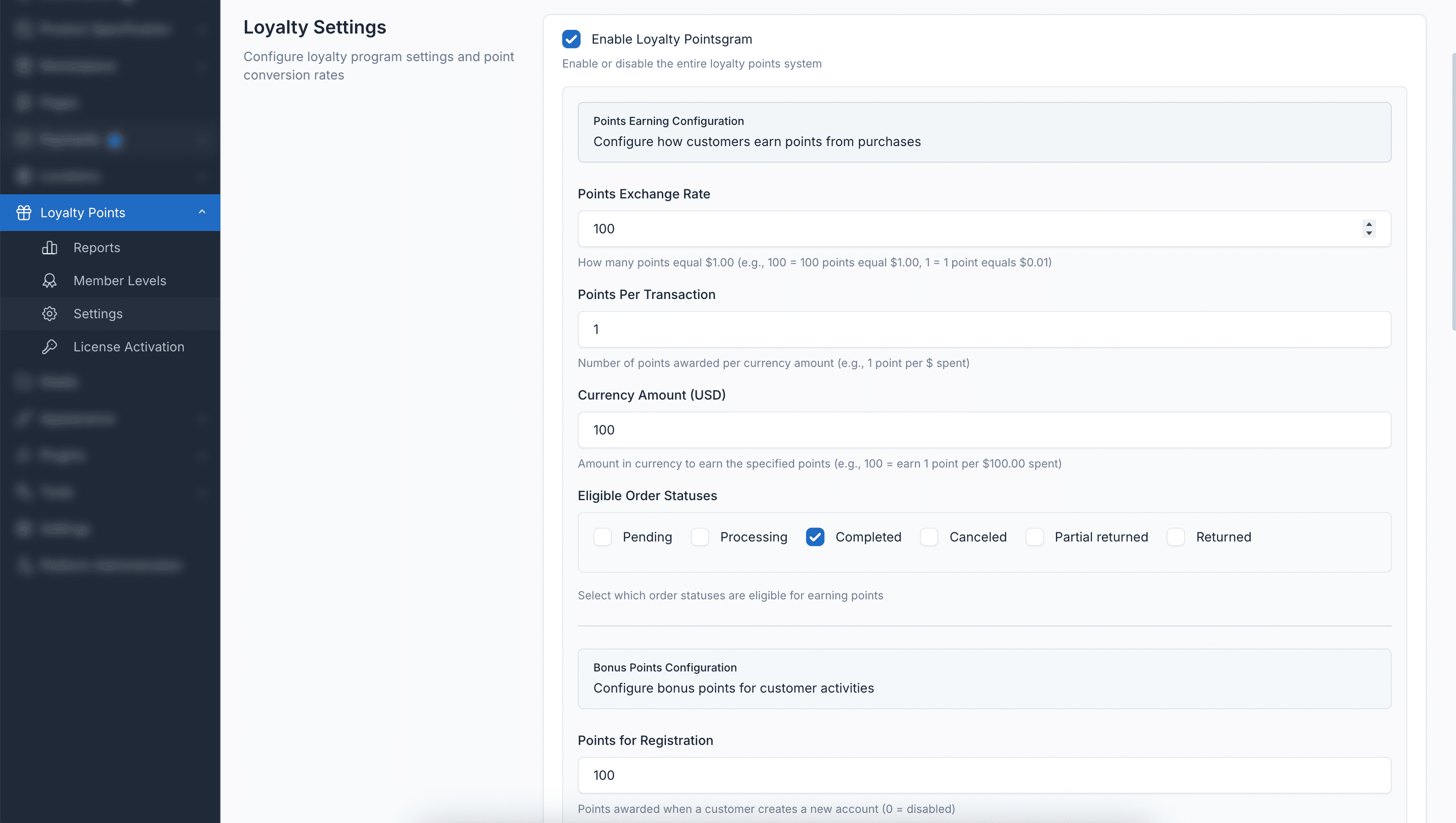
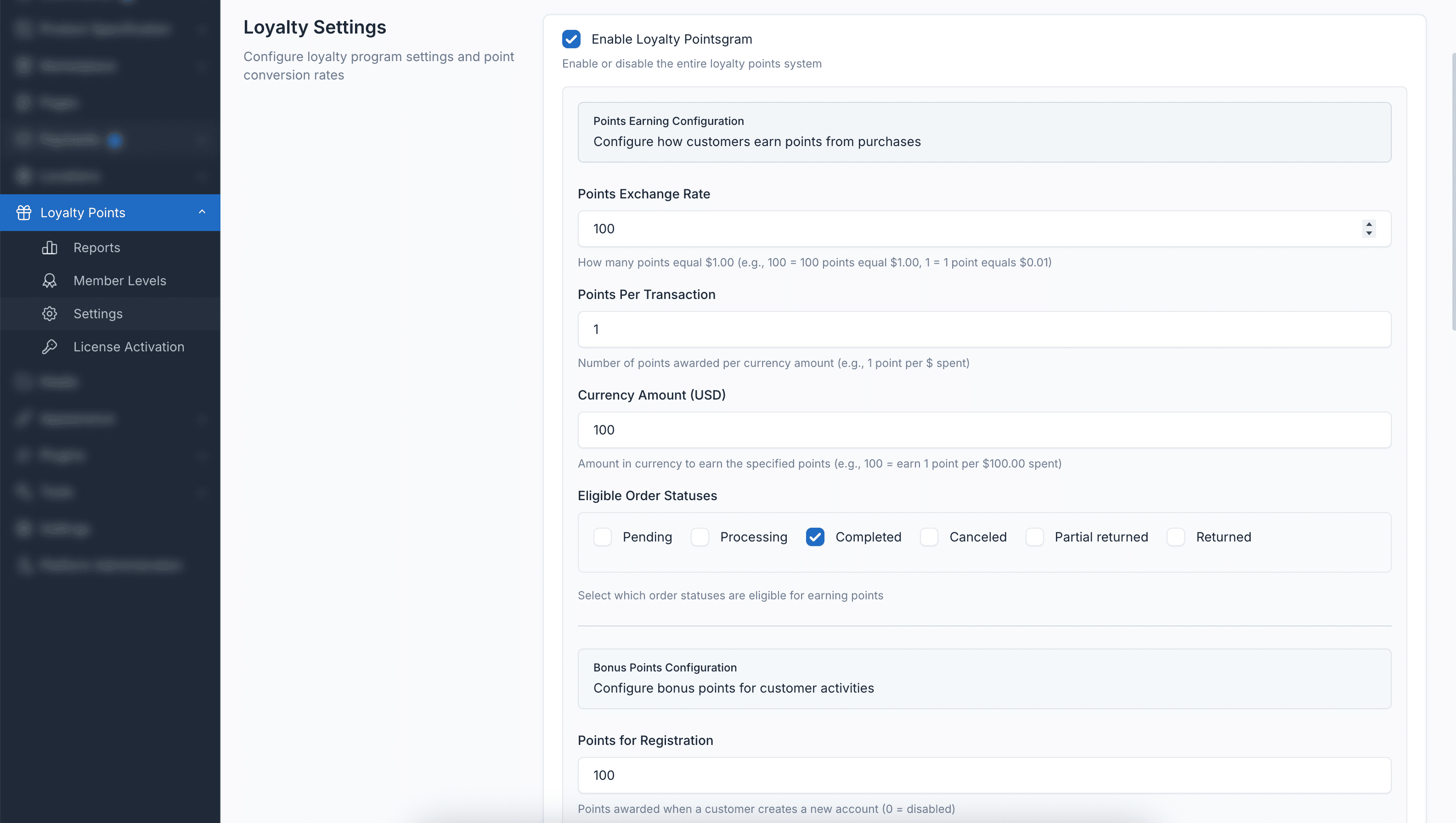
Loyalty Points Settings
Configure earning rates, redemption rules, bonus points, and expiry settings all in one place.
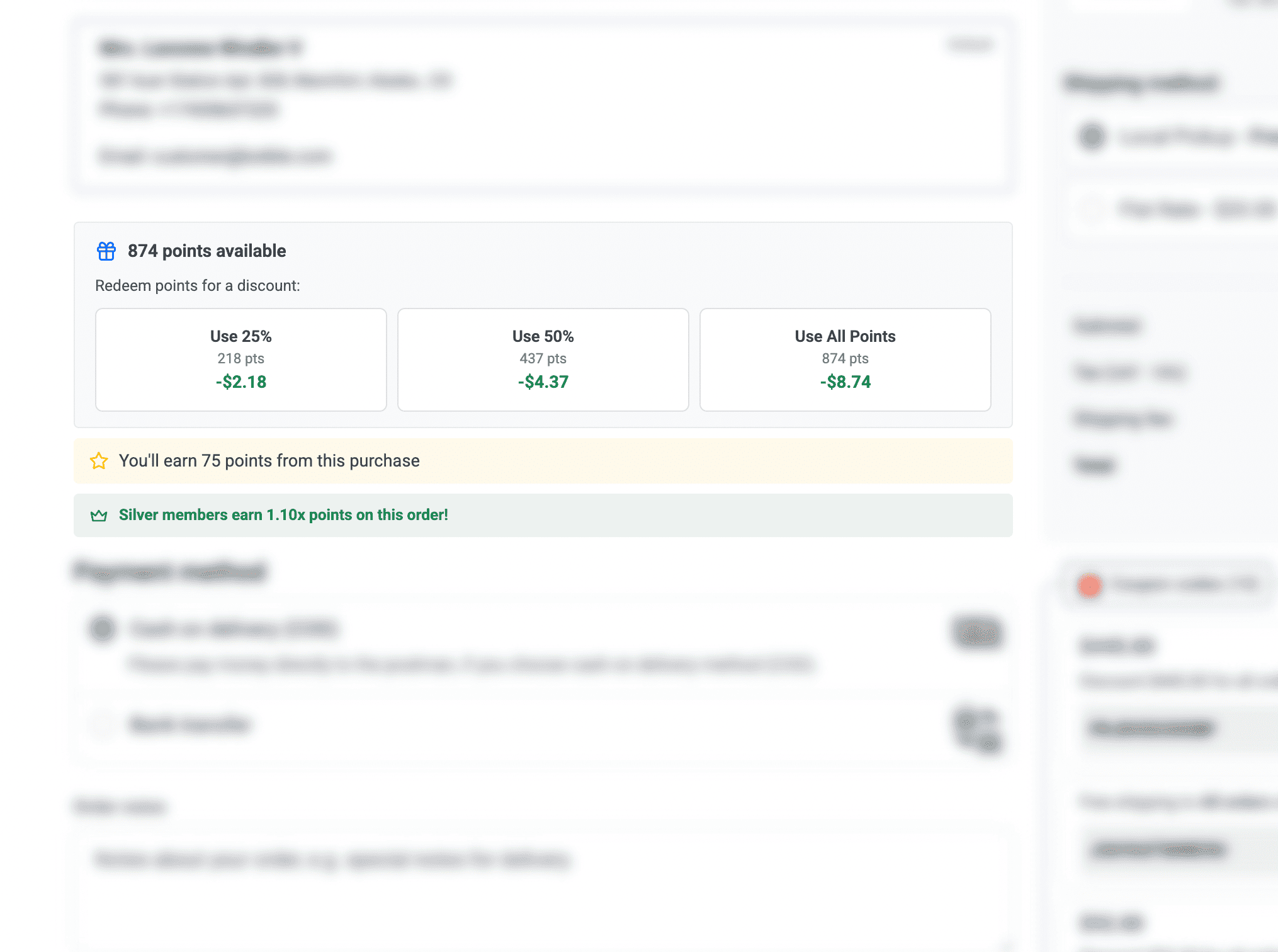
Redeem Points at Checkout
Customers can easily redeem their points for discounts during checkout with quick percentage buttons.
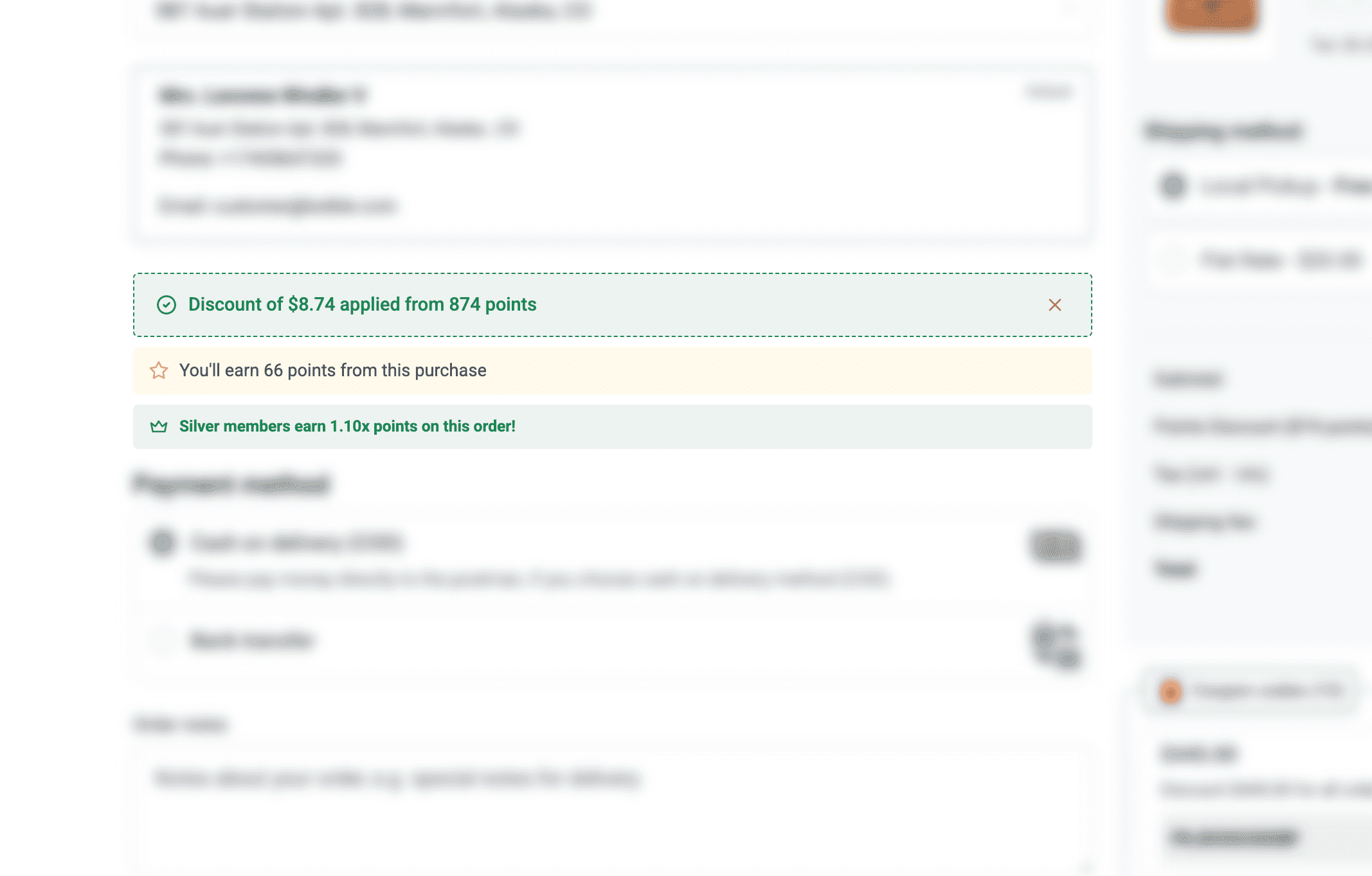
Points Applied with Discount
See how points are applied and the order amount is discounted in real-time.
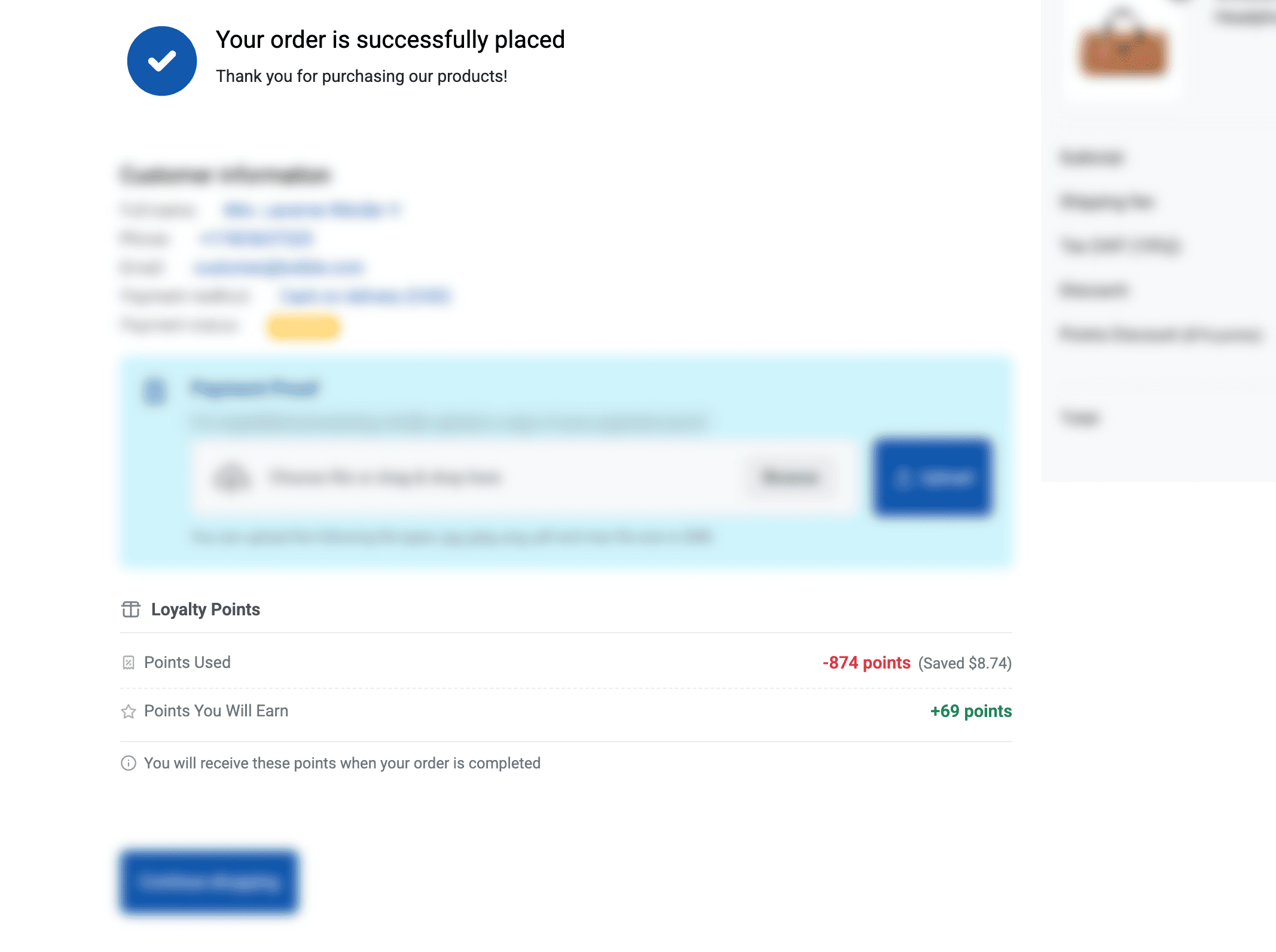
Checkout Success Page
Display points earned and redeemed on the order confirmation page.
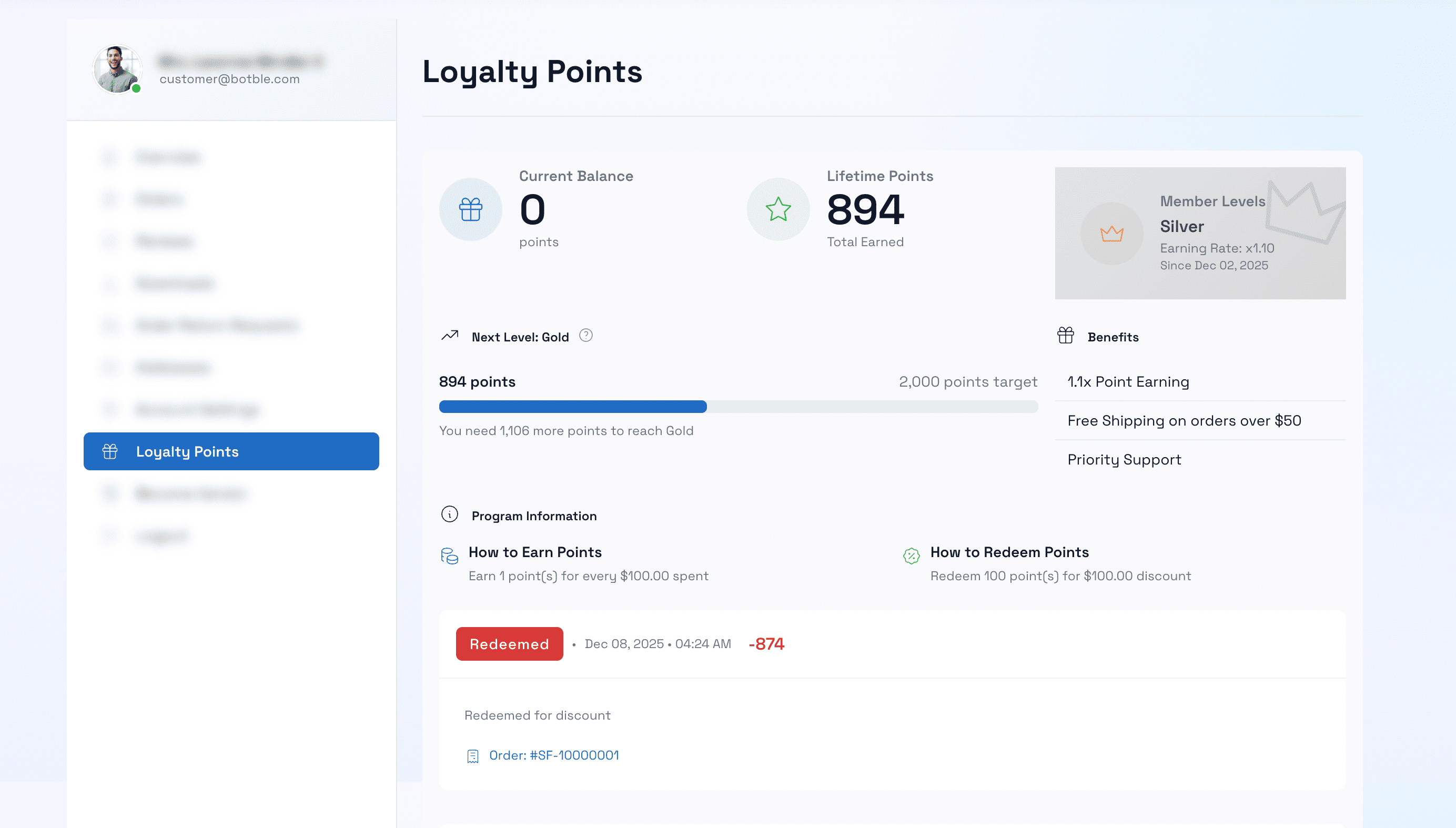
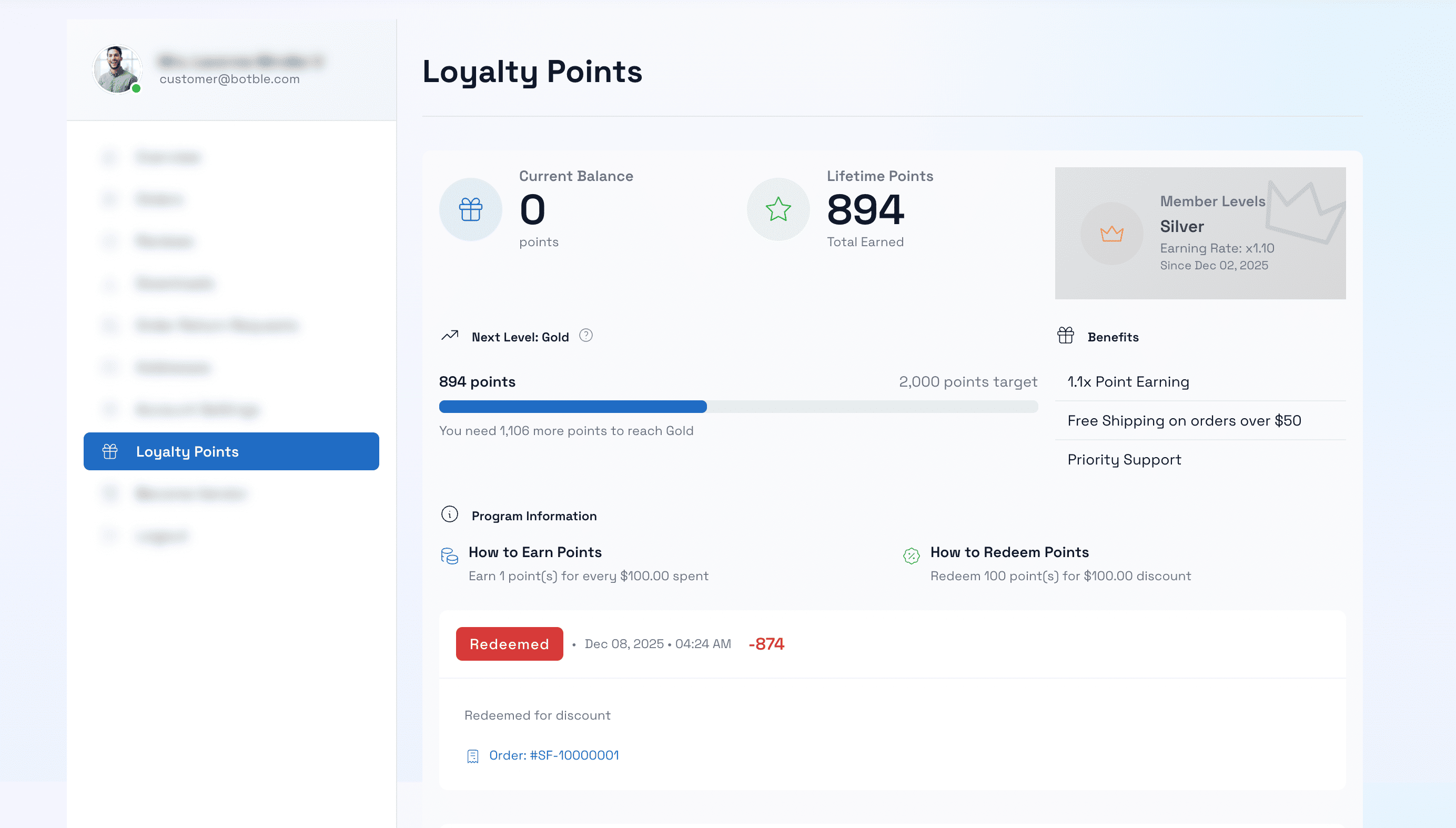
Customer Loyalty Dashboard
Customers can view their points balance, tier status, benefits, and complete transaction history.
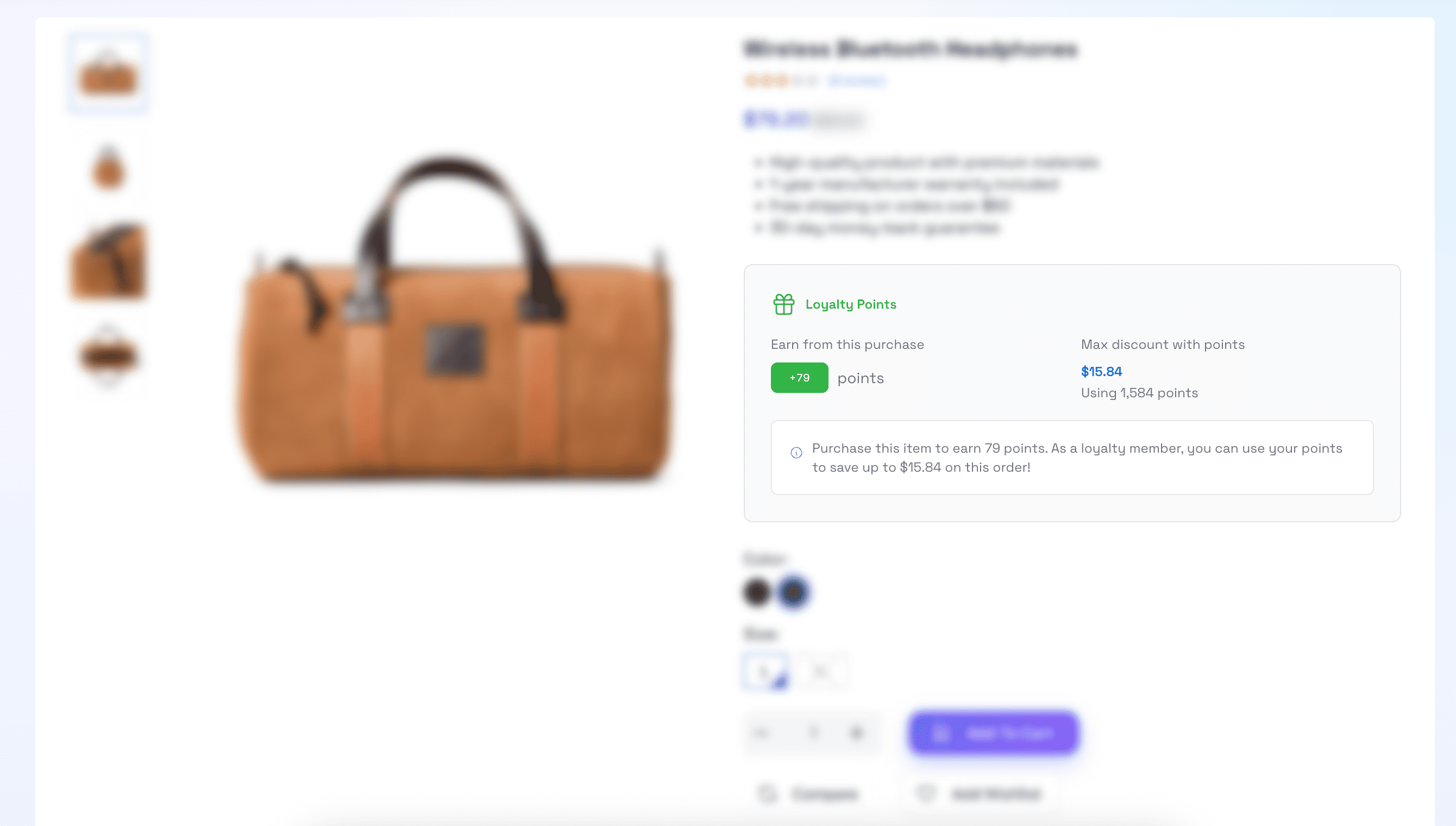
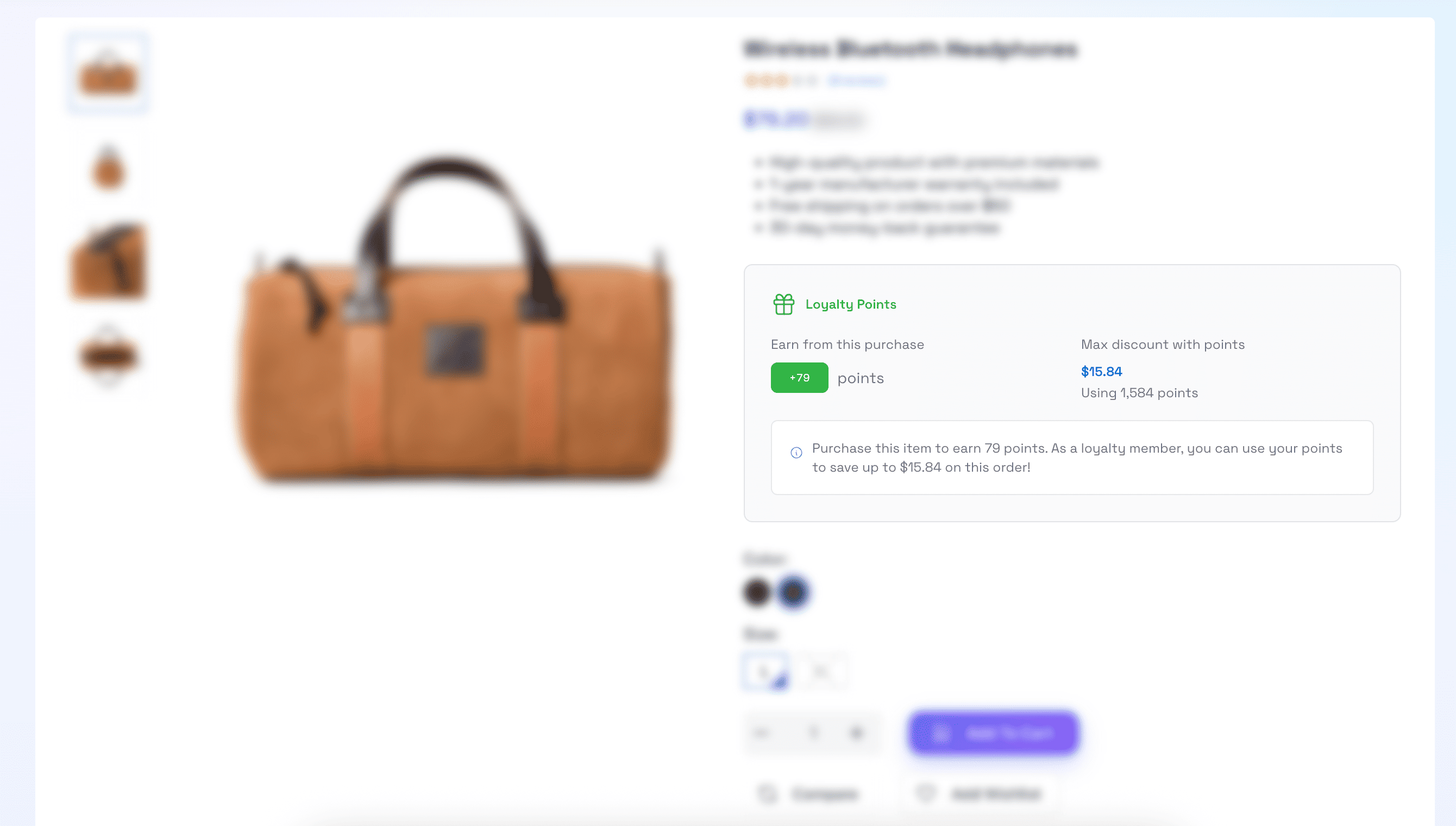
Product Page Integration
Show potential points earnings and maximum discount available on product detail pages.
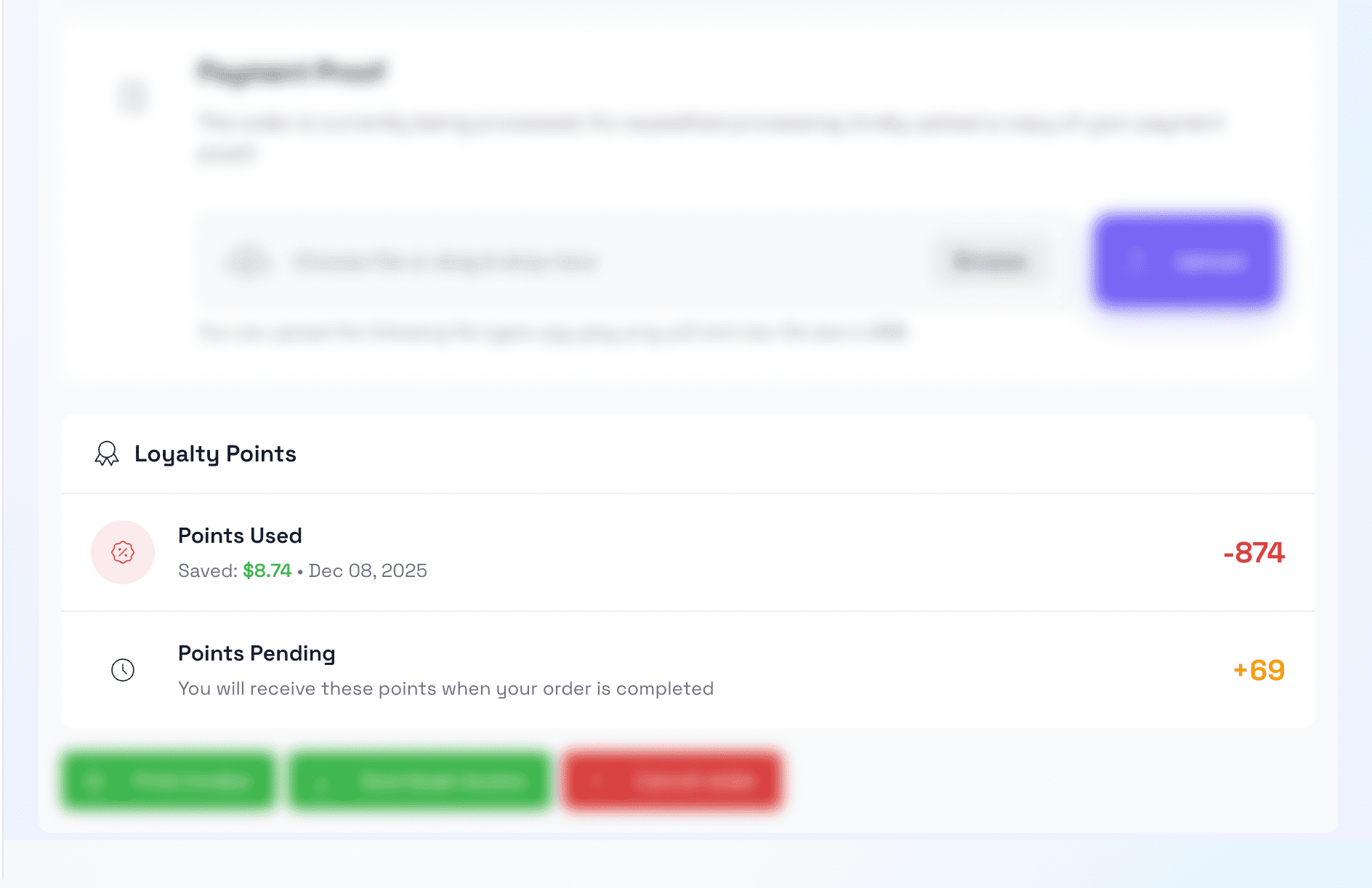
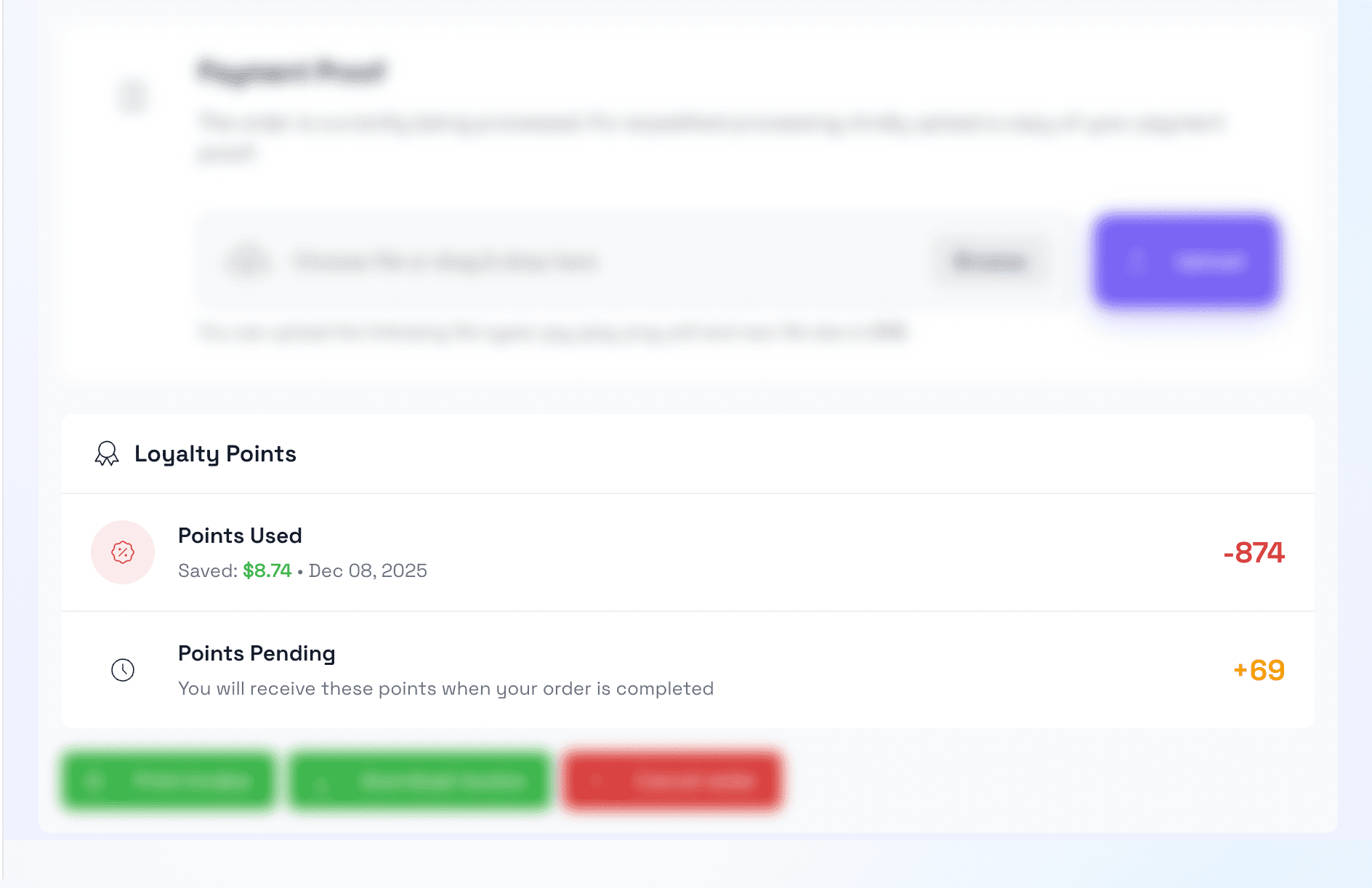
Customer Order Detail
Points information displayed in customer’s order history.
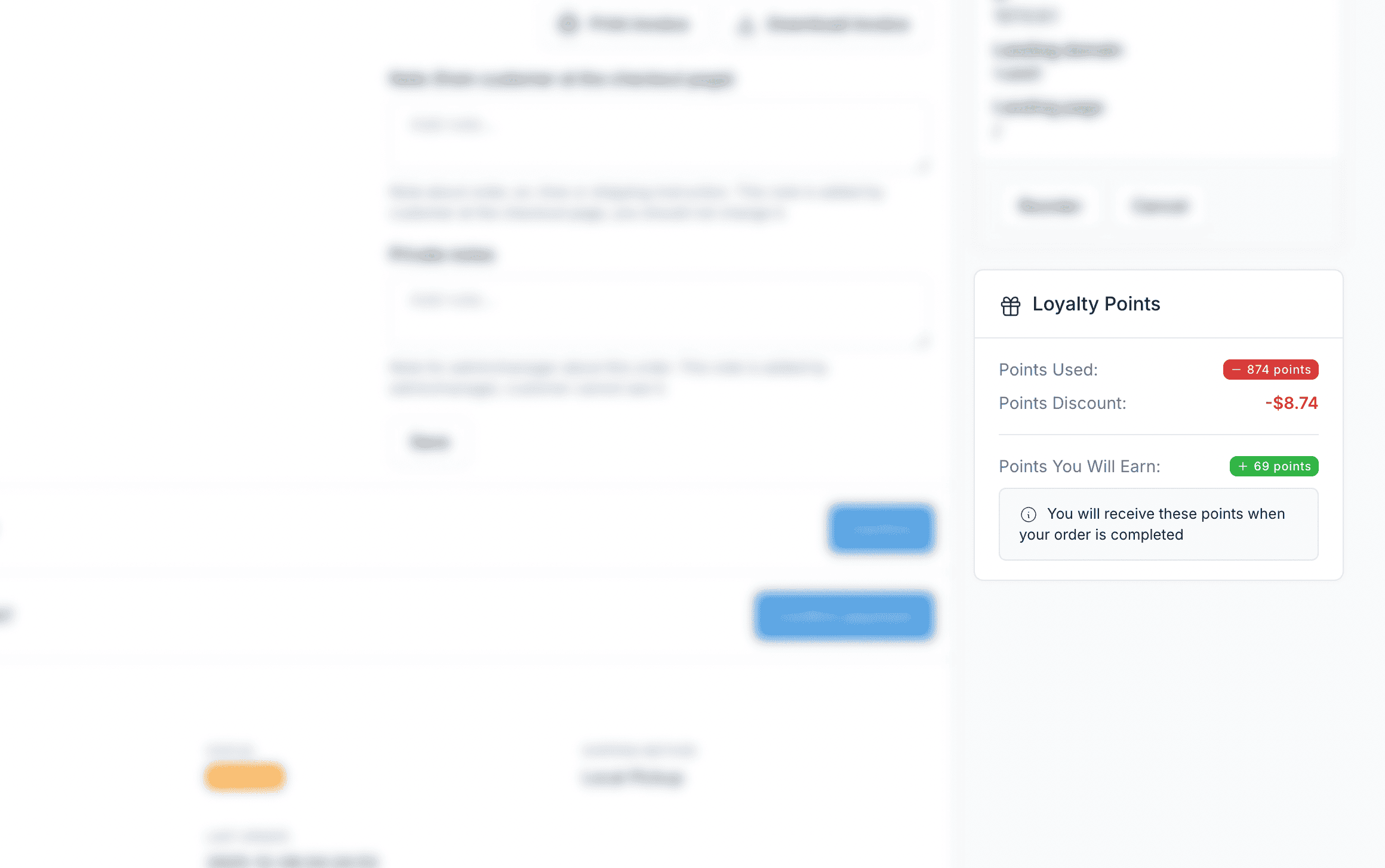
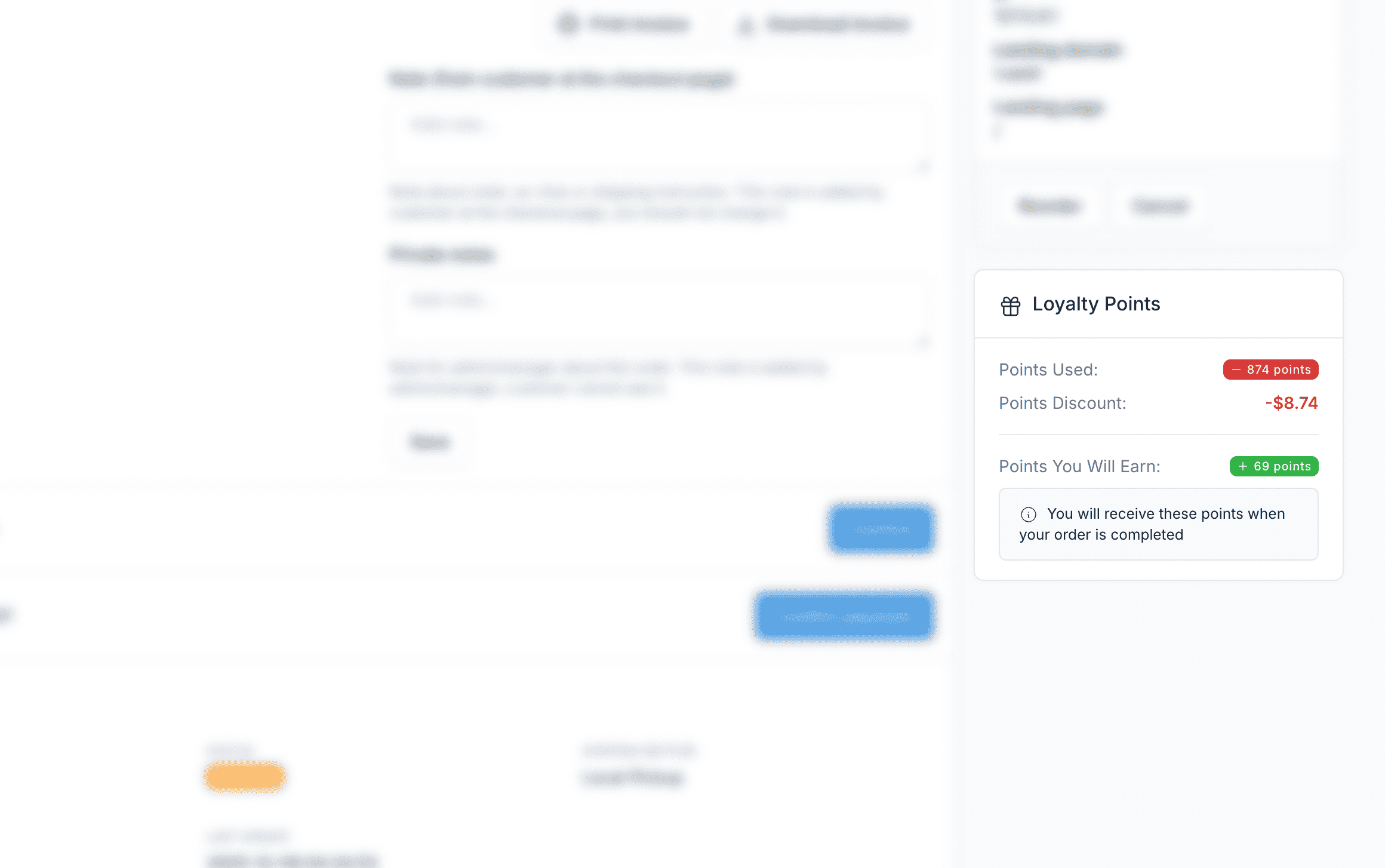
Admin Order Detail
View points earned and redeemed for each order in the admin panel.
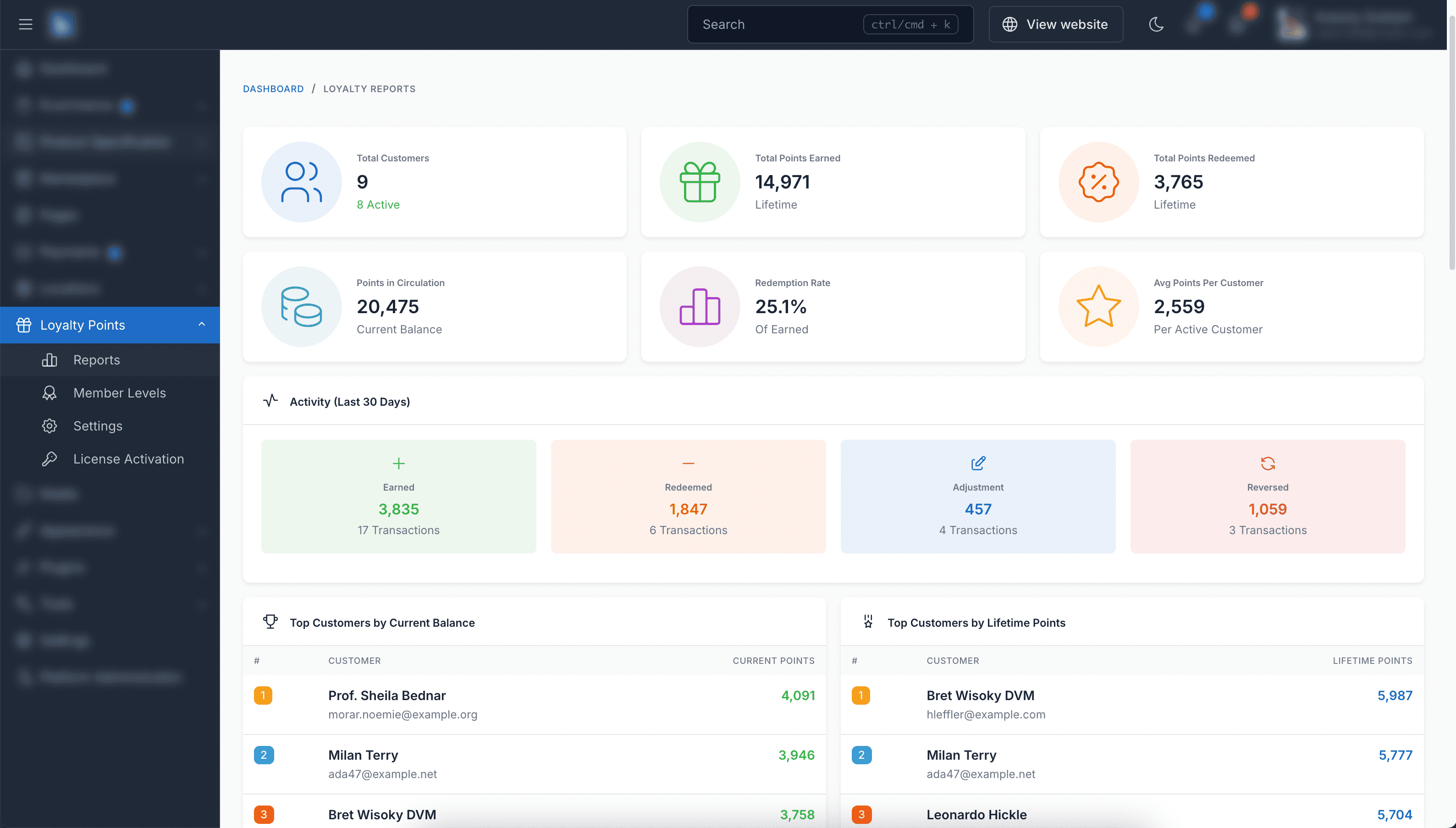
Reports & Analytics
Comprehensive reports showing total points, redemption rates, top customers, and activity trends.
Demo
- Admin Panel: https://loyalty-points.botble.com/admin
- Admin account: admin – 12345678 (username & password are autofilled)
- Front site: https://loyalty-points.botble.com
- Customer account: [email protected] – 12345678
Requirements
- Botble CMS version 7.5.0 or higher
- PHP version 8.2 or higher
- Botble E-commerce plugin (required)
Installation Guide
Installing Loyalty Points is quick and straightforward:
- Download the plugin from your CodeCanyon downloads page
- Extract the downloaded zip file
- Upload the extracted folder to your website’s platform/plugins/loyalty-points folder
- Go to Admin > Plugins and activate the Loyalty Points plugin
- Refresh your website
After installation, you can access Loyalty Points from the main menu in your admin panel.
Usage Guide
Configuring the Loyalty Program
- Log in to your admin panel
- Navigate to “Settings” > “Loyalty Points”
- Configure points earning rates (e.g., 1 point per 1 USD/EUR spent)
- Configure points redemption rates (e.g., 100 points = 1 USD/EUR discount)
- Set bonus points for registration, reviews, referrals, and birthdays
- Configure redemption limits and expiry period
Points Earning Settings
- Points Value: Set how many points equal your currency (e.g., 100 points = 1 USD/EUR/etc.)
- Earning Rate: How many points customers earn per amount spent
- Award Timing: Choose when points are awarded (e.g., when order is completed)
Bonus Points Activities
- Registration: Award points when customers create accounts (default: 100 points)
- Product Reviews: Award points for writing reviews (default: 50 points)
- Photo Reviews: Extra points for reviews with photos (default: 100 points)
- Referrals: Points when referred friends make first purchase (default: 300 points)
- Birthdays: Annual birthday bonus (default: 200 points)
Points Redemption Settings
- Discount Value: How much discount points give (e.g., 100 points = 1 USD/EUR/etc. off)
- Minimum Points: Minimum points customers must use per order
- Maximum Points: Maximum points customers can use per order
- Maximum Discount: Limit how much of the cart can be paid with points (e.g., up to 20%)
Creating Member Levels
- Go to “Loyalty Points” > “Member Levels” in your admin panel
- Click “Create” to add a new tier
- Set the tier name (e.g., Silver, Gold), points required, and bonus earning rate
- Add tier benefits like “Free Shipping” or “10% Discount” (one per line)
- Save and repeat for additional tiers
Managing Customer Points
- Go to “Loyalty Points” > “Customer Points”
- View all customers with their current balance and lifetime points
- Click “Adjust Points” to manually add or deduct points
- View transaction history for any customer
Customer Experience
- Product Pages: Show points to earn and max discount available
- Checkout: Points redemption form with quick percentage buttons
- Thank You Page: Display points earned from the order
- Customer Dashboard: Points balance, tier status, and transaction history
Additional Features
- Points Expiry: Unused points automatically expire after a set period (you choose how many months)
- Points Reversal: Points are automatically taken back when orders are cancelled
- Reports: See how your loyalty program is performing with easy-to-read charts and statistics
- Automatic Processing: Birthday rewards and point expiry are handled automatically – no manual work needed
Changelog
Version 1.0.0 – December – 2025
 - Points earning system with configurable rates
 - Points redemption at checkout with limits
 - Member levels/tiers with earning multipliers
 - Bonus points for registration
 - Bonus points for product reviews and photo reviews
 - Referral points system
 - Birthday points automation
 - Points expiry configuration
 - Customer points dashboard
 - Product page points display
 - Admin point adjustments
 - Automatic points reversal for cancelled orders
 - Complete transaction history
 - Reports and analytics dashboard
 - Order status integration
 - Multi-language support (30+ languages)
Support & Documentation
Dedicated Support
Our support team is ready to help you with any questions or issues. We typically respond within 12-24 hours.
Comprehensive Documentation
Our detailed documentation covers everything from installation to advanced features.
About Botble
Botble is a team of experienced developers dedicated to creating high-quality, user-friendly web applications and plugins. With years of experience in web development, we strive to deliver products that meet the highest standards of quality and performance.
Visit us at botble.com
Leave a comment
Your email address will not be published. Required fields are marked *
Comments from Envato Marketplace
View all on CodeCanyon

Hi,
Thank you for your feedback and ideas! Currently, Loyalty Points works at the store level — the admin configures point earning/redemption rules, and customers earn and spend points globally.
The vendor-level loyalty configuration (letting each vendor manage their own point rules, membership tiers, and content unlocking) is an interesting concept, but it would be a very large feature that goes beyond the current scope of this plugin. We'll note it as a feature suggestion for future consideration.
For now, vendors can benefit from the loyalty program as configured by the store admin. If you need vendor-specific customization, a custom plugin would be the way to go.
use Illuminate\Auth\Events\Registered;

// After creating the customer via API
$customer = Customer::create([...]);

// Dispatch the event to trigger registration points
event(new Registered($customer));use Botble\LoyaltyPoints\Services\LoyaltyPointService;
use Botble\LoyaltyPoints\Helpers\LoyaltyHelper;
$service = app(LoyaltyPointService::class);
$points = LoyaltyHelper::getPointsForRegistration();
$service->awardBonusPoints(
$customer->id,
$points,
'Registration bonus'
);


.png)