Laravel PHP Licenser & Updates Manager - REST API, webhooks, customer portal
Product Gifts
PluginThis is a paid plugin available on Envato Market. You need to purchase and download it from Envato to use it.
Product Gifts – Free Gifts with Purchase for Botble E-commerce
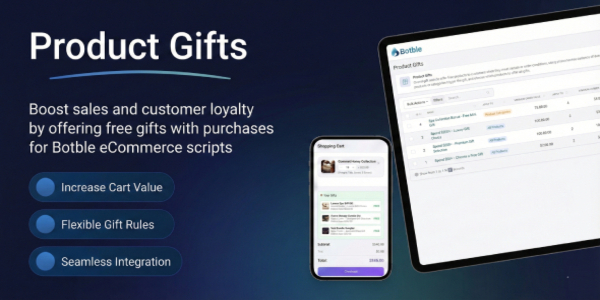
Product Gifts is a powerful plugin for Botble CMS that allows you to offer free gift products to customers when they meet certain purchase conditions. Boost your sales and customer satisfaction by creating compelling gift promotions that encourage larger orders.
Product Gifts integrates seamlessly with Botble E-commerce. It allows store owners to create flexible gift rules based on minimum order values, specific products, or product categories. Customers can choose their preferred gift from multiple options, and gifts are automatically added to their cart when conditions are met.
Product Gifts is a perfect solution for e-commerce businesses looking to increase average order value and improve customer loyalty. Features include automatic gift addition, customizable display styles, multiple targeting options, and seamless checkout integration – everything you need to run successful gift promotions.
⚠ Important Requirement
This plugin requires the Ecommerce plugin to be installed and activated. Product Gifts is specifically designed to work only with Botble ecommerce scripts and may not function properly with other ecommerce solutions.
The plugin integrates seamlessly with your existing Botble E-commerce store, automatically displaying gift options on product pages and in the cart, allowing customers to select their preferred gift, and including the gift in orders at $0 cost.
We have a dedicated support center for all of your support needs. It includes our Documentation and Ticket system for any questions you have. We usually get back to you within 12-24 hours.

 > ## Highlighted Features (Last Updated: January 2025):
- Buy One Time & Get Free Updates Forever
- Free Installation – If you will face any problem during installation – we will help you and It’s FREE
- Easy Installation – Install Product Gifts easily with no coding or server knowledge in a few minutes with our easy-to-use installer and documentation.
- High Performance – Product Gifts is lightweight and has lighting fast performance and page load time out of the box.
- Flexible Gift Rules – Create unlimited gift promotion rules with customizable conditions based on products, categories, or minimum order value.
- Minimum Order Value – Set minimum cart subtotal required to qualify for free gifts to encourage larger purchases.
- Smart Targeting Options – Apply gifts to all products store-wide, specific products, or product categories for targeted promotions.
- Multiple Gift Items – Add multiple products as gift options per rule and set quantity for each gift item.
- Customer Gift Selection – Let customers choose their preferred gift from available options when multiple gifts are offered.
- Date Range Scheduling – Schedule gift promotions with start and end dates for time-limited campaigns.
- Beautiful Cart Integration – Gifts appear automatically when customers qualify with multiple display styles (Modern, Minimal, Classic, Elegant).
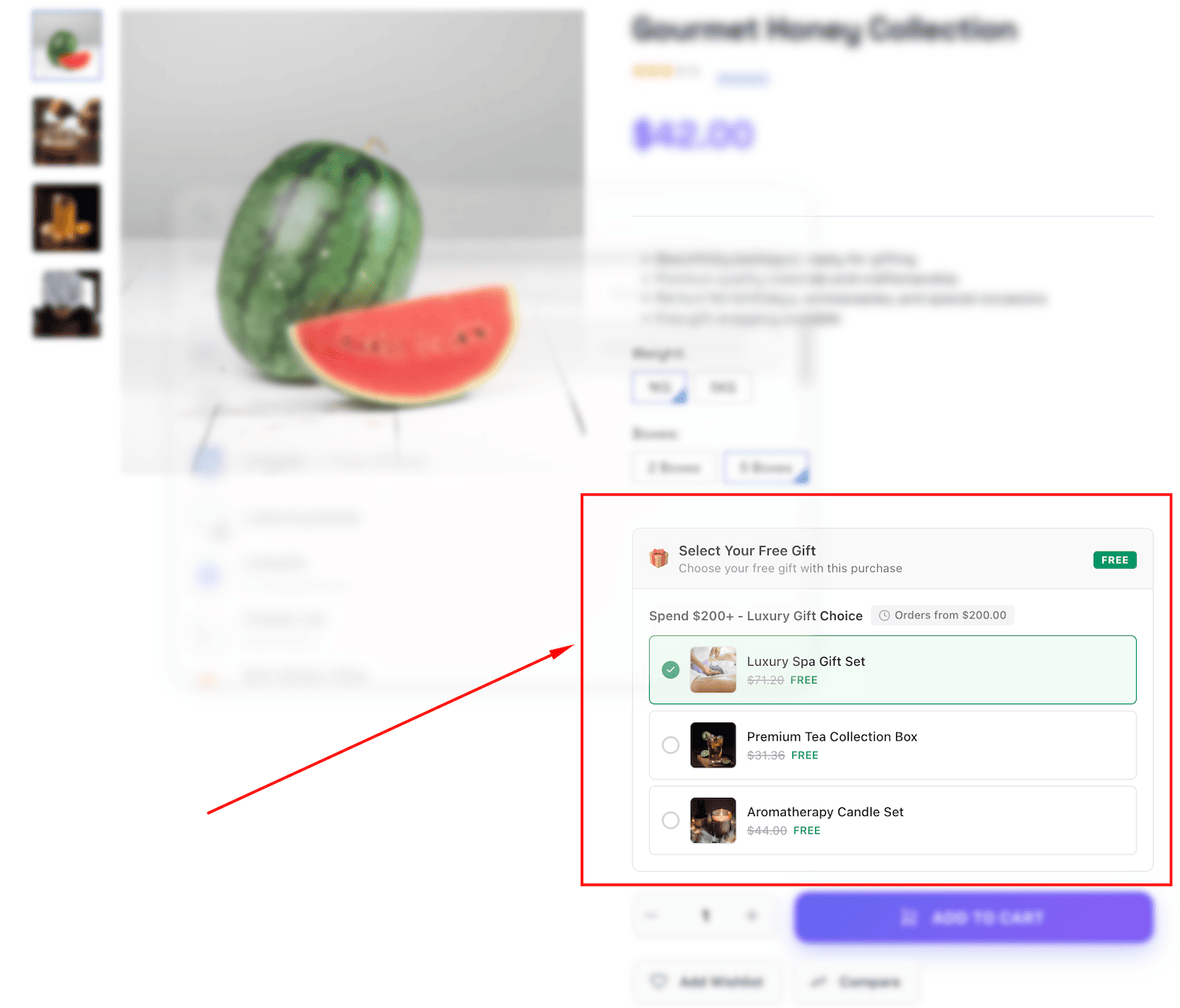
- Product Page Display – Show available gifts on product pages to encourage customers to add items to cart.
- Seamless Checkout Experience – Gift selections persist from cart to checkout with clear $0 price display.
- Admin Management – Easy-to-use admin interface to create, edit, and manage all gift rules and promotions.
- Customizable Appearance – Multiple visual styles, custom primary colors, emoji icons, and show/hide options.
- Auto Stock Management – Automatically skip out-of-stock gift items to prevent customer disappointment.
- Role-based Permissions – Control access with granular permission settings for different admin roles.
- Multi-language Support – Available in 30+ languages including English, French, German, Spanish, Vietnamese, Japanese, Korean, Chinese, Arabic, and more.
- Translations – Product Gifts is fully translation ready and can be easily translated to any language from admin area.
- Ongoing Support: Benefit from our dedicated support team, ready to help you with any questions or challenges you may encounter during integration and beyond. We always reply your ticket within 1 business day.



Screenshots
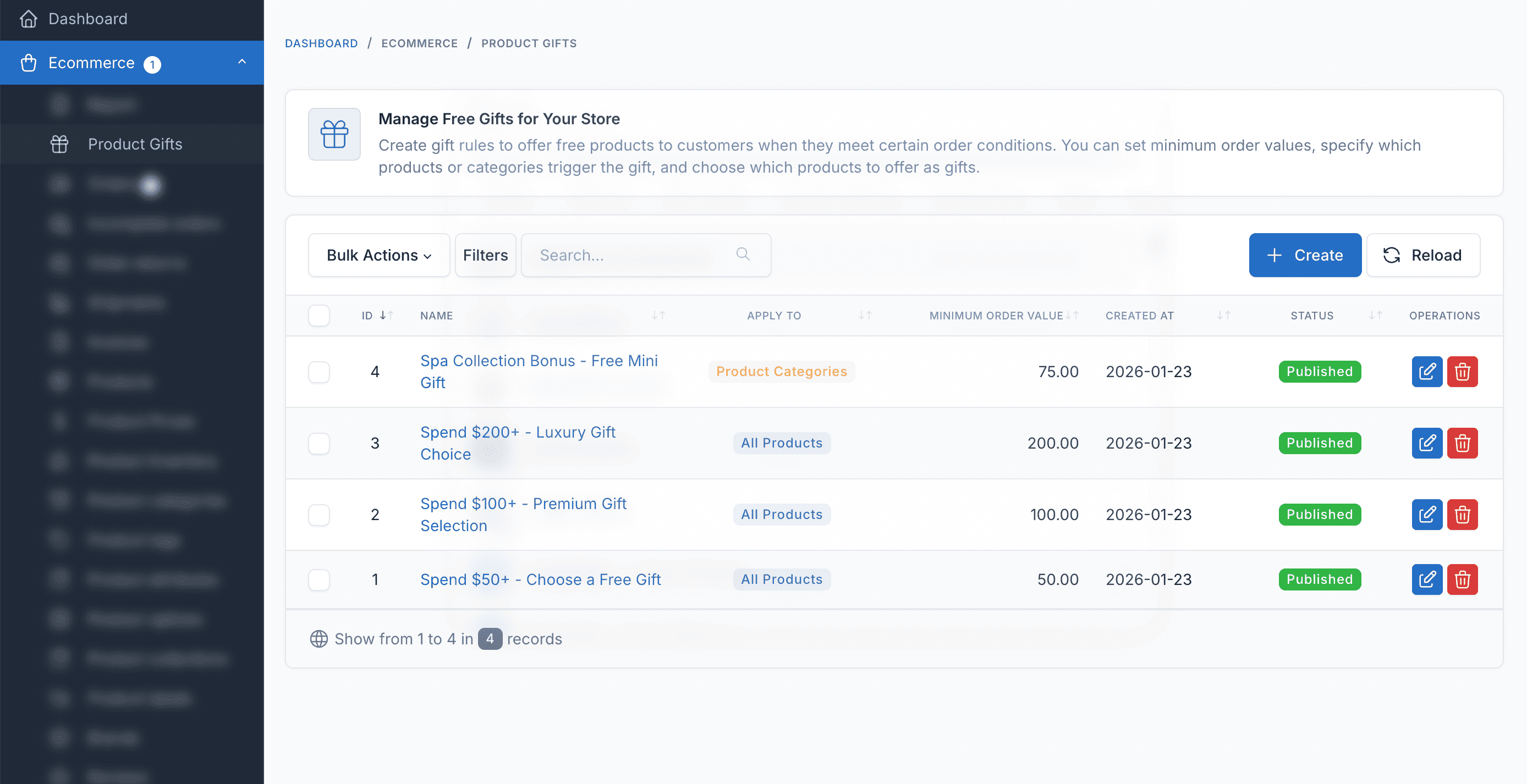
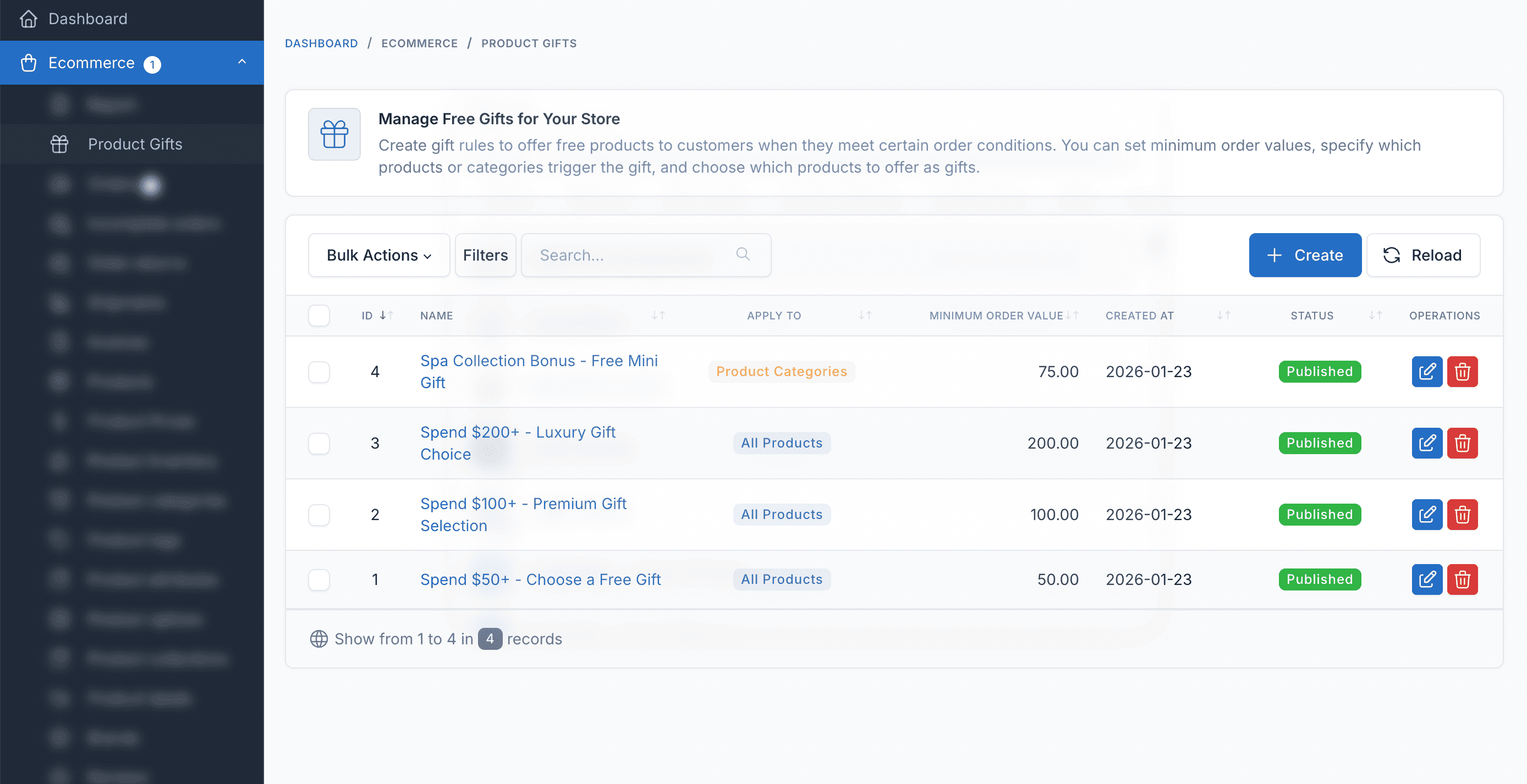
Gift Rules Management
Create and manage gift rules with flexible conditions based on products, categories, or order value.
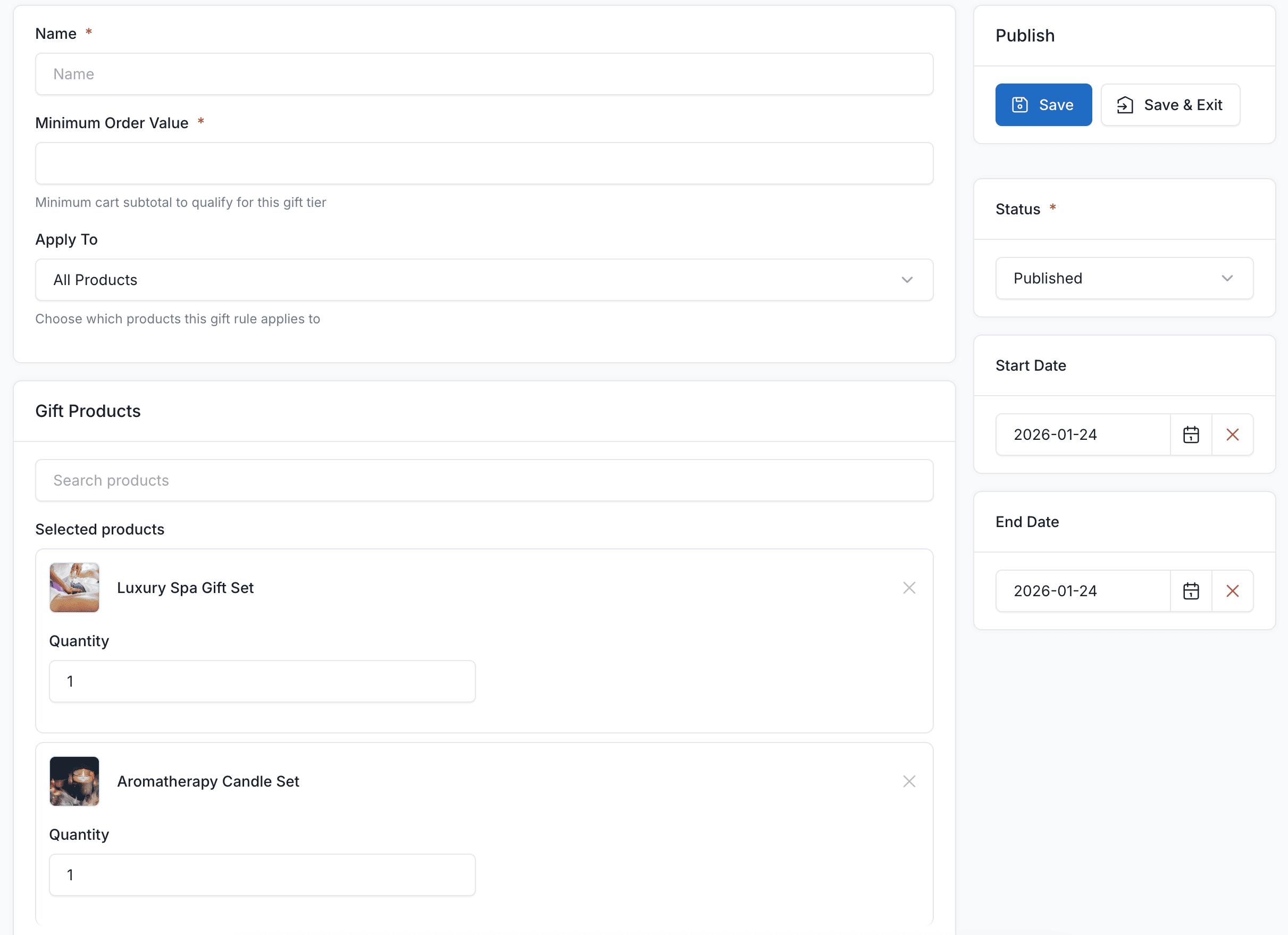
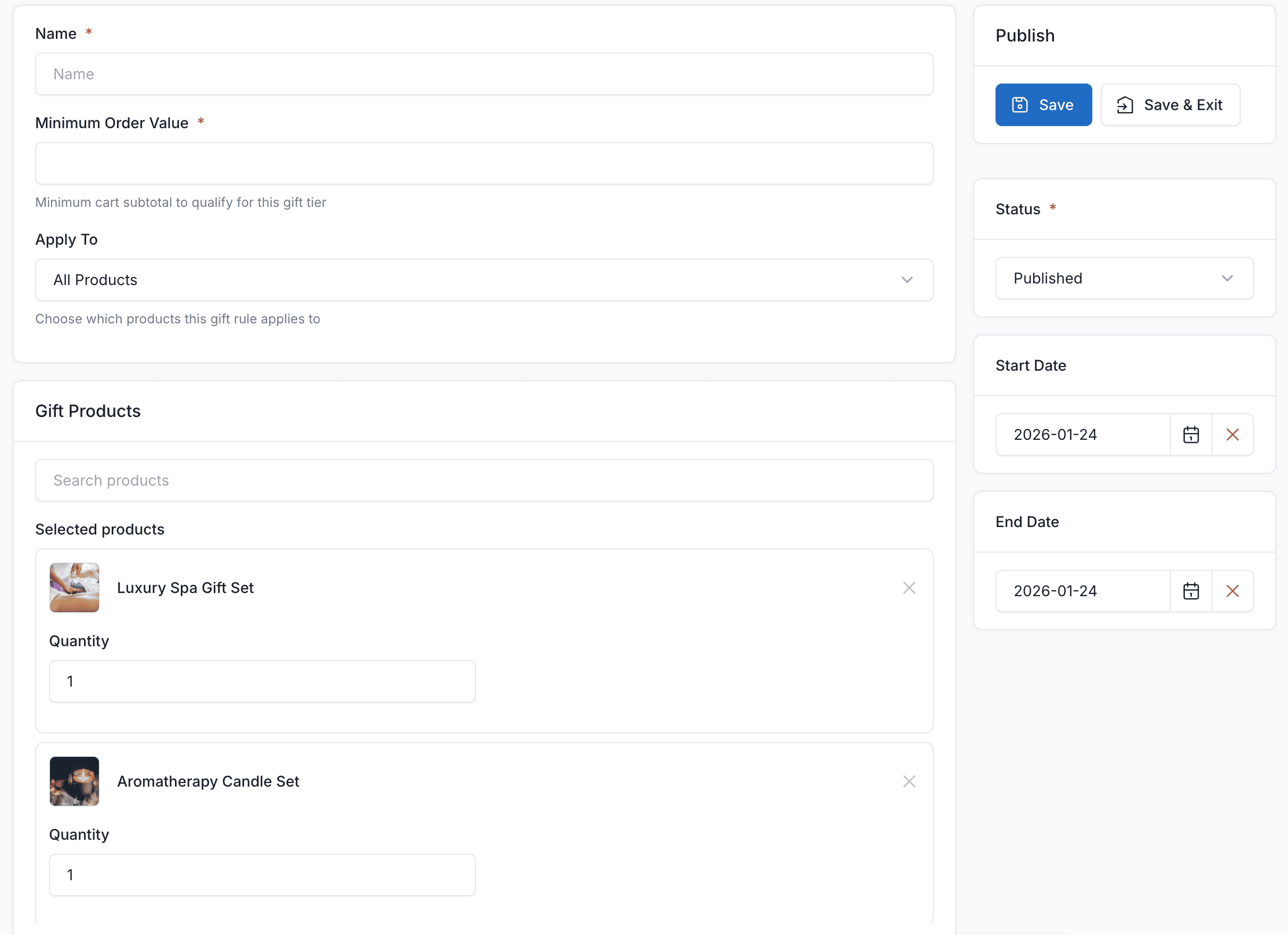
Create Gift Rule
Easy-to-use form to create new gift rules with multiple gift items and targeting options.
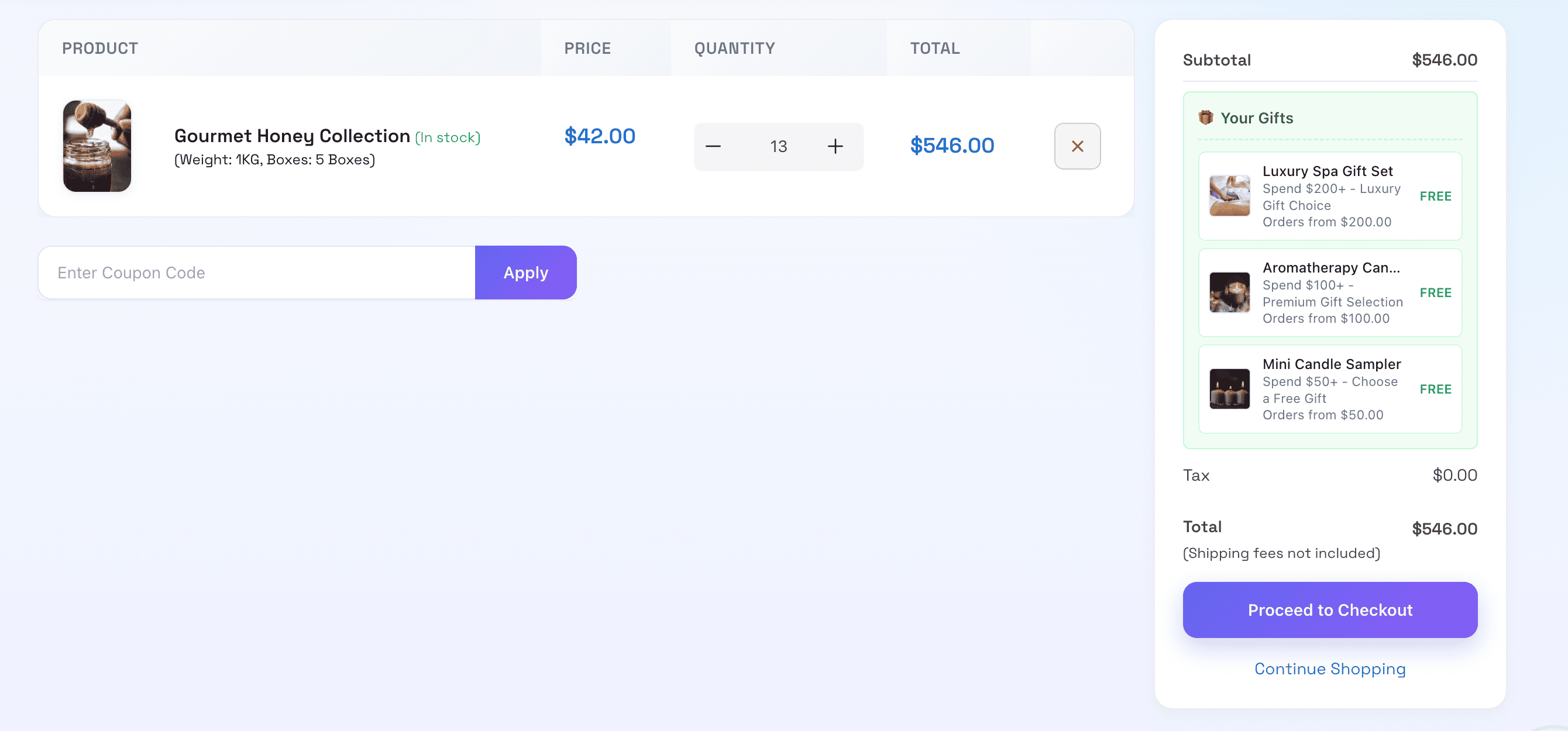
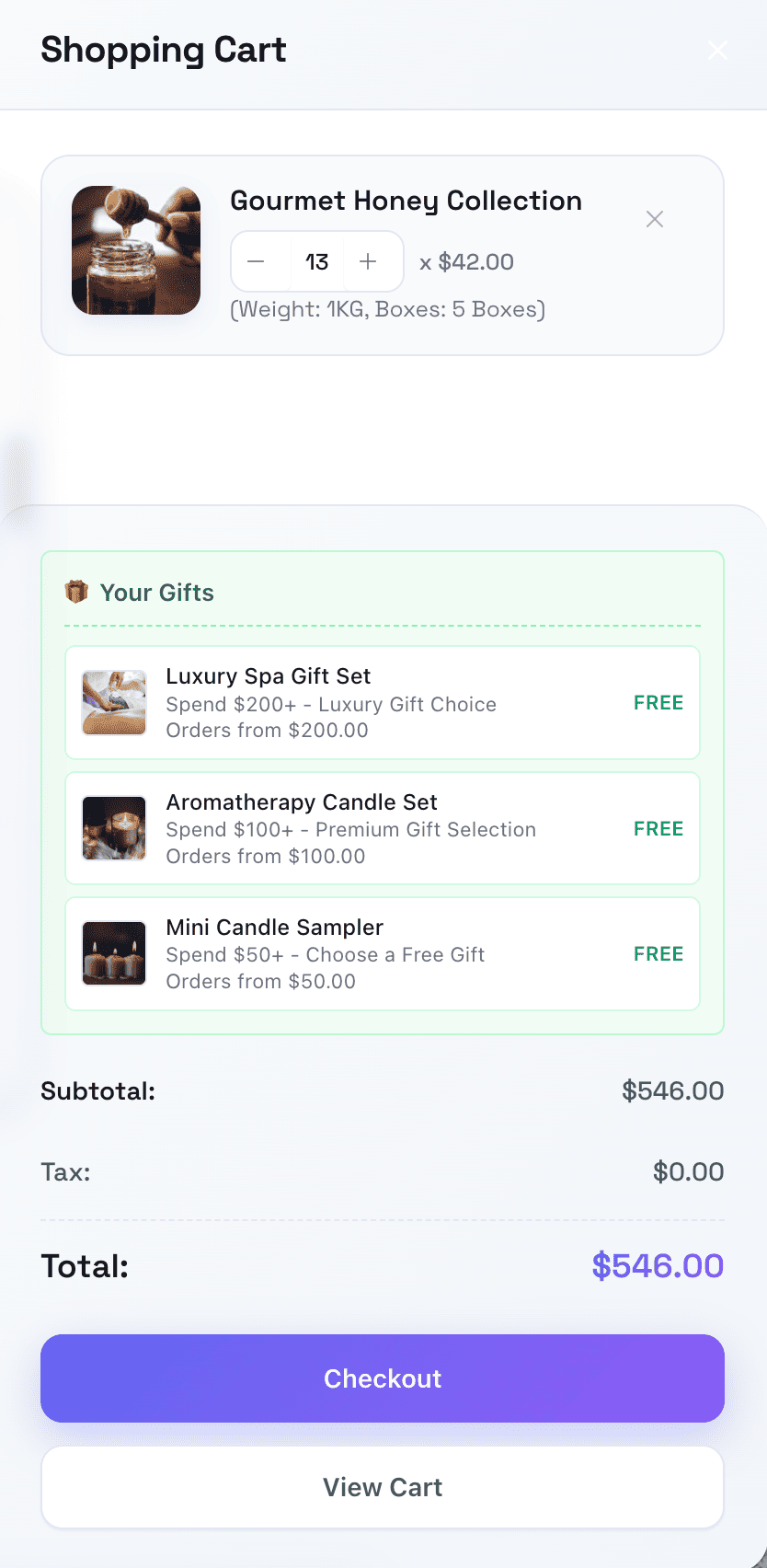
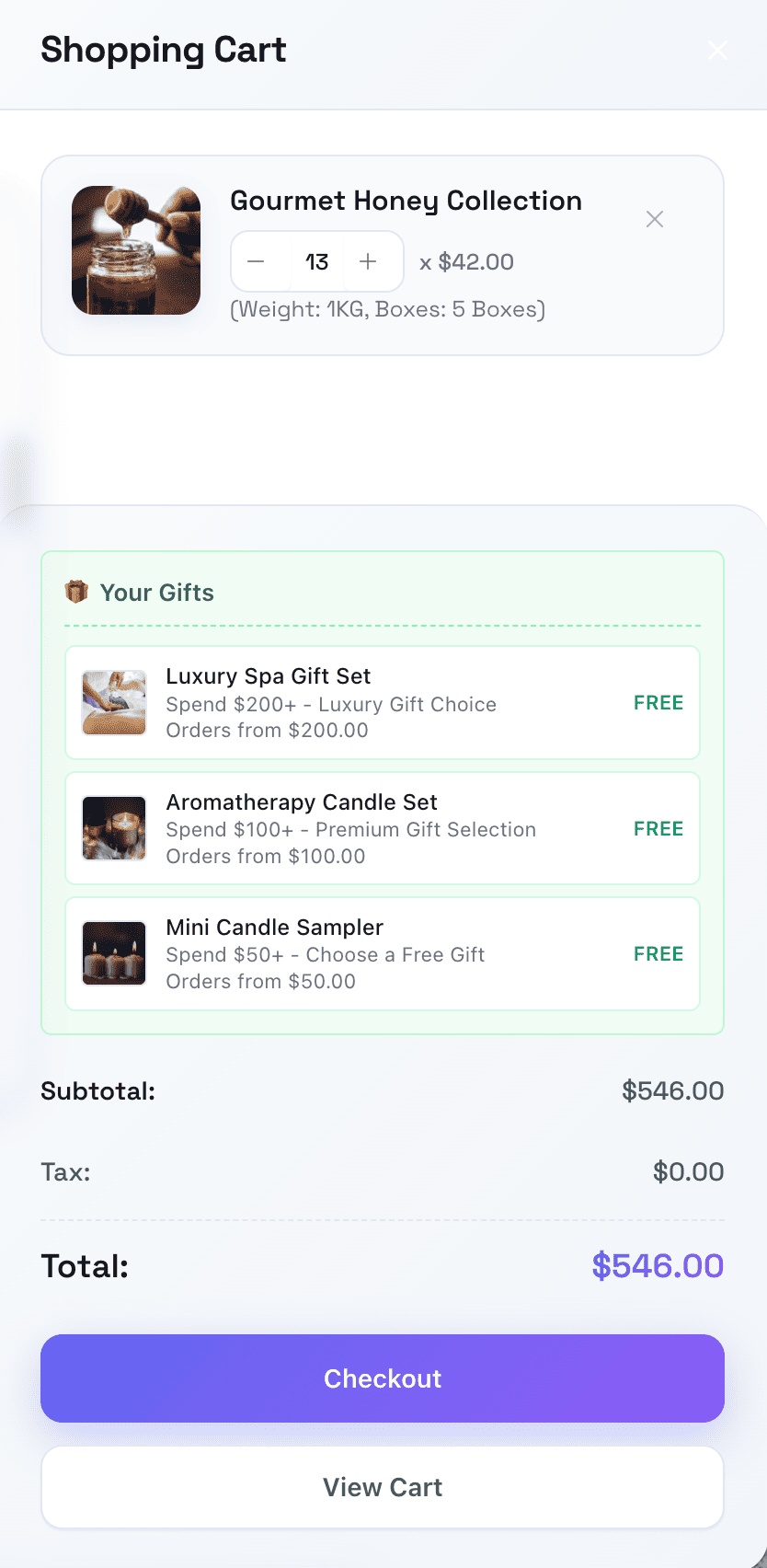
Cart with Free Gifts
Free gifts are automatically added to the cart when customers meet the promotion conditions.
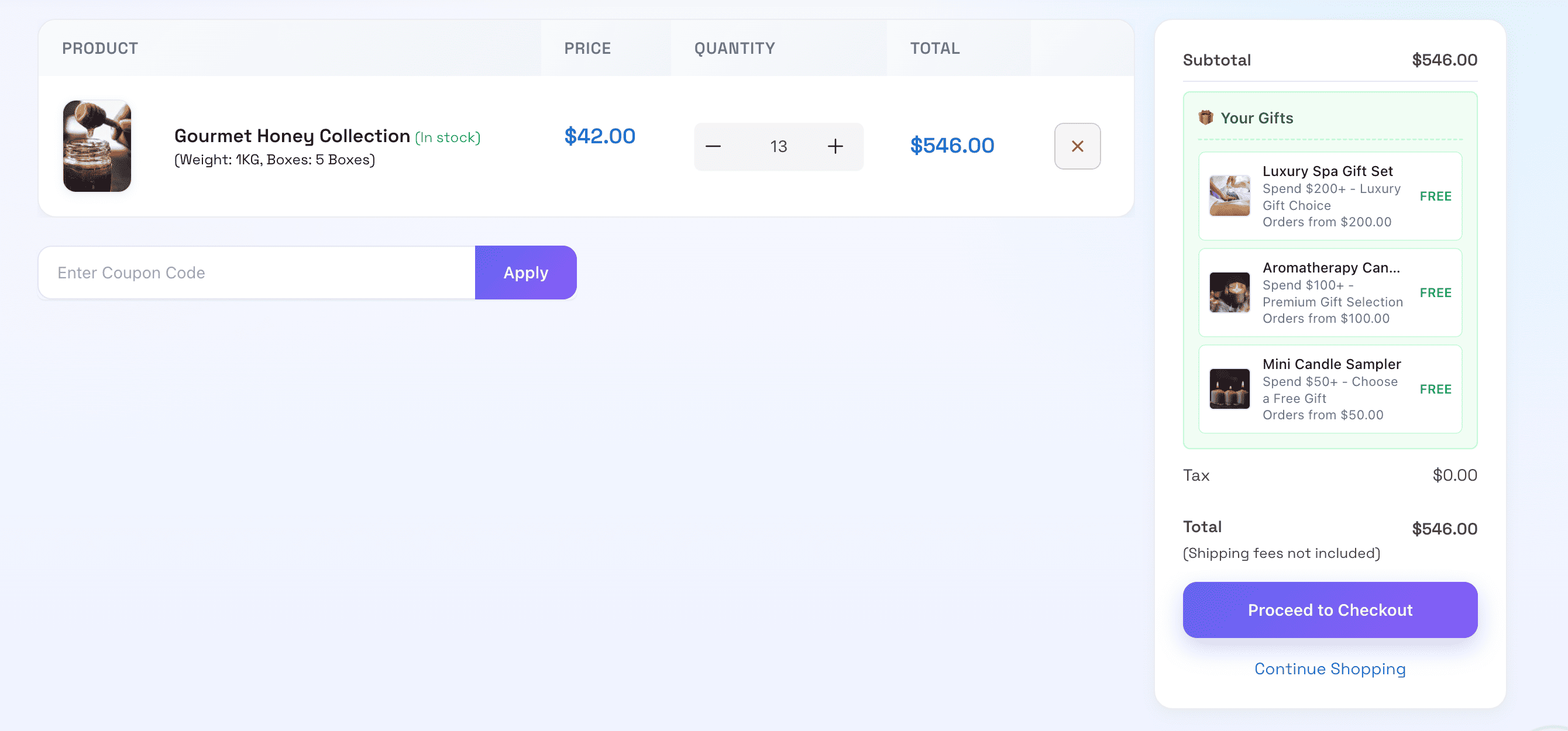
Gift Selection at Checkout
Customers can review and change their gift selection at checkout before completing the order.
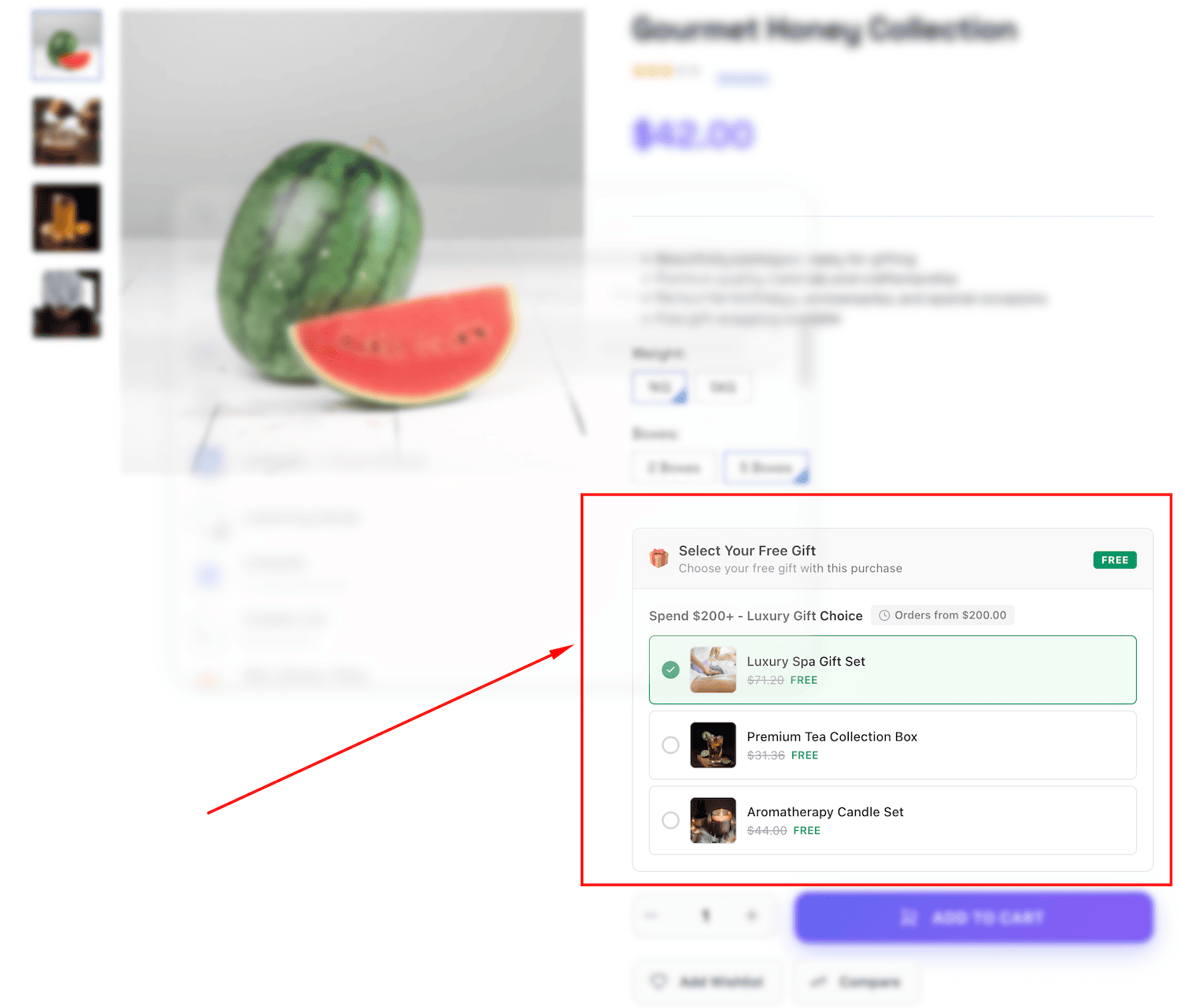
Product Page Gift Display
Show available free gifts on product pages to encourage customers to add items to cart.
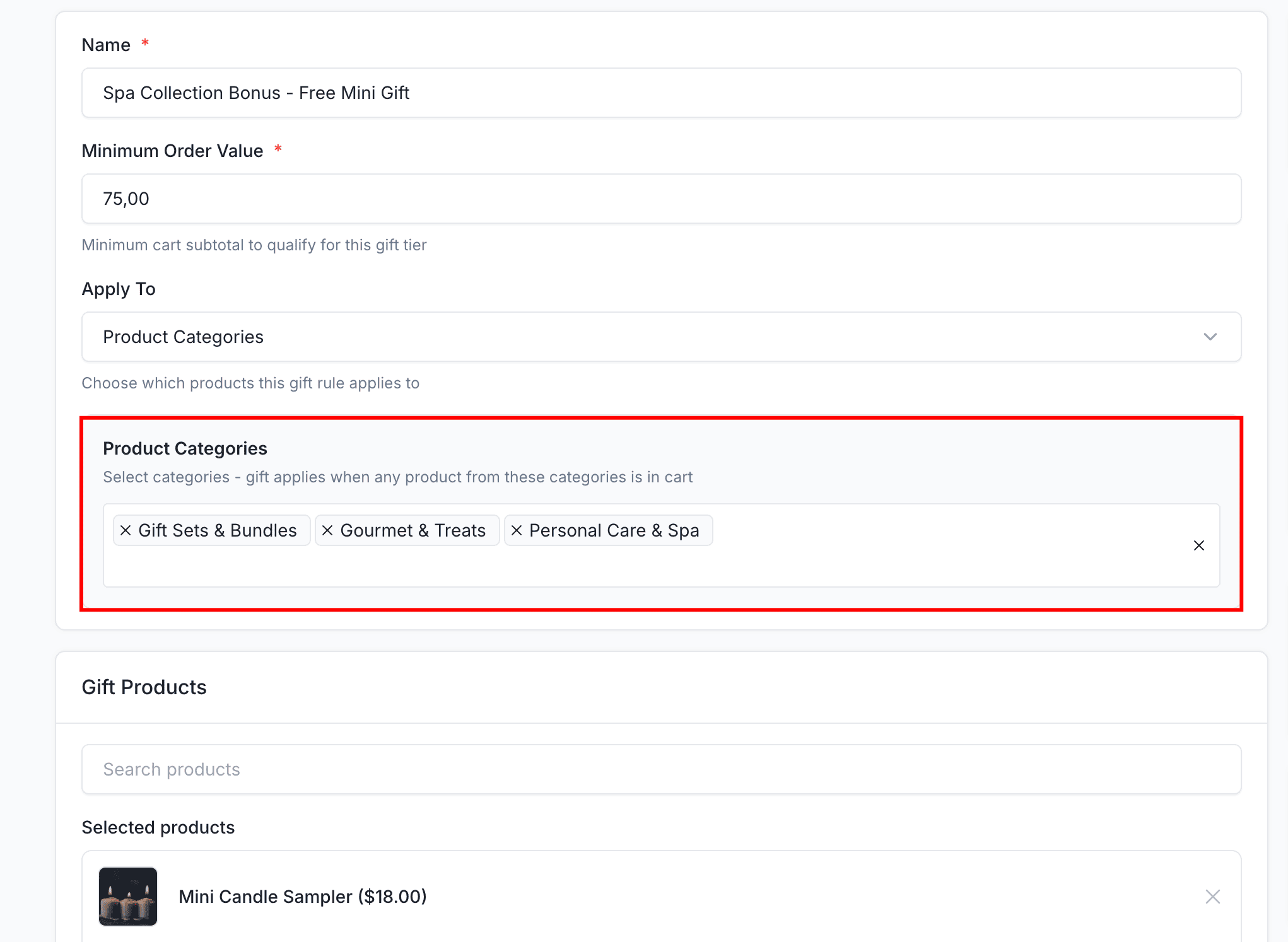
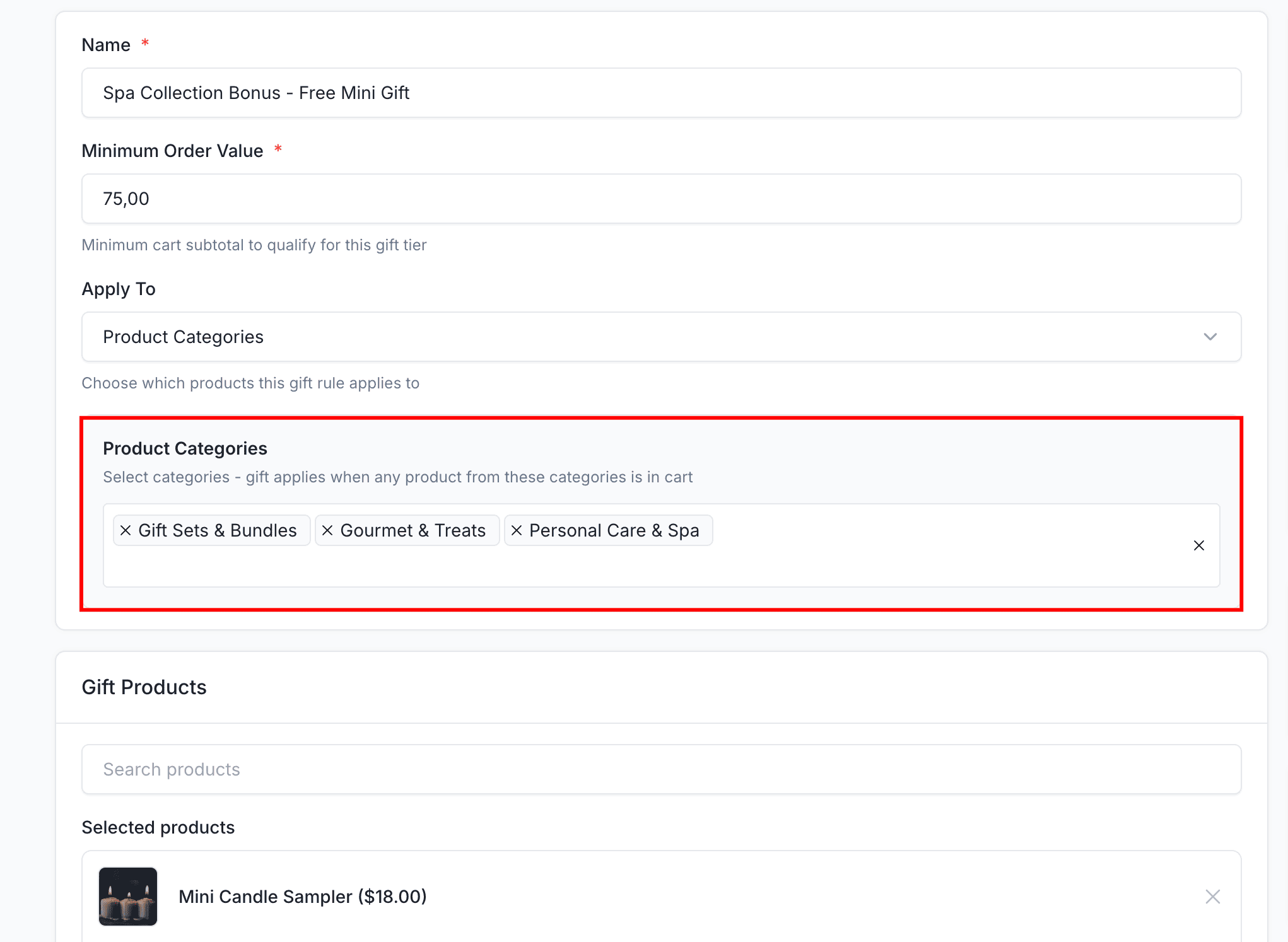
Category Targeting
Apply gift rules to specific product categories to create targeted promotions.
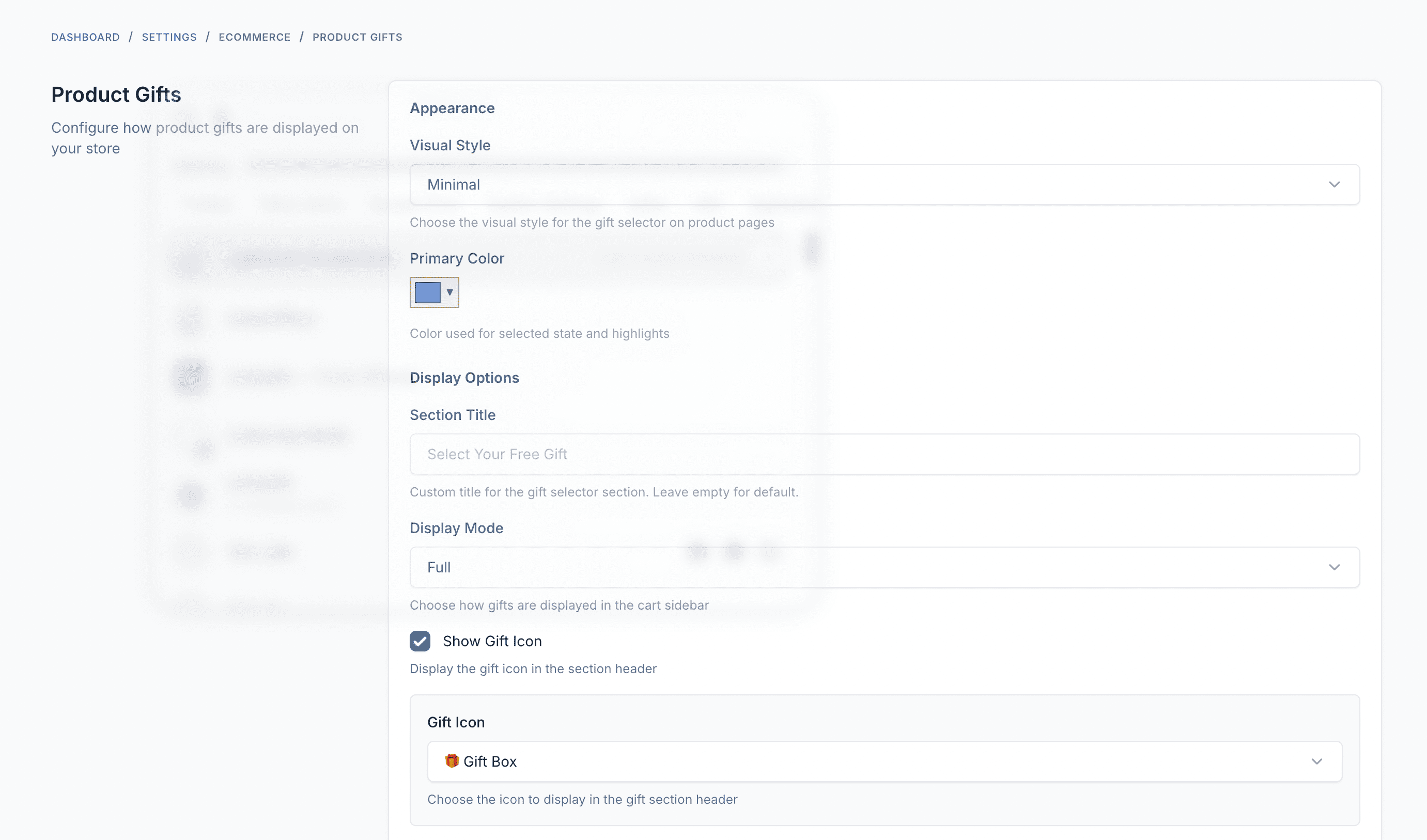
Settings & Configuration
Configure plugin settings including display styles, colors, icons, and behavior options.
Demo
- Admin Panel: https://product-gifts.botble.com/admin
- Admin account: admin – 12345678 (username & password are autofilled)
Requirements
- Botble CMS version 7.6.4 or higher
- PHP version 8.2 or higher
- Botble E-commerce plugin (required)
Installation Guide
Installing Product Gifts is quick and straightforward:
- Download the plugin from your CodeCanyon downloads page
- Extract the downloaded zip file
- Upload the extracted folder to your website’s
platform/plugins/ecommerce-product-giftsfolder - Go to Admin > Plugins and activate the Product Gifts plugin
- Refresh your website
After installation, you can access Product Gifts from Ecommerce > Product Gifts in your admin panel.
Usage Guide
Creating a Gift Rule
- Log in to your admin panel
- Navigate to “Ecommerce” > “Product Gifts”
- Click the “Create” button
- Enter a descriptive name for the rule
- Set the minimum order value to qualify
- Choose targeting: All Products, Specific Products, or Categories
- Set optional start and end dates
- Add gift products in the Gift Products section
- Set status to Published and save
Configuring Appearance
- Navigate to “Settings” > “Ecommerce” > “Product Gifts”
- Choose display style (Modern, Minimal, Classic, Elegant)
- Set custom primary color
- Configure display mode (Full or Compact)
- Enable/disable gift icon and choose emoji
- Toggle product images and original price display
- Save your settings
Targeting Options
- All Products: Gift applies to any order meeting minimum value
- Specific Products: Gift only appears when certain products are in cart
- Product Categories: Gift applies when products from specific categories are in cart
Creating Tiered Promotions
Create multiple gift rules with different minimum values:
- $50+: Small gift item
- $100+: Medium gift item
- $200+: Premium gift item
Customers qualifying for multiple tiers can select one gift from each tier.
Customer Experience
- Product Pages: See available gifts when viewing qualifying products
- Cart: Gift selector appears when cart qualifies
- Checkout: Review and change gift selection before completing order
- Order: Gift appears as $0 line item with clear gift indicator
Best Practices
- Set Strategic Thresholds: Analyze average order value and set minimums slightly above to encourage upselling
- Choose Appealing Gifts: Select popular, high-perceived-value products that customers actually want
- Time Your Promotions: Run seasonal campaigns and create urgency with limited-time offers
- Monitor Results: Track gift redemption rates and adjust rules based on performance
Changelog
Version 1.0.0 – January – 2025
 - Gift rules management with flexible conditions
 - Minimum order value targeting
 - Specific product targeting
 - Product category targeting
 - Multiple gift items per rule
 - Customer gift selection
 - Date range scheduling
 - Product page gift display
 - Cart sidebar integration
 - Checkout gift confirmation
 - Multiple visual styles (Modern, Minimal, Classic, Elegant)
 - Custom primary colors
 - Emoji icon selection
 - Show/hide display options
 - Auto stock management
 - Role-based permissions
 - Order gift tracking
 - Multi-language support (30+ languages)
Support & Documentation
Dedicated Support
Our support team is ready to help you with any questions or issues. We typically respond within 12-24 hours.
Comprehensive Documentation
Our detailed documentation covers everything from installation to advanced features.
About Botble
Botble is a team of experienced developers dedicated to creating high-quality, user-friendly web applications and plugins. With years of experience in web development, we strive to deliver products that meet the highest standards of quality and performance.
Visit us at botble.com
Leave a comment
Your email address will not be published. Required fields are marked *
Comments from Envato Marketplace
View all on CodeCanyon

