Laravel PHP Licenser & Updates Manager - REST API, webhooks, customer portal
Pre-Order
PluginThis is a paid plugin available on Envato Market. You need to purchase and download it from Envato to use it.
Ecommerce Pre-Order – Pre-Order Management for Botble E-commerce
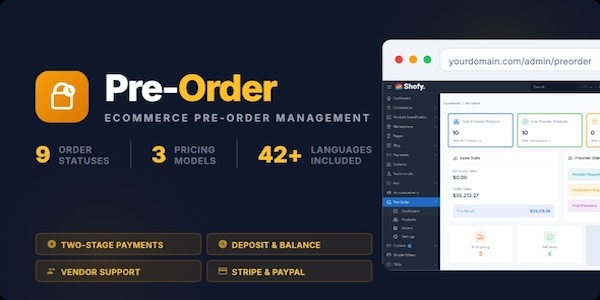
Ecommerce Pre-Order is a comprehensive pre-order management plugin designed for online stores built with Botble E-commerce. It allows you to accept pre-orders for upcoming or out-of-stock products with flexible pricing strategies, deposit payments, and a complete 9-stage order lifecycle — giving your customers a seamless pre-order experience.
Ecommerce Pre-Order is built with Laravel framework and integrates deeply with the Botble Ecommerce plugin. It supports three pricing models (full price, percentage deposit, fixed deposit), exclusive pre-order discounts, stock limits, and two-stage payment processing through Stripe, PayPal, COD, and Bank Transfer.
Ecommerce Pre-Order is a perfect solution for electronics stores launching new products, fashion brands with seasonal collections, crowdfunding-style pre-launches, and any e-commerce business that wants to gauge demand and secure revenue before products are available.
⚠ Important Requirement
This plugin is not a standalone script. It requires the Ecommerce plugin to be installed and activated. Ecommerce Pre-Order is specifically designed to work only with Botble ecommerce scripts (Shofy, MartFury, Ninico, Nest, Farmart, Wowy, etc.) and cannot function independently.
We have a dedicated support center for all of your support needs. It includes our Documentation and Ticket system for any questions you have. We usually get back to you within 12-24 hours.


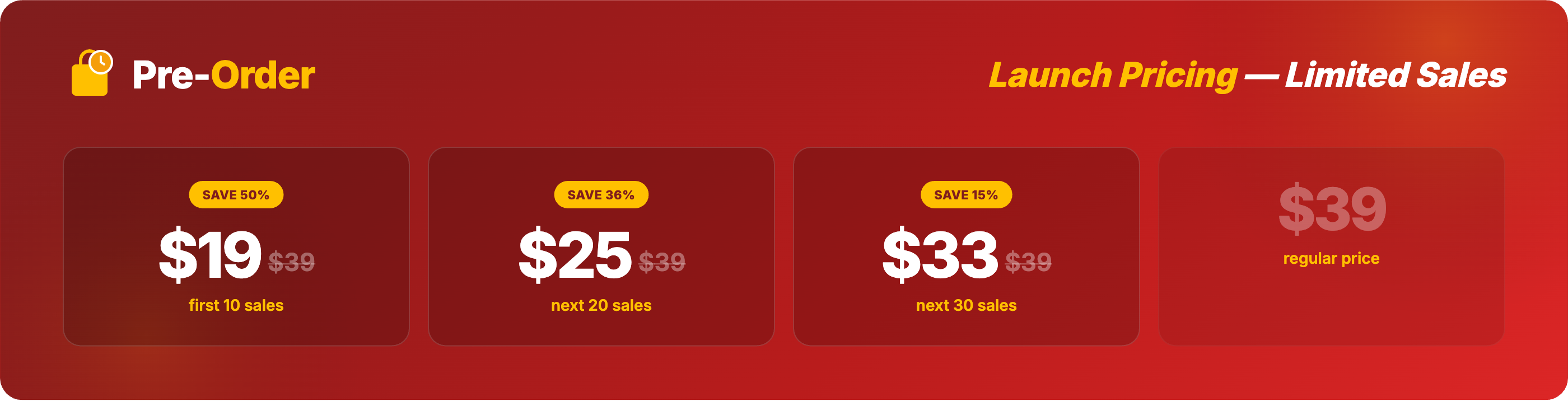
 Note: Price will be increased after 20 sales, hurry up!!!

Highlighted Features (Last Updated: March 2026):
- Buy One Time & Get Free Updates Forever
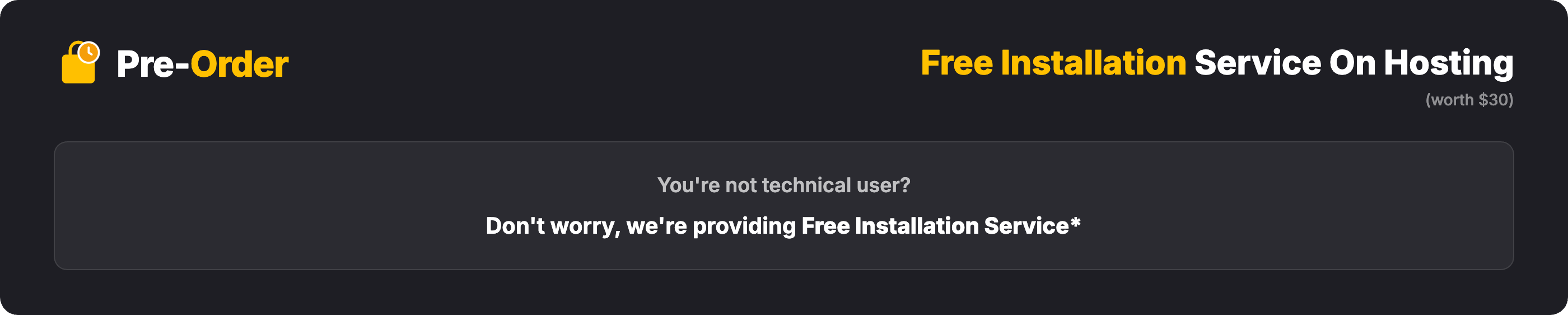
- Free Installation – If you will face any problem during installation – we will help you and It’s FREE
- Easy Installation – Install the plugin easily with no coding or server knowledge in a few minutes with our easy-to-use installer and documentation.
- High Performance – Lightweight plugin with fast performance and minimal impact on page load time.
- Flexible Pricing Strategies – Choose from 3 pricing models: Full Price prepayment, Percentage Deposit (e.g. 30%), or Fixed Deposit (e.g. $50).
- Two-Stage Payment System – Collect deposits at checkout and remaining balance when products are ready to ship. Supports Stripe, PayPal, COD, and Bank Transfer.
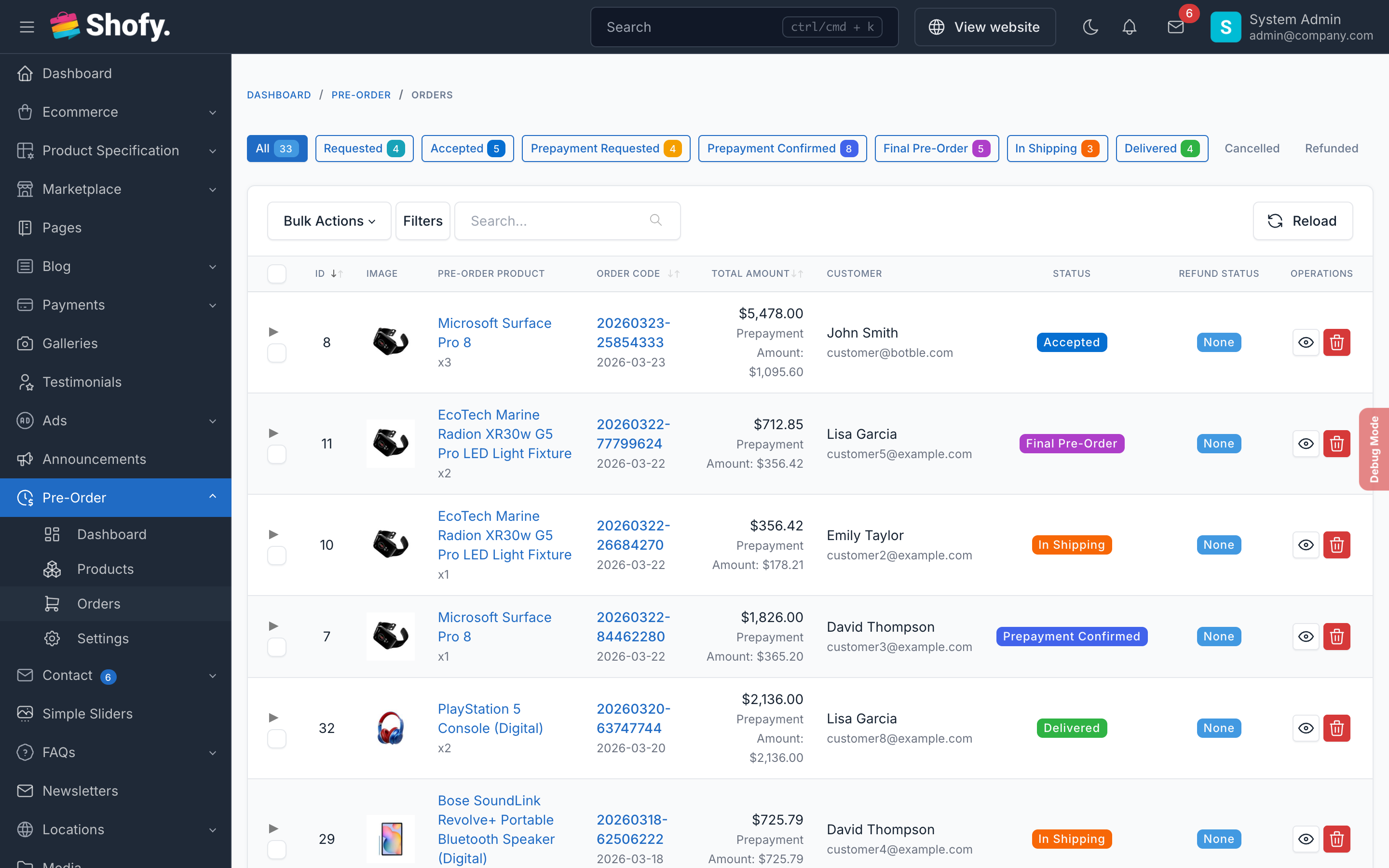
- 9-Stage Order Lifecycle – Complete workflow tracking: Requested → Accepted → Prepayment Requested → Prepayment Confirmed → Final Order → In Shipping → Delivered (plus Cancelled and Refunded).
- Exclusive Pre-Order Discounts – Offer percentage or fixed amount discounts to incentivize early orders.
- Stock Limit Management – Set maximum pre-order slots per product with real-time availability tracking. Auto-stops accepting orders when limit reached.
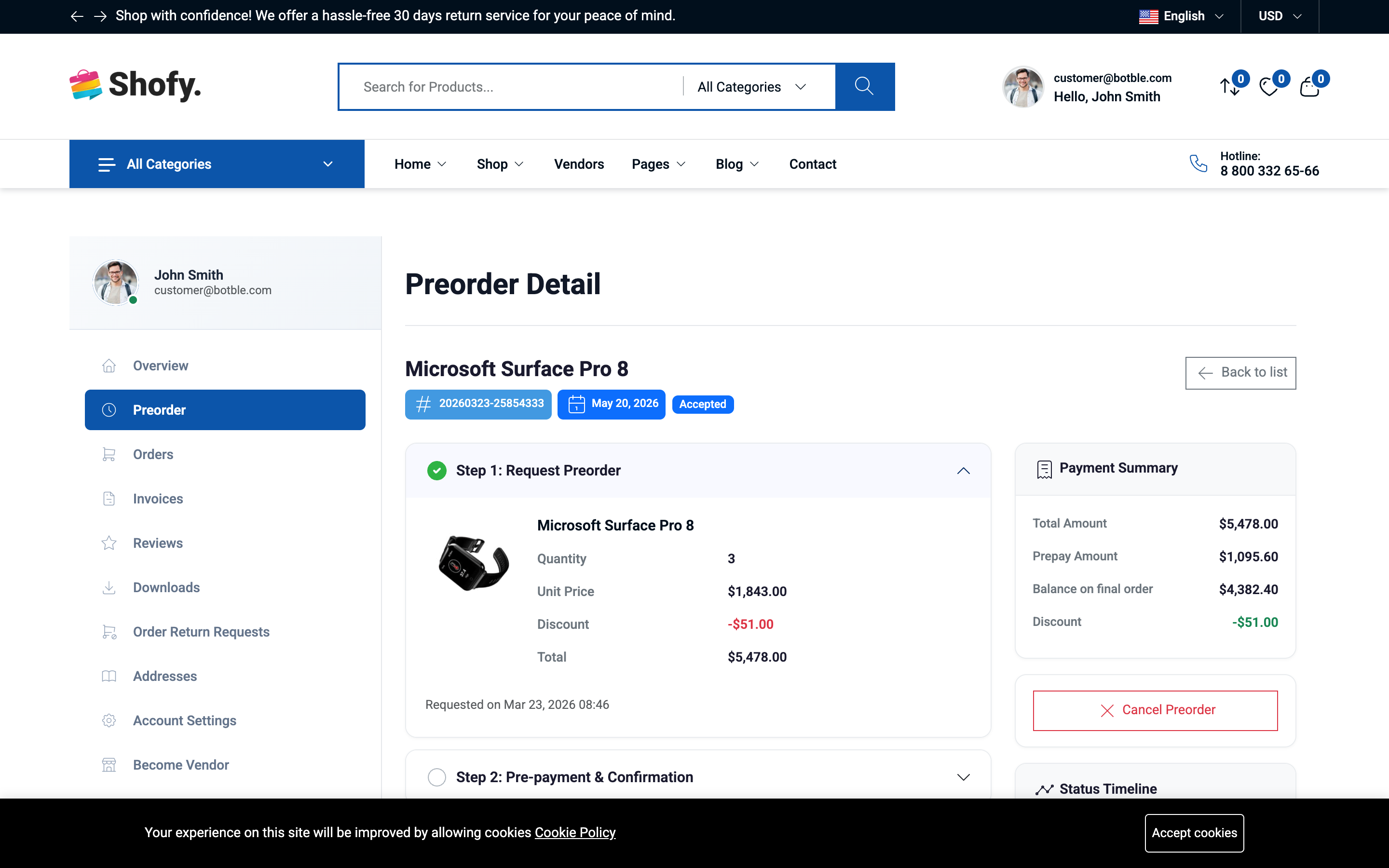
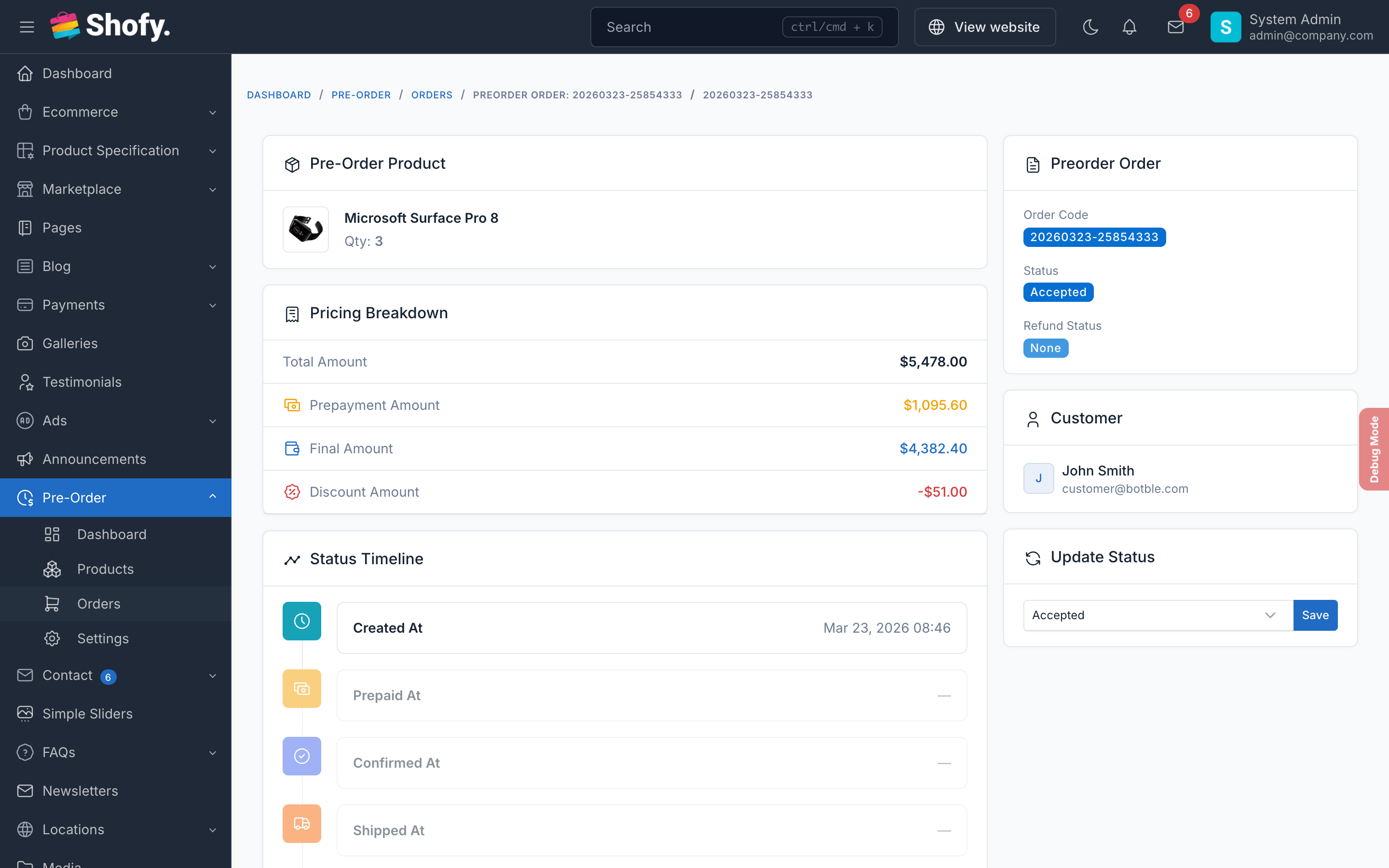
- Customer Self-Service Dashboard – Customers can view their pre-orders, make payments, track status with visual timeline, cancel orders, and request refunds.
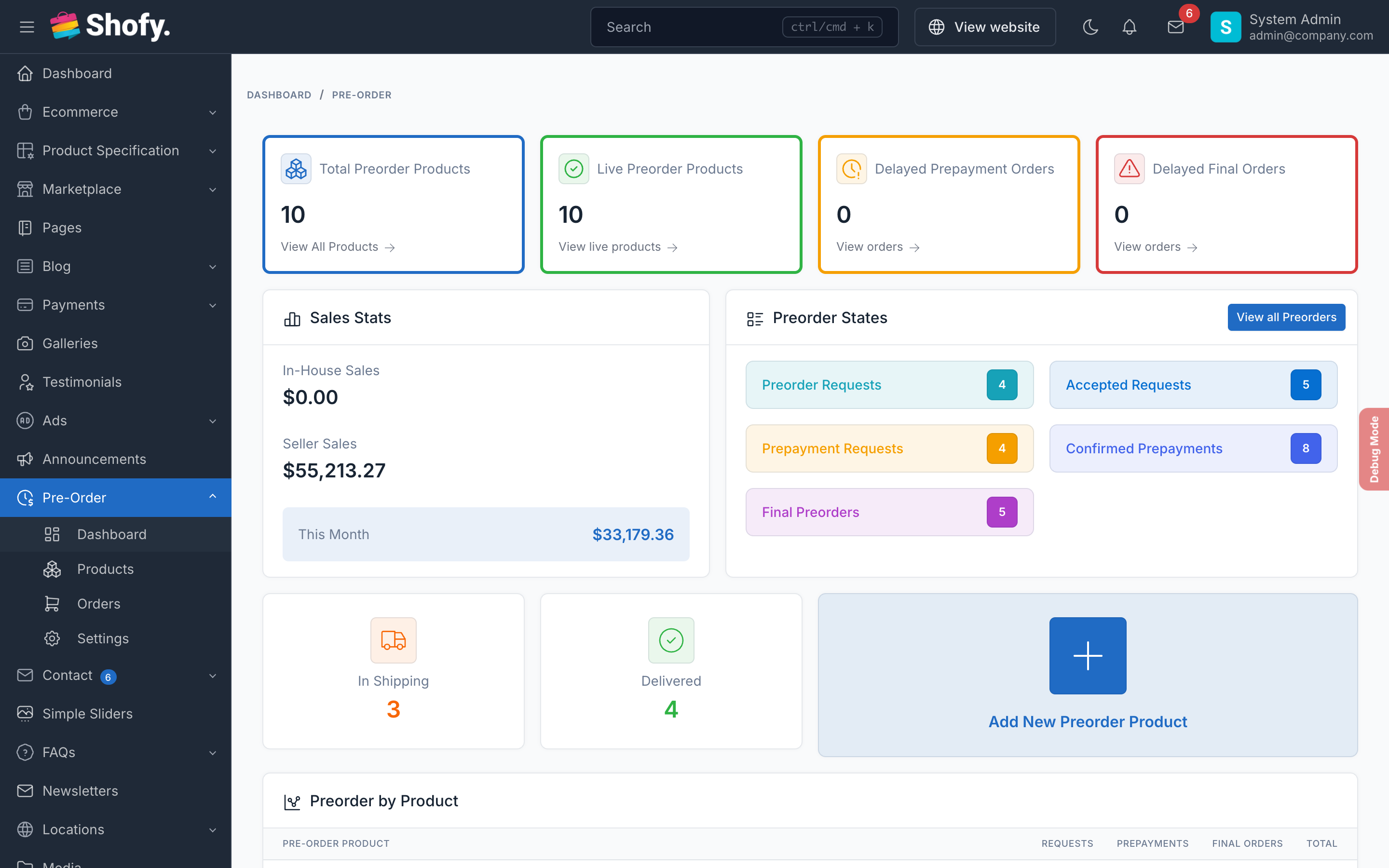
- Admin Dashboard & Analytics – Centralized dashboard with key metrics: total products, live pre-orders, delayed payments, status breakdown, and sales summary.
- Vendor/Marketplace Support – When used with the Marketplace plugin, vendors can create and manage their own pre-order products and view orders from their vendor panel.
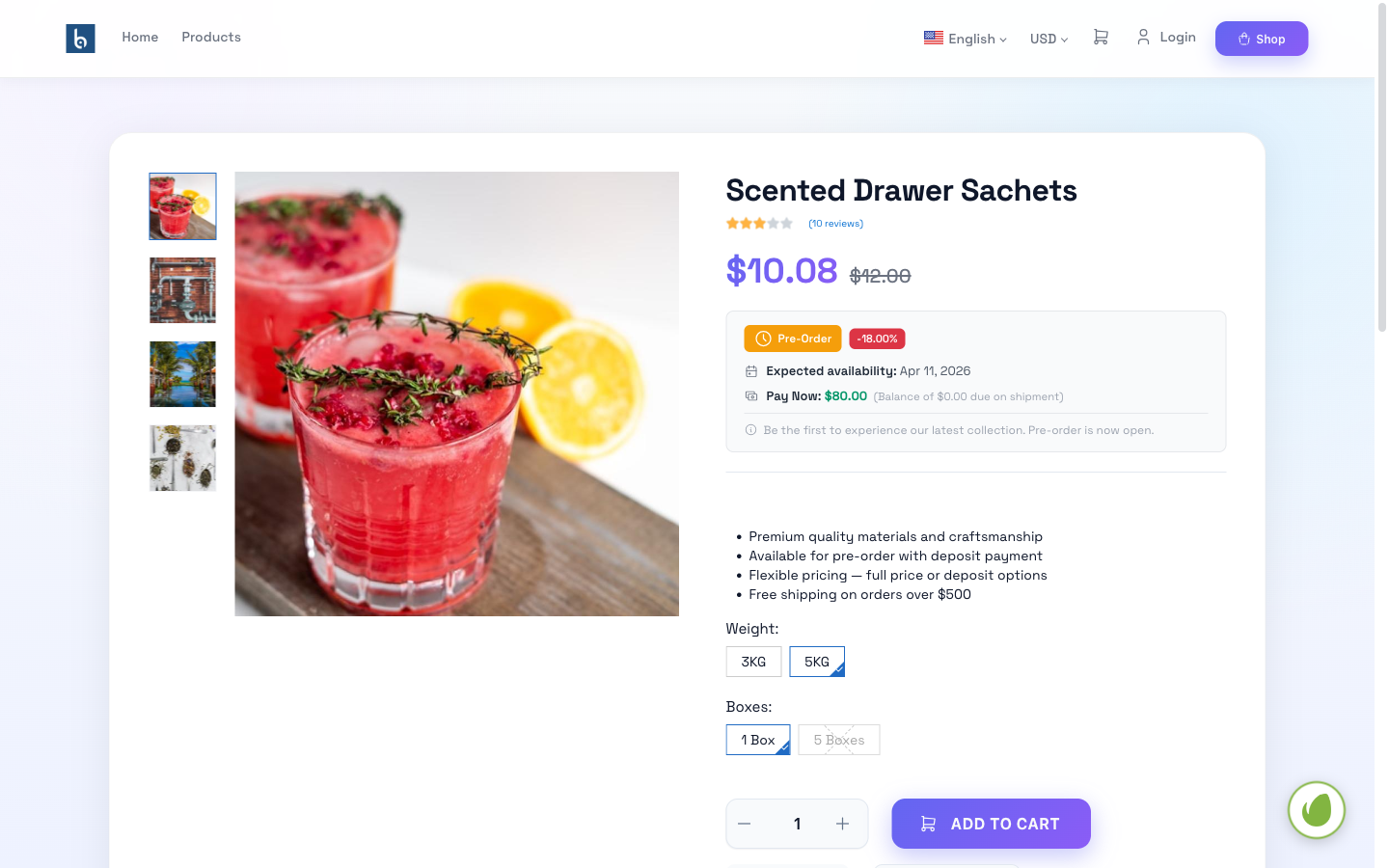
- Configurable Display Styles – Choose from 4 display styles on product pages: Minimal, Banner, Inline, or Detailed. Customize badge color, text, and button label.
- Auto-Expiration – Automatically disable pre-order products when their availability date passes via daily scheduled command.
- Refund Management – Full refund workflow: customers request refunds on cancelled orders, admins approve/reject, process through payment provider.
- Cart Validation – Optionally prevent mixing pre-order and regular items in the same cart for cleaner checkout flow.
- Granular Permissions – 9 role-based permissions for fine-grained access control over products, orders, and settings.
- Product Page Integration – Automatically displays pre-order badge, pricing info, availability date, and remaining slots on product pages and product cards.
- Custom Messages – Set custom pre-order messages per product with
:dateplaceholder for dynamic availability date display.- Multi-language Support – Available in 42+ languages including English, Vietnamese, French, German, Spanish, Chinese, Japanese, Korean, Arabic, and more.
- Translations – Fully translation ready and can be easily translated to any language from the admin area.
- Ongoing Support – Benefit from our dedicated support team, ready to help you with any questions or challenges you may encounter during integration and beyond. We always reply your ticket within 1 business day.


Demo
- Storefront: https://pre-order.botble.com
- Admin Panel: https://pre-order.botble.com/admin/preorder/dashboard
- Admin account: admin – 12345678 (username & password are autofilled)
- Customer Portal: https://pre-order.botble.com/customer/preorders
- Customer account: [email protected] – 12345678
Requirements
- Botble CMS version 7.6.0 or higher with the Ecommerce plugin activated
- PHP version 8.2 or higher
Installation Guide
Installing Ecommerce Pre-Order is quick and straightforward:
- Download the plugin from your CodeCanyon downloads page
- Extract the downloaded zip file
- Upload the extracted folder to
platform/plugins/ecommerce-preorderdirectory - Go to Admin > Plugins and activate the Ecommerce Pre-Order plugin
- Navigate to Preorder > Settings to configure your preferences
After installation, you can access Pre-Order management from the Preorder menu in your admin panel.
Usage Guide
Creating a Pre-Order Product
- Go to Preorder > Products in the admin panel
- Click Create to add a new pre-order product
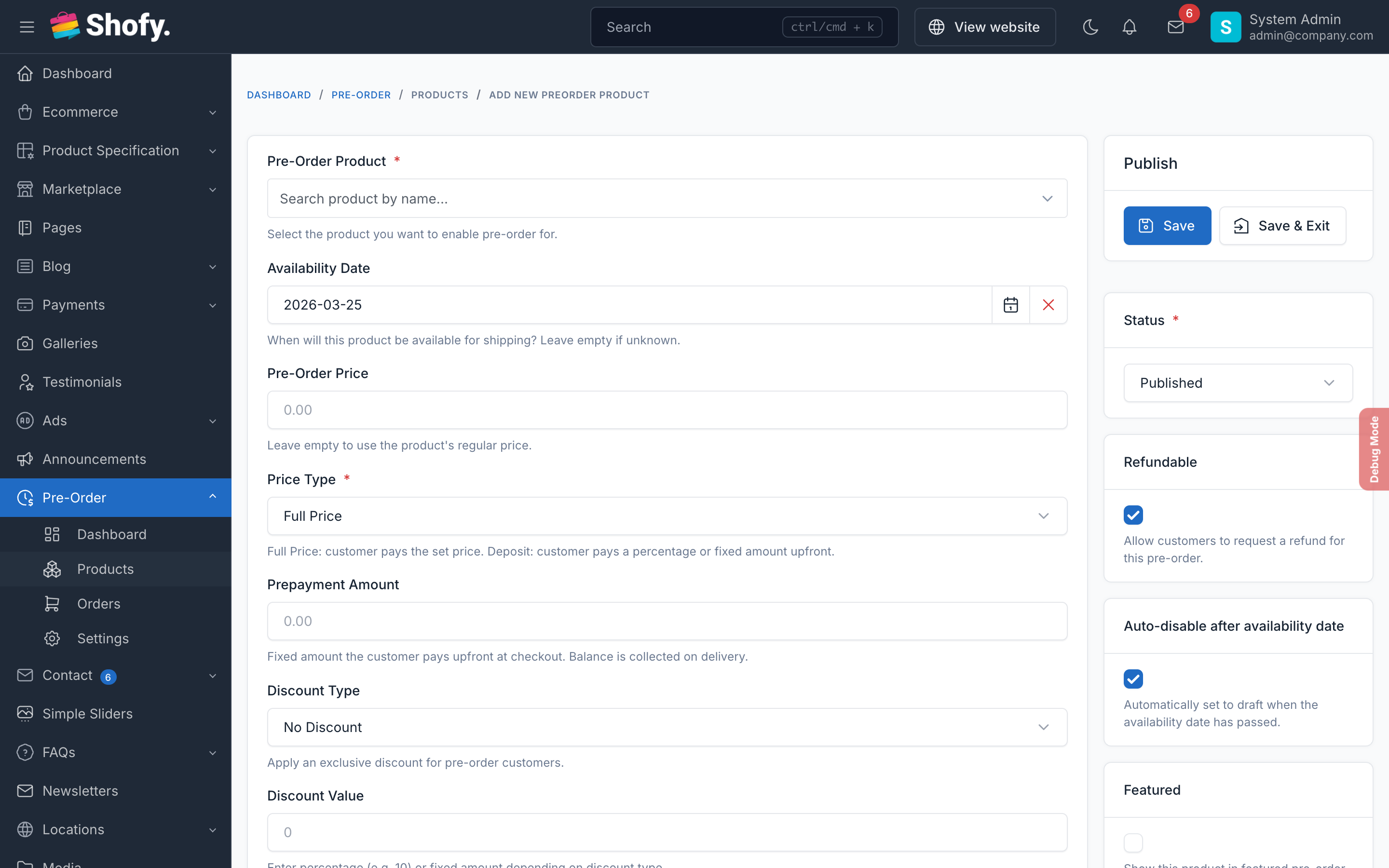
- Select the product, set availability date, pricing type, and deposit amount
- Optionally configure discount, stock limit, and custom message
- Set status to Published and save
Pricing Strategies
- Full Price: Customer pays the full pre-order price at checkout (e.g. $100 product → customer pays $100 now)
- Percentage Deposit: Customer pays a percentage upfront (e.g. $100 product with 30% deposit → customer pays $30 now, $70 later)
- Fixed Deposit: Customer pays a fixed amount upfront (e.g. $100 product with $20 deposit → customer pays $20 now, $80 later)
Managing Pre-Orders
- View all pre-orders at Preorder > Orders
- Use status tabs to filter by lifecycle stage
- Click on an order to view details and update status
- Track prepayment and final payment status separately
Customer Experience
- Pre-order badge appears on product cards and product pages
- Customers add pre-order items to cart and pay deposit at checkout
- After checkout, customers manage pre-orders from their dashboard
- Visual status timeline shows order progress
- Customers can make final payment, cancel, or request refunds based on order status
Vendor Management (Marketplace)
- Enable vendor management in Preorder > Settings
- Vendors can create pre-order configurations for their own products
- Vendors have their own dashboard with pre-order analytics
- Vendors can view orders for their products (read-only)
Changelog
Version 1.0.0 – March 2026
 - Pre-order product management with 3 pricing strategies (Full Price, Percentage Deposit, Fixed Deposit)
 - 9-stage order lifecycle tracking (Requested → Delivered)
 - Two-stage payment system (Deposit + Final Balance)
 - Payment gateway support: Stripe, PayPal, COD, Bank Transfer
 - Exclusive pre-order discounts (percentage or fixed amount)
 - Stock limit management with real-time availability tracking
 - Customer self-service dashboard with visual status timeline
 - Admin dashboard with analytics and key metrics
 - Vendor/marketplace support with vendor dashboards
 - Auto-expiration via daily scheduled command
 - Refund management workflow (request, approve, reject, process)
 - Cart validation (optional mixed cart restriction)
 - 4 configurable display styles (Minimal, Banner, Inline, Detailed)
 - Customizable badge color, text, and button label
 - Custom messages per product with :date placeholder
 - 9 granular role-based permissions
 - Multi-language support (42+ languages)
Support & Documentation
Dedicated Support
Our support team is ready to help you with any questions or issues. We typically respond within 12-24 hours.
Comprehensive Documentation
Our detailed documentation covers everything from installation to advanced features.
About Botble
Botble is a team of experienced developers dedicated to creating high-quality, user-friendly web applications and plugins. With years of experience in web development, we strive to deliver products that meet the highest standards of quality and performance.
Visit us at botble.com
Leave a comment
Your email address will not be published. Required fields are marked *