Laravel PHP Licenser & Updates Manager - REST API, webhooks, customer portal
CJ Dropshipping
PluginCJ Dropshipping Plugin for Botble CMS
The CJ Dropshipping Plugin allows you to seamlessly import products from CJ Dropshipping directly into your Botble CMS store. It operates as a catalog mirror, preserving structure and product data from selected CJ categories.
[!IMPORTANT]
This plugin is focused exclusively on product importation. It does not handle payments, orders, fulfillment automation, or real-time inventory updates.
📍 Usage
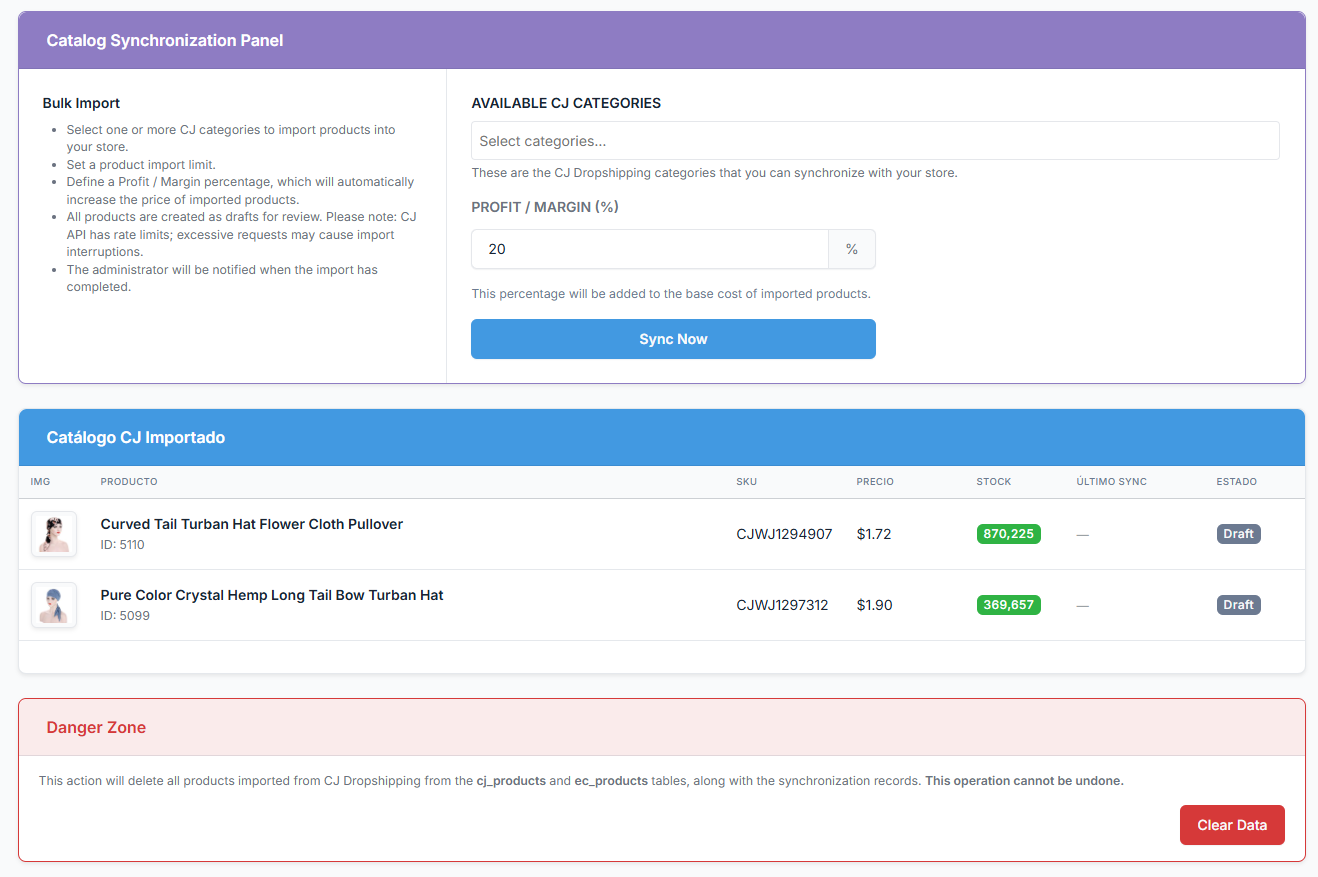
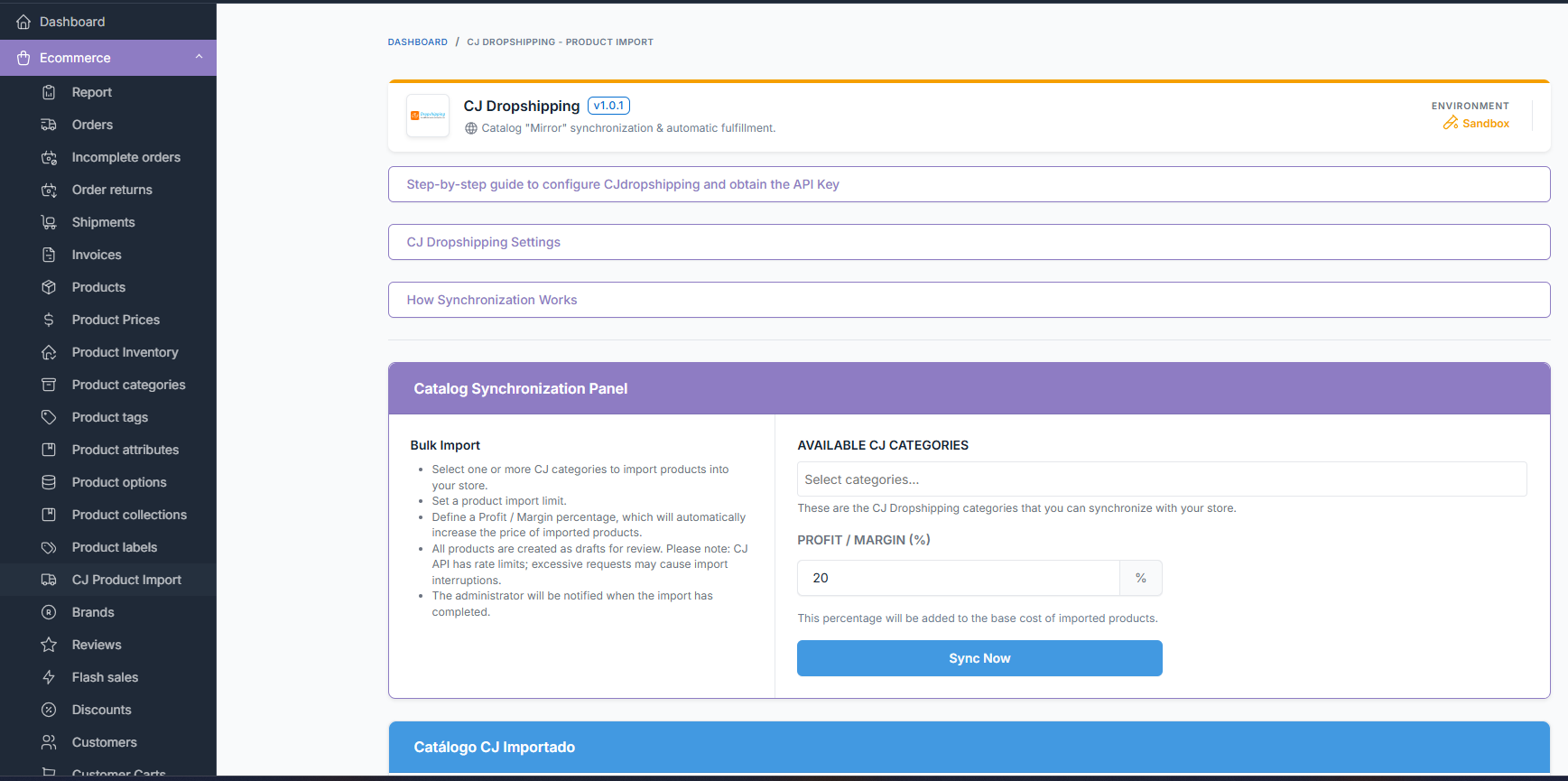
After installation and activation, you can find the plugin settings and import dashboard in your Botble Admin panel under: Ecommerce → CJ Dropshipping Import
🚀 Current Plugin Scope
✅ What the Plugin Does:
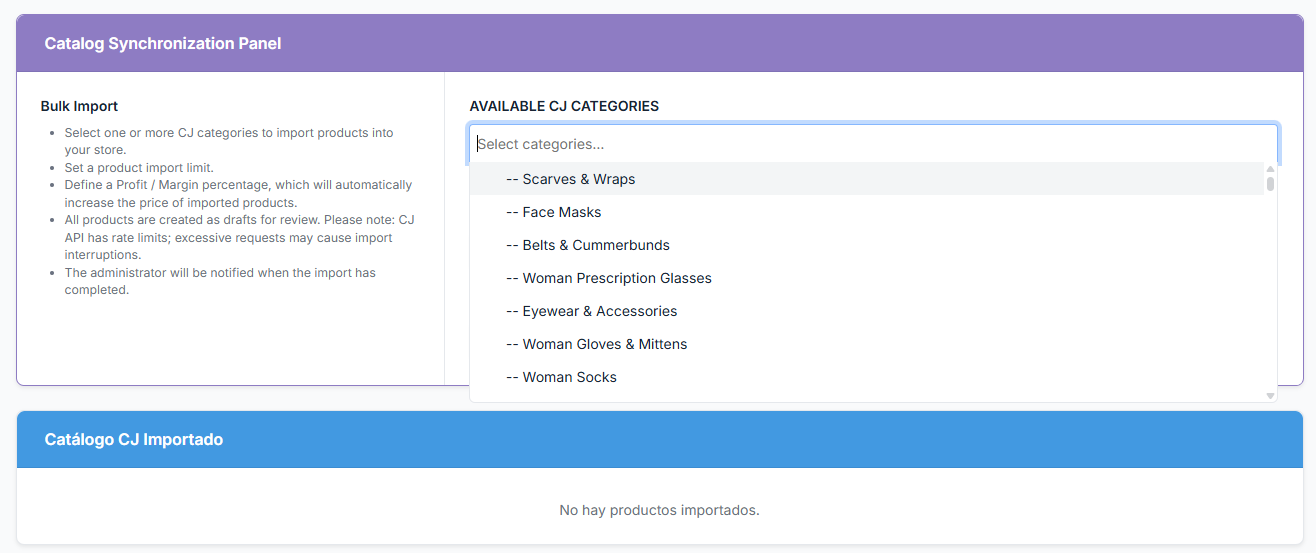
- Importing: Pulls products from selected CJ categories.
- Draft Creation: All products are imported as drafts for manual review.
- Data Integrity: Imports images, descriptions, SKU, attributes, variations, and weight.
- Pricing: Allows for profit/margin percentage configuration.
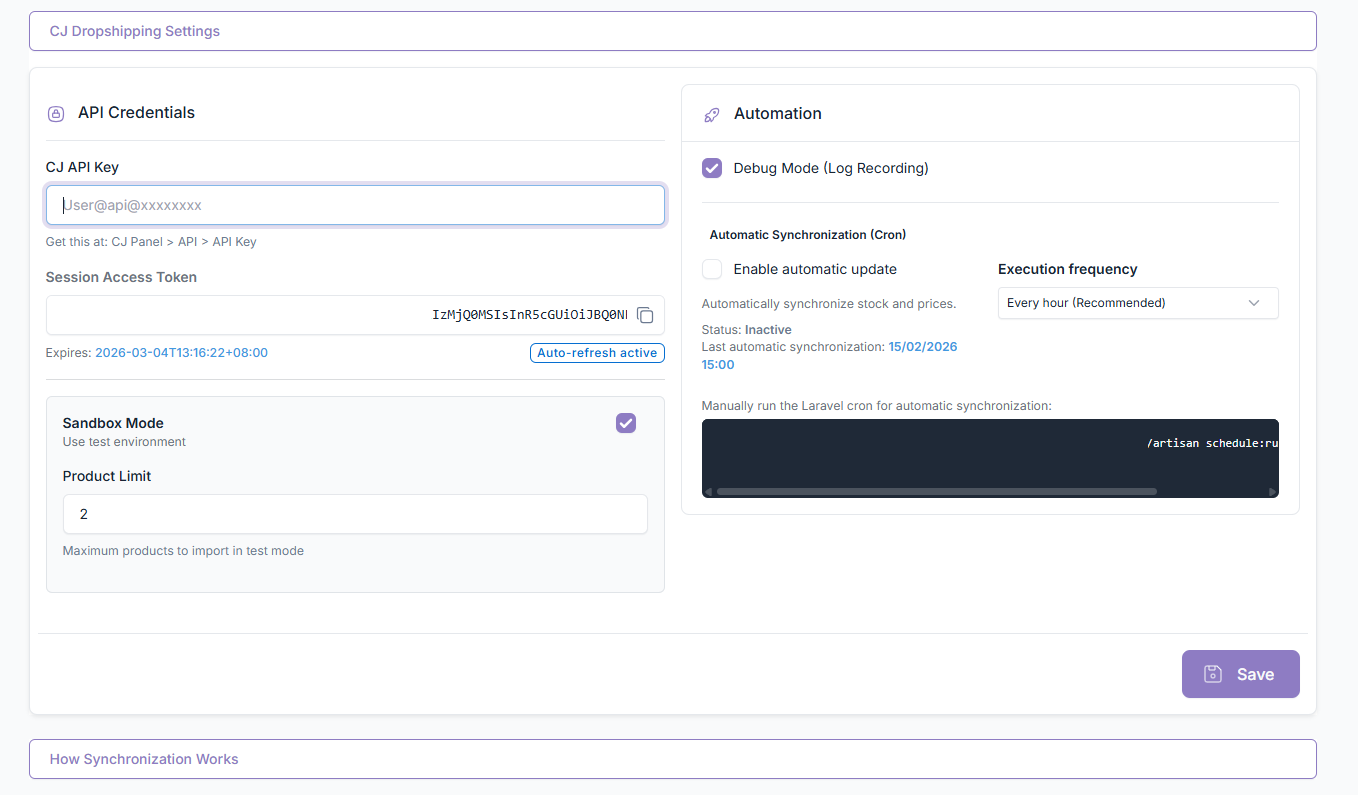
- Automation: Supports manual and Cron-based synchronization.
- Logging: Includes a Debug Mode for record-keeping.
- Cleanup: Includes a "Danger Zone" to clear all imported data.
❌ What the Plugin Does NOT Do:
- Create orders or CJ fulfillments automatically.
- Process payments.
- Sync shipment statuses.
- Provide real-time inventory or price updates after import.
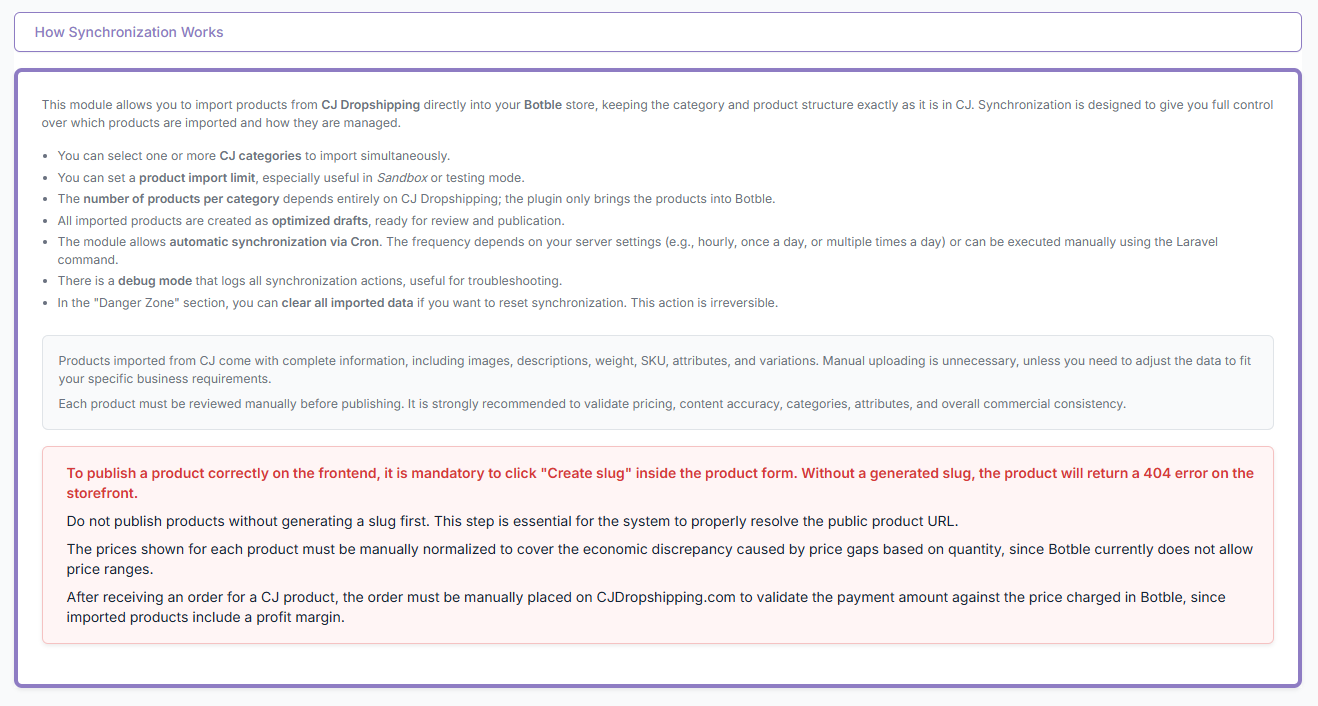
⚙️ How Synchronization Works
The module provides a granular approach to catalog management:
- Selection: Select one or more CJ categories to mirror.
- Limits: Define product import limits (ideal for Sandbox mode).
- Margins: Apply a global Profit/Margin percentage.
- Workflow: Run synchronization manually or via Cron.
Note: CJ API rate limits apply. Excessive requests may interrupt the import process.
📦 Product Import Details
Imported products include the following metadata:
- Visuals: Full image gallery.
- Content: Detailed descriptions.
- Logistics: Weight and SKU.
- Structure: Attributes and Variations.
🛠️ Important Publishing Requirement
To avoid errors, every imported product must be:
- Reviewed manually.
- Assigned a slug using the "Create slug" button.
- Published only after validation. If a slug is not generated, the product will return a 404 error on the frontend.
💰 Price & Margin Handling
You can define a Profit / Margin (%) during the import process. This percentage is automatically added to the base cost of imported products.
| Feature | Note |
|---|---|
| Normalization | Prices must be manually normalized if specific rounding is required. |
| Price Ranges | Botble does not currently support price ranges; manual adjustment may be needed. |
| Fulfillment | Orders must be manually placed on CJ after receiving payment in Botble. |
| Validation | Verify final order costs against CJ pricing before fulfillment. |
⏱️ Automatic Synchronization (Cron)
The plugin supports Cron-based execution for automated catalog updates.
- Recommended Frequency: Every hour.
- Alternative Frequencies: Twice daily or once daily.
- Manual Trigger: You may run the Laravel command manually via terminal.
Note: Cron synchronizes product data only; it does not enable automatic order placement.
🐞 Debug Mode & Environment
Debug Mode
Logs all synchronization actions to assist with:
- API troubleshooting and rate limit detection.
- Import error tracking and diagnostics.
Environment Support
- Sandbox Mode: Test environment for safe testing with limited imports.
- Production Mode: Full catalog synchronization.
- Both modes use the same API credentials.
⚠️ Danger Zone
Within the settings, you can permanently delete:
- All imported CJ products.
- Synchronization records and mapping data.
Warning: This action cannot be undone. Use with extreme caution in Production environments.
📋 Requirements
To ensure the correct operation of the plugin, your environment must meet the following specifications:
- Botble Core: version
7.0.0or higher. - Ecommerce Plugin: Must be installed and enabled.
- SSL Certificate: HTTPS is strictly required for secure API communication.
- CJ Dropshipping Account: A valid account with an active store profile.
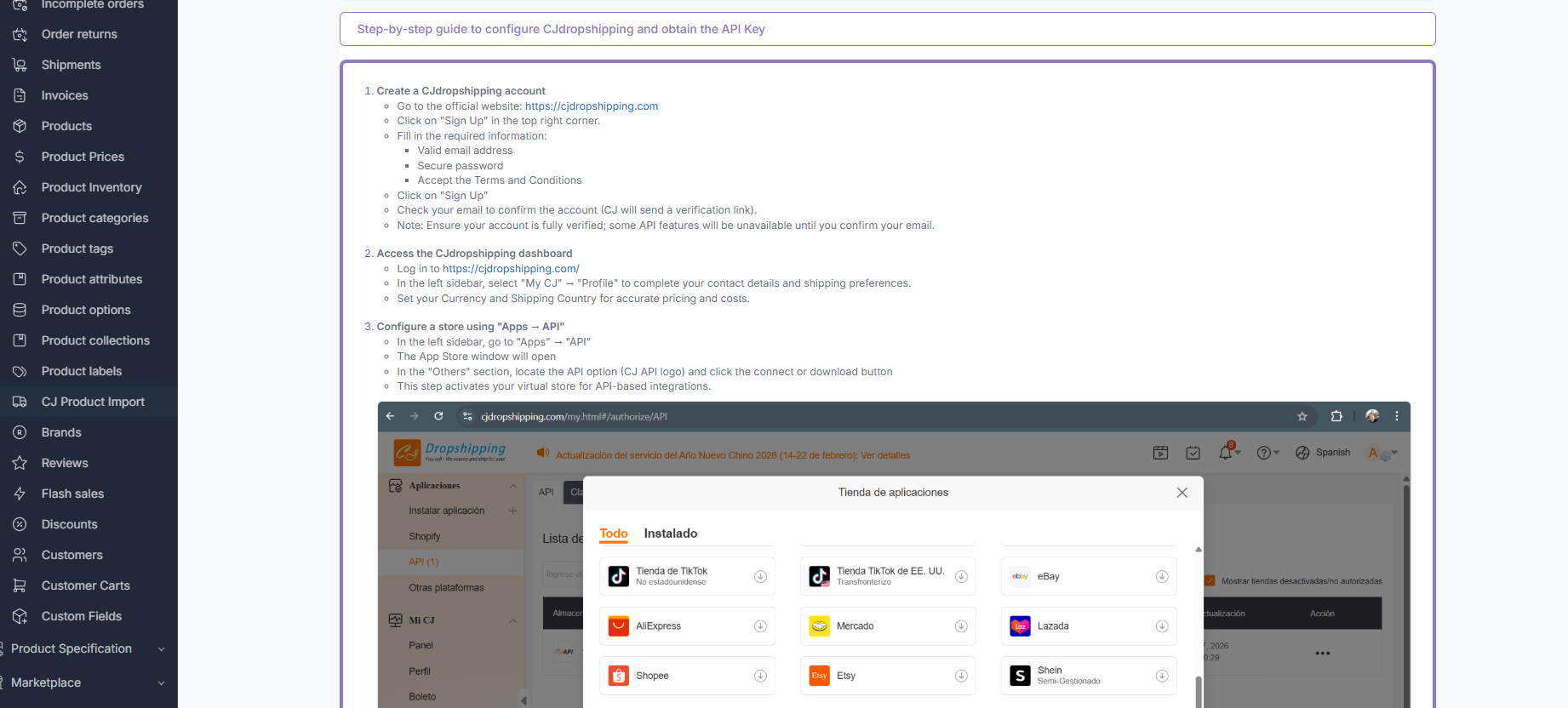
- API Credentials: Generated App Key and App Secret from the CJ Dashboard.
- Server Cron: Properly configured (optional, but required for automated synchronization).
🛠️ API Configuration Guide
- Log in to your CJ Dropshipping Dashboard.
- Navigate to Apps → API.
- Activate the API Virtual Store.
- Generate your App Key and App Secret.
- Enter these credentials into the plugin settings in Botble.
- Ensure the API store shows a green checkmark (active) before running synchronization.
🔒 Security Notes
- Store API credentials securely.
- Never expose your App Key or App Secret in public repositories or client-side code.
- All requests are authenticated via the official CJ API.
Leave a comment
Your email address will not be published. Required fields are marked *

I purchased this plugin and it works exactly as described. It imports products along with their variations correctly, and the documentation explaining how everything works is clear and very well done.
One point that could be improved is the way imported products are presented. At first, the total number of imported products may seem low, which can be a bit confusing. However, this number increases significantly once all product variations are taken into account. Clarifying this in the documentation would help avoid misunderstandings.
It would also be great to see future enhancements, such as the ability to automatically create orders in CJ.

Hello, thank you for your feedback, we are planning to extend the plugin functionality in the next update, stay tuned ✌🏻

He appears to be dishonest. I purchased a plugin from him, but it does not function at all. Instead of providing the promised features, it only displays static dummy HTML content with no real functionality. This is misleading and does not match the product description.