Laravel PHP Licenser & Updates Manager - REST API, webhooks, customer portal
BB Form Builder
PluginThis is a paid plugin available on Envato Market. You need to purchase and download it from Envato to use it.
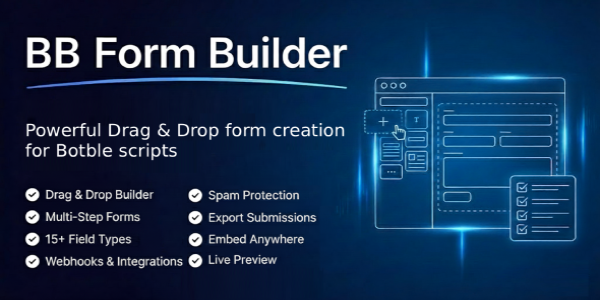
BB Form Builder – Drag & Drop Form Builder plugin for Botble scripts
Check our demo on: https://bb-form-builder.botble.com
BB Form Builder is a comprehensive drag-and-drop form builder designed for websites built with Botble CMS. It provides a user-friendly interface for creating beautiful forms, managing submissions, and integrating with popular email marketing services.
BB Form Builder is built with Laravel framework, Vue.js 3, and Bootstrap CSS. It’s a modern and powerful form builder that allows you to create any type of form with an intuitive drag-and-drop interface – no coding required.
BB Form Builder is a perfect solution for businesses, agencies, and website owners who need contact forms, registration forms, surveys, feedback forms, newsletter sign-ups, and more. It’s easy to install and use, and it comes with powerful features like multi-step wizards, popup forms, email notifications, and marketing integrations.
BB Form Builder integrates seamlessly with your existing Botble scripts, allowing you to embed forms anywhere using shortcodes, display them as popups, or embed them on external websites.
We have a dedicated support center for all of your support needs. It includes our Documentation and Ticket system for any questions you have. We usually get back to you within 12-24 hours.

 > ## Highlighted Features (Last Updated: December 2025):
- Buy One Time & Get Free Updates Forever
- Free Installation – If you will face any problem during installation – we will help you and It’s FREE
- Easy Installation – Install BB Form Builder easily with no coding or server knowledge in a few minutes with our easy-to-use installer and documentation.
- High Performance – BB Form Builder is lightweight and has lighting fast performance and page load time out of the box.
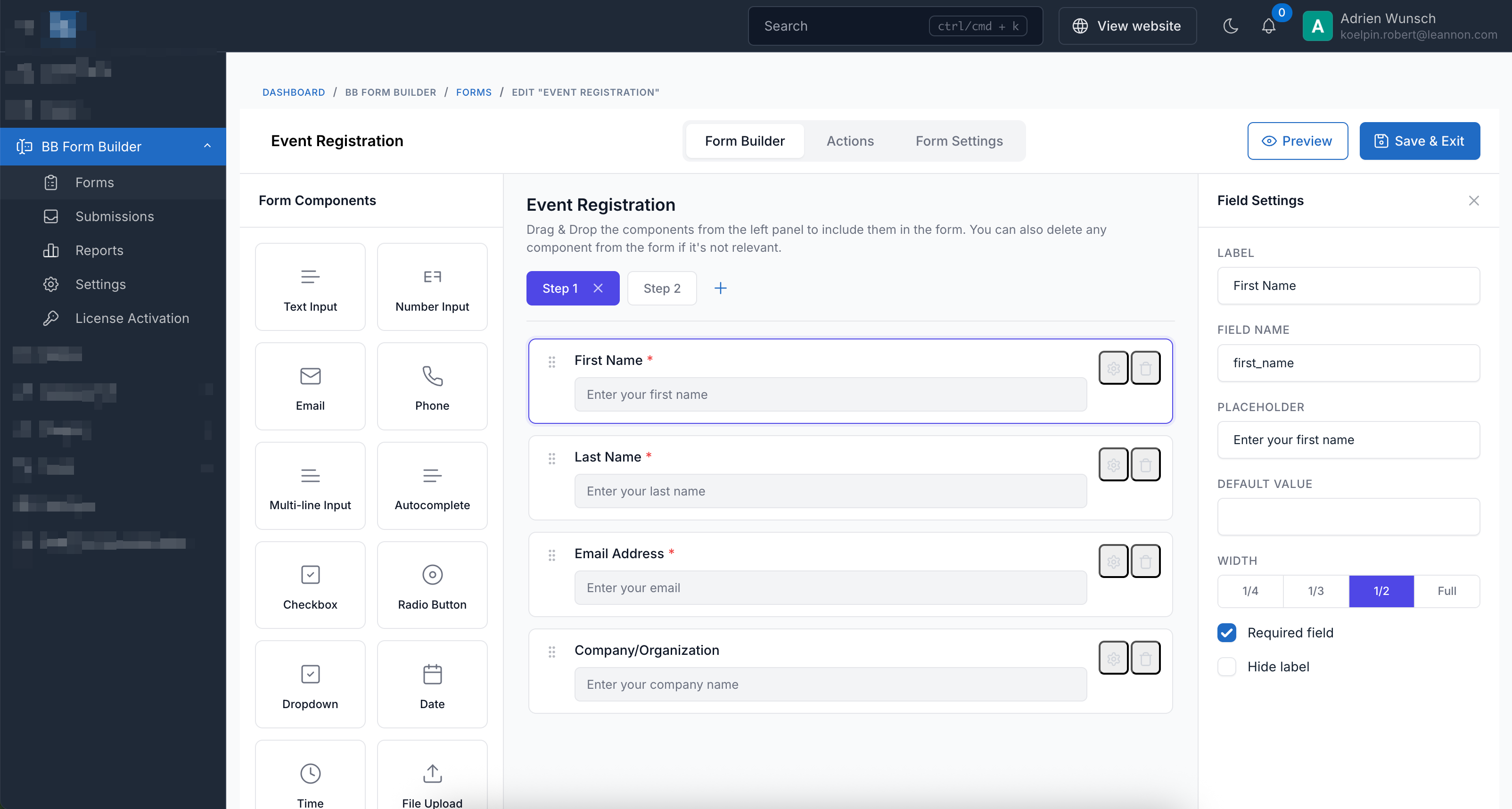
- Drag & Drop Builder – Create forms visually with an intuitive drag-and-drop interface. No coding required.
- 15+ Field Types – Text, Number, Email, Phone, Textarea, Autocomplete, Checkbox, Radio, Dropdown, Date, Time, File Upload, Image Upload, Hidden, and HTML Content fields.
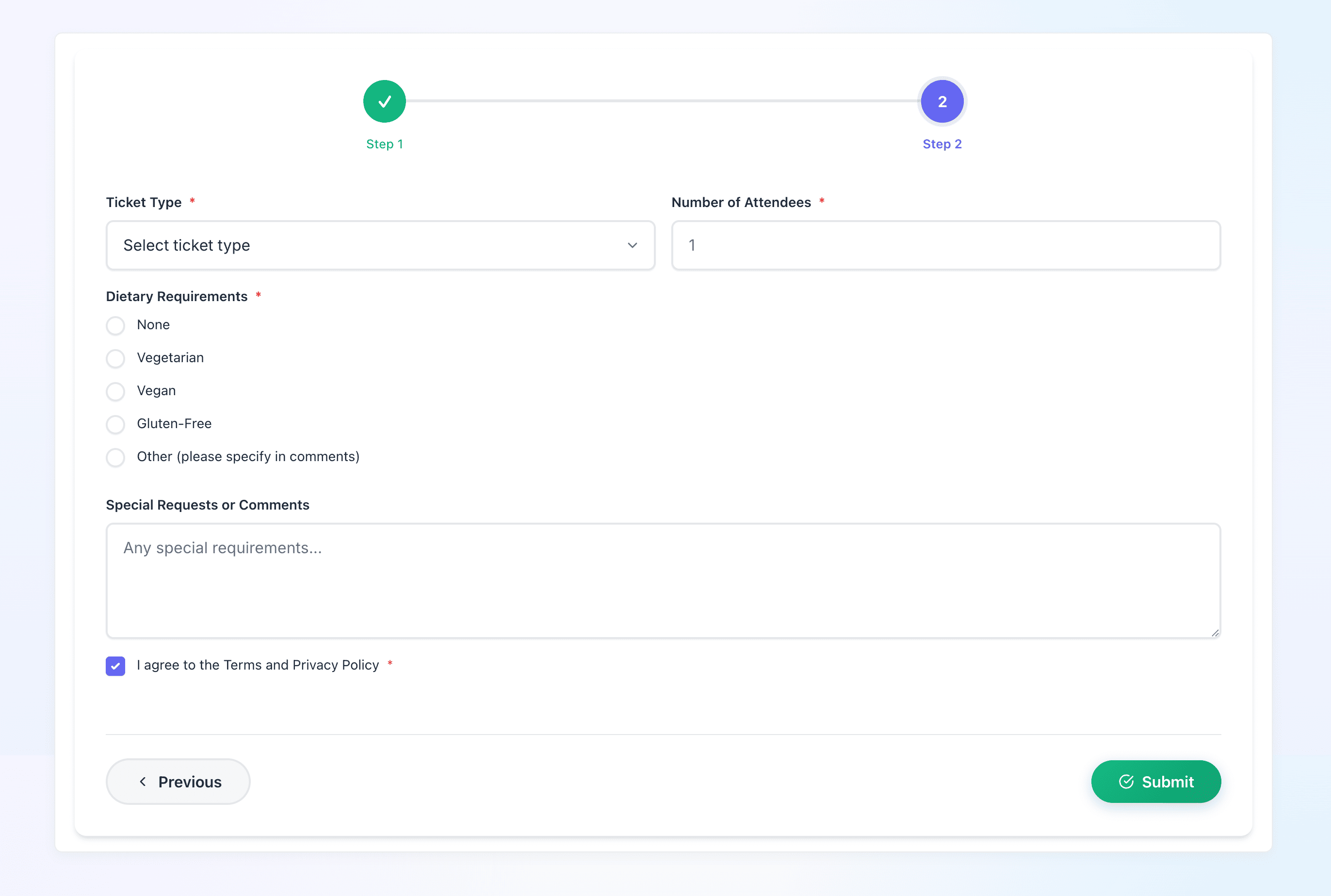
- Multi-Step Wizard Forms – Create multi-step forms with progress indicators in horizontal or vertical layout.
- 5 Beautiful Form Styles – Default, Modern, Minimal, Bold, and Glassmorphism styles to match your website design.
- Popup Forms – Display forms as modal popups triggered by button click, time delay, scroll percentage, or exit intent.
- Email Notifications – Send customizable email notifications when forms are submitted with dynamic field placeholders.
- API Webhooks – Send form data to external APIs and integrate with any third-party service.
- Mailchimp Integration – Subscribe users directly to your Mailchimp audience lists.
- GetResponse Integration – Add contacts to your GetResponse campaigns automatically.
- Spam Protection – Built-in Google reCAPTCHA and Math CAPTCHA to prevent spam submissions.
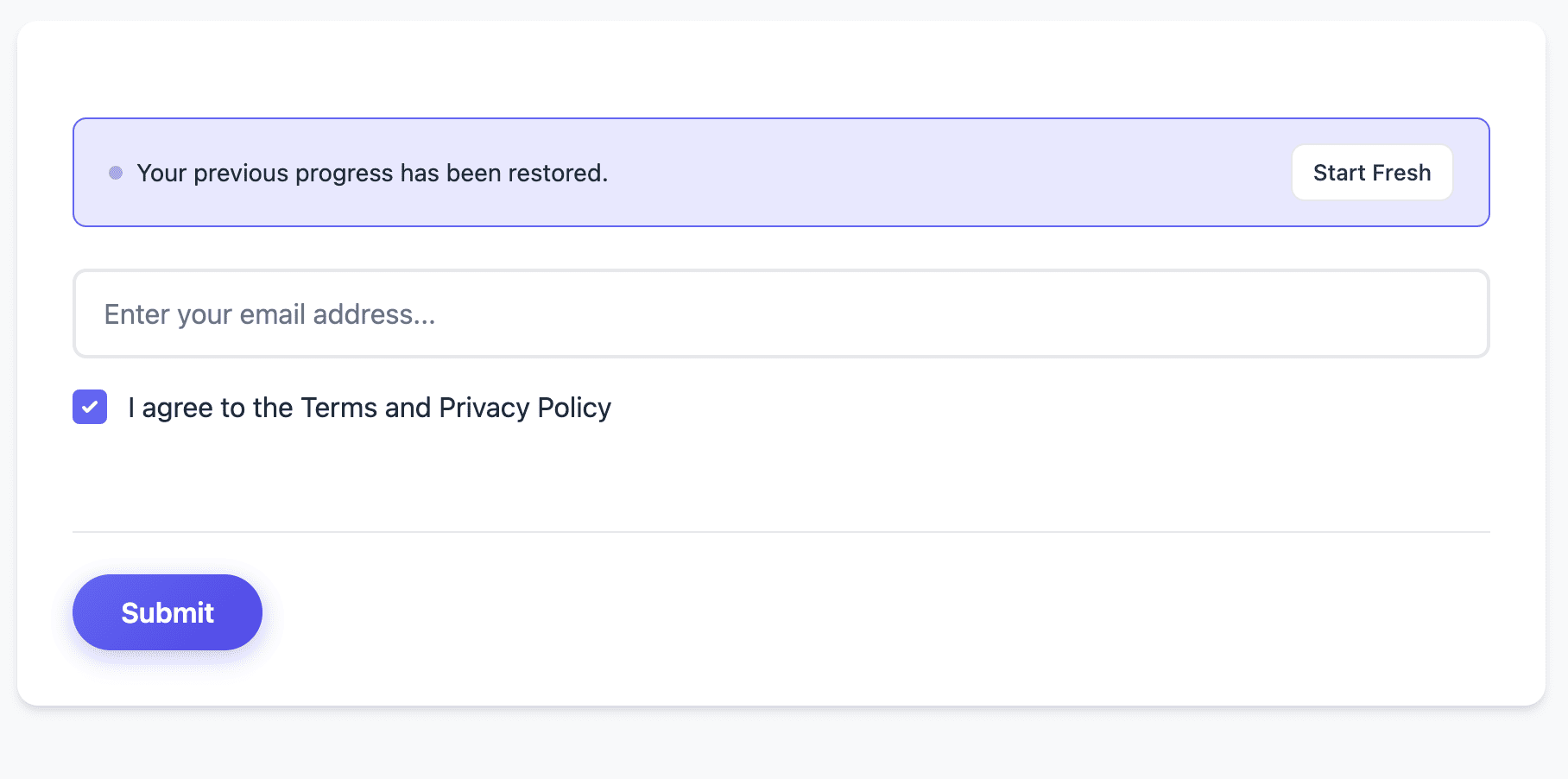
- File Upload – Secure file and image uploads with configurable file types and size limits.
- Embeddable Forms – Embed forms on external websites via iframe with one-click embed code.
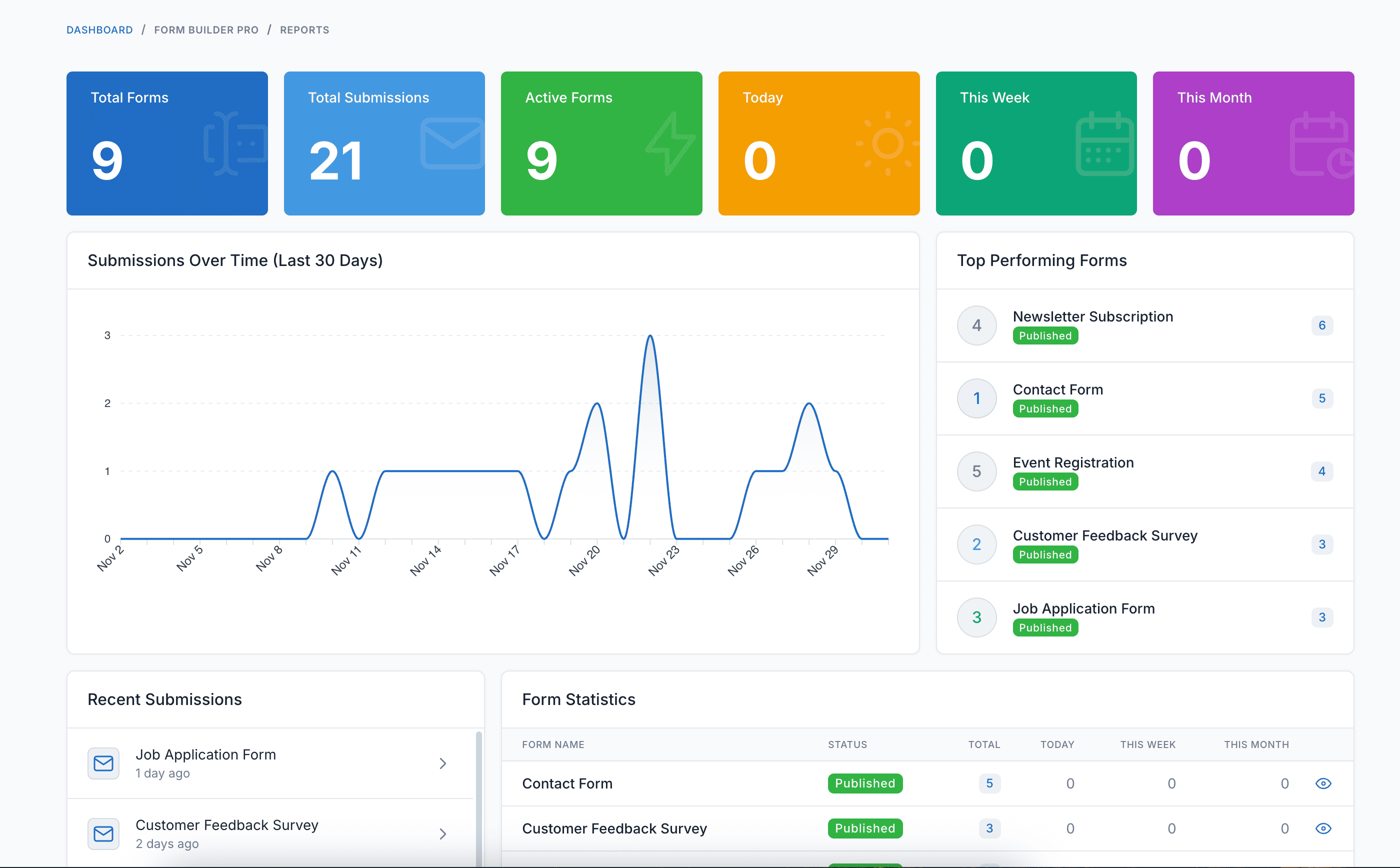
- Reports & Analytics – View submission statistics, charts, and track form performance over time.
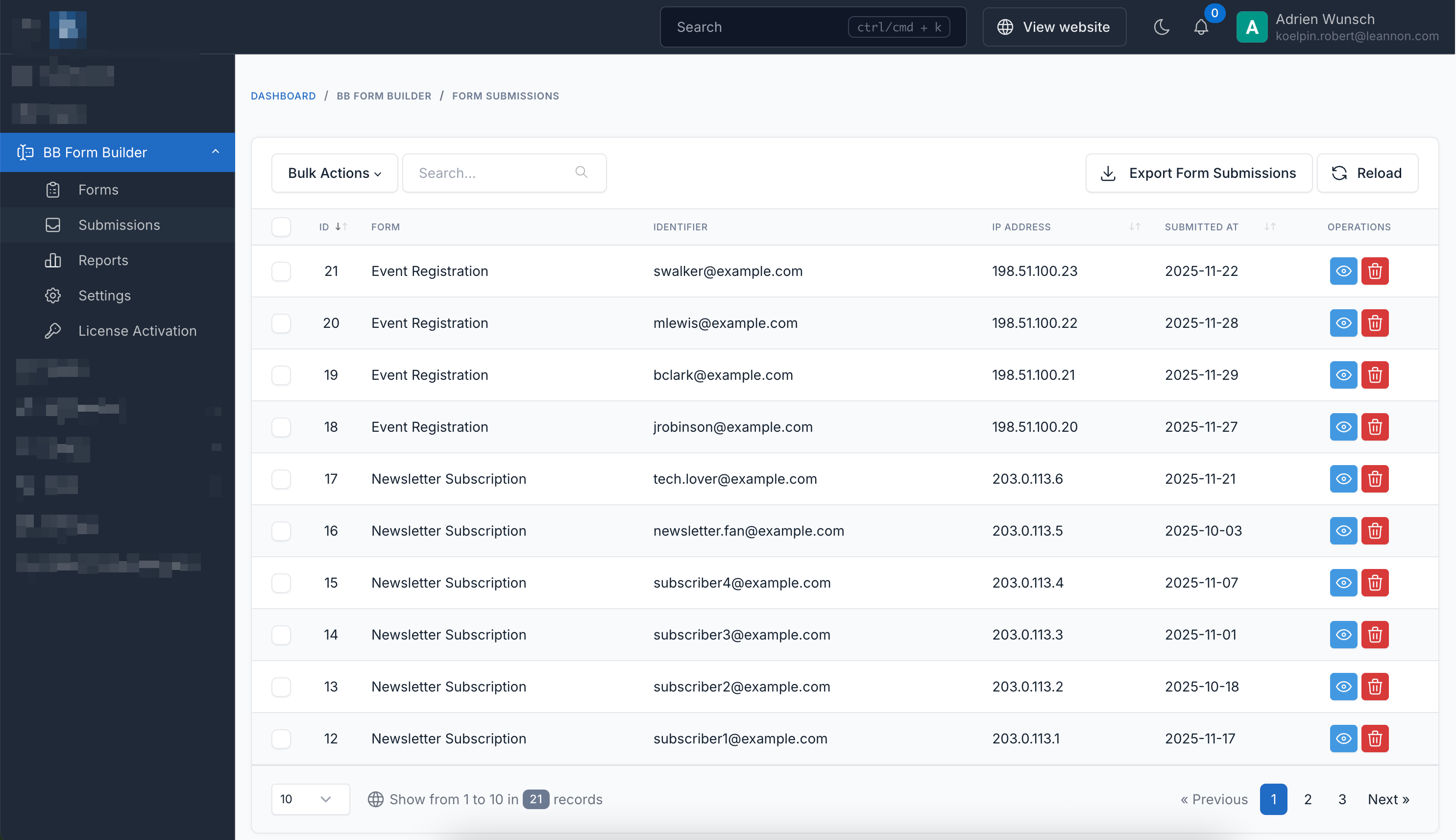
- Export Submissions – Export form submissions to CSV with date range and form filters.
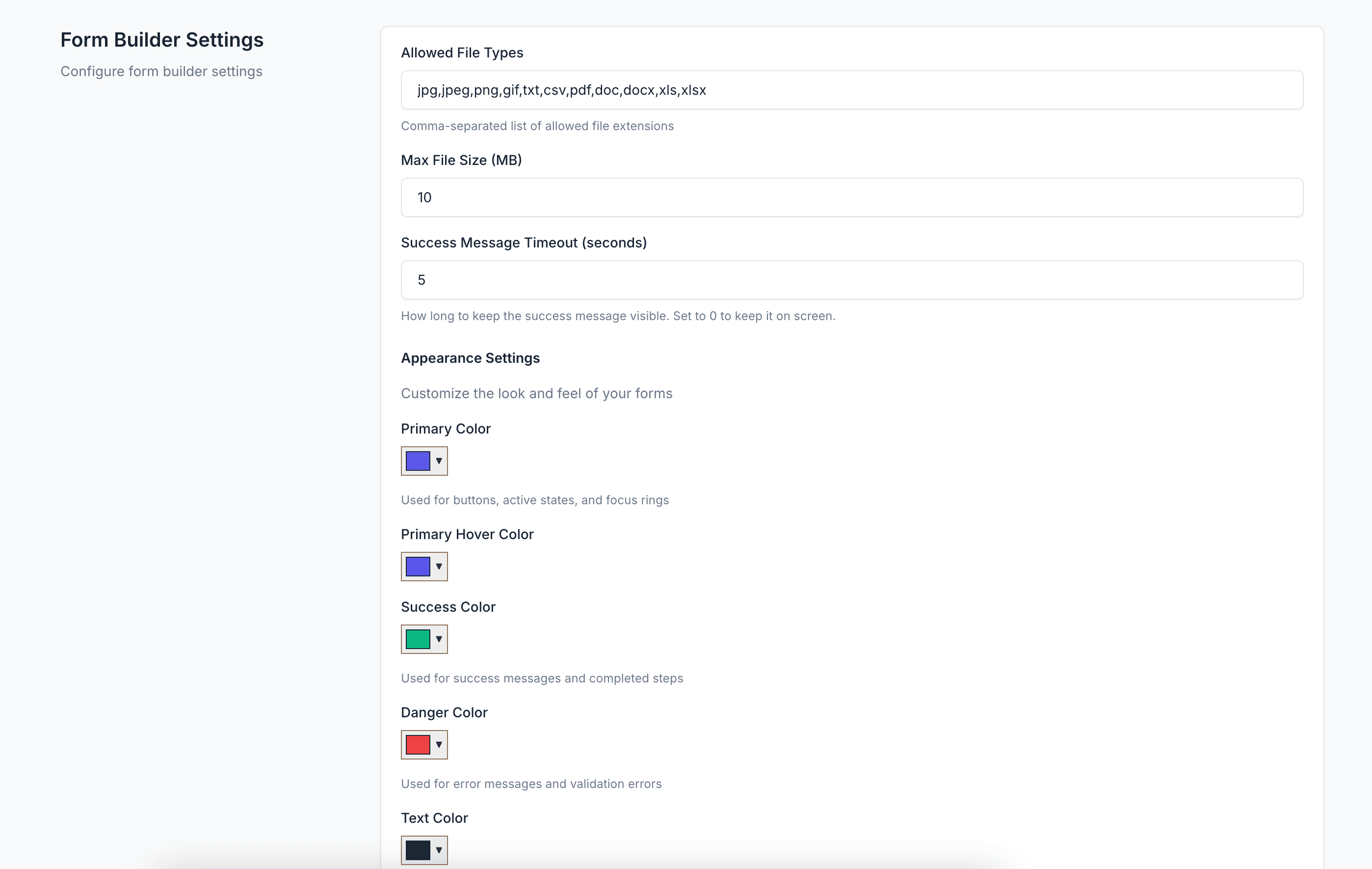
- Appearance Customization – Customize colors, border radius, shadows, and more to match your brand.
- Responsive Design – Forms look perfect on all devices from desktop to mobile.
- Multi-language Support – Available in 25+ languages including English, French, German, Spanish, Vietnamese, and more.
- Translations – BB Form Builder is fully translation ready and can be easily translated to any language from admin area.
- Ongoing Support: Benefit from our dedicated support team, ready to help you with any questions or challenges you may encounter during integration and beyond. We always reply your ticket within 1 business day.


Demo
- Admin Panel: https://bb-form-builder.botble.com/admin/bb-form-builder
- Admin account: admin – 12345678 (username & password are autofilled)
Requirements
- Botble CMS version 7.2.6 or higher
- PHP version 8.2 or higher
Installation Guide
Installing BB Form Builder is quick and straightforward:
- Download the plugin from your CodeCanyon downloads page
- Extract the downloaded zip file
- Upload the extracted folder to
platform/plugins/bb-form-builderdirectory - Go to Admin > Plugins and activate the BB Form Builder plugin
- Refresh your website
After installation, you can access BB Form Builder from the main menu in your admin panel.
Usage Guide
Creating a Form
- Log in to your admin panel
- Navigate to “BB Form Builder” > “Forms” in the main menu
- Click “Create” to start building a new form
- Drag fields from the left panel and drop them into the form canvas
Available Field Types
- Text Input: Single-line text fields for names, titles, etc.
- Number Input: Numeric fields with validation
- Email: Email fields with built-in validation
- Phone: Phone number fields
- Multi-line Input: Textarea for longer text content
- Autocomplete: Text input with suggestion dropdown
- Checkbox: Multiple choice selections
- Radio Button: Single choice selections
- Dropdown: Select box with options
- Date: Date picker field
- Time: Time picker field
- File Upload: Upload documents and files
- Image Upload: Upload images with preview
- Hidden: Hidden fields for tracking data
- HTML Content: Add custom HTML content to forms
Configuring Form Actions
- Go to the “Actions” tab in the form editor
- Add “Email Notification” to send emails on submission
- Add “Save to Database” to store submissions
- Add “API Webhook” to send data to external services
- Configure Mailchimp or GetResponse integration for email marketing
Embedding Forms
- Use the shortcode:
[bb-form-builder code="your-form-code"][/bb-form-builder] - Place the shortcode in any page, post, or widget
- For external websites, enable “Allow Embed” and copy the iframe code
Creating Popup Forms
- Go to “Form Settings” tab and find “Popup Display Settings”
- Set “Display Mode” to “Popup”
- Choose a trigger: Button Click, Time Delay, Scroll Percentage, or Exit Intent
- Configure popup appearance and behavior
Multi-Step Wizard Forms
- Click “Add Step” to create multiple form steps
- Drag fields into each step as needed
- Choose horizontal or vertical layout for progress indicators
- Configure step titles and navigation buttons
Advanced Features
- Form Styles: Choose from 5 beautiful styles (Default, Modern, Minimal, Bold, Glassmorphism)
- Form Sizes: Configure form width from Small to Full Size
- CAPTCHA: Enable Google reCAPTCHA or Math CAPTCHA for spam protection
- Reports: View submission statistics and analytics in the Reports section
- Export: Export submissions to CSV with date range filters
- Appearance: Customize colors, borders, and shadows in Settings
Changelog
Version 1.0.0 – December – 2025
 - Drag-and-drop form builder with 15+ field types
 - Multi-step wizard forms with progress indicators
 - 5 beautiful form styles (Default, Modern, Minimal, Bold, Glassmorphism)
 - Popup forms with multiple trigger options
 - Email notifications with dynamic placeholders
 - API webhook integration
 - Mailchimp integration
 - GetResponse integration
 - Google reCAPTCHA and Math CAPTCHA
 - Secure file and image uploads
 - Form embedding on external websites
 - Reports and analytics dashboard
 - Export submissions to CSV
 - Appearance customization
 - Multi-language support (25+ languages)
Support & Documentation
Dedicated Support
Our support team is ready to help you with any questions or issues. We typically respond within 12-24 hours.
Comprehensive Documentation
Our detailed documentation covers everything from installation to advanced features.
About Botble
Botble is a team of experienced developers dedicated to creating high-quality, user-friendly web applications and plugins. With years of experience in web development, we strive to deliver products that meet the highest standards of quality and performance.
Visit us at botble.com
Leave a comment
Your email address will not be published. Required fields are marked *
Comments from Envato Marketplace
View all on CodeCanyon
.png)

Call to undefined method Botble\LanguageAdvanced\Supports\LanguageAdvancedManager::isDefaultLocale()
on platform\plugins\bb-form-builder\src\Models\FormBuilder.php:287
